

.UAE Extension de fichier
Fichier de configuration WinUAE
| Développeur | WinUAE |
| Popularité |
2,0 | 1 Vote |
Qu'est-ce qu'un fichier UAE ?
Un fichier UAE est un fichier de configuration utilisé par WinUAE, un émulateur Amiga open source pour Windows. Il détermine le modèle d’Amiga que WinUAE émule, ainsi que le processeur, le jeu de puces, la ROM, la RAM et les autres paramètres de ce modèle. Les utilisateurs chargent et enregistrent les fichiers UAE depuis le menu Configurations de WinUAE ().
Plus d'informations
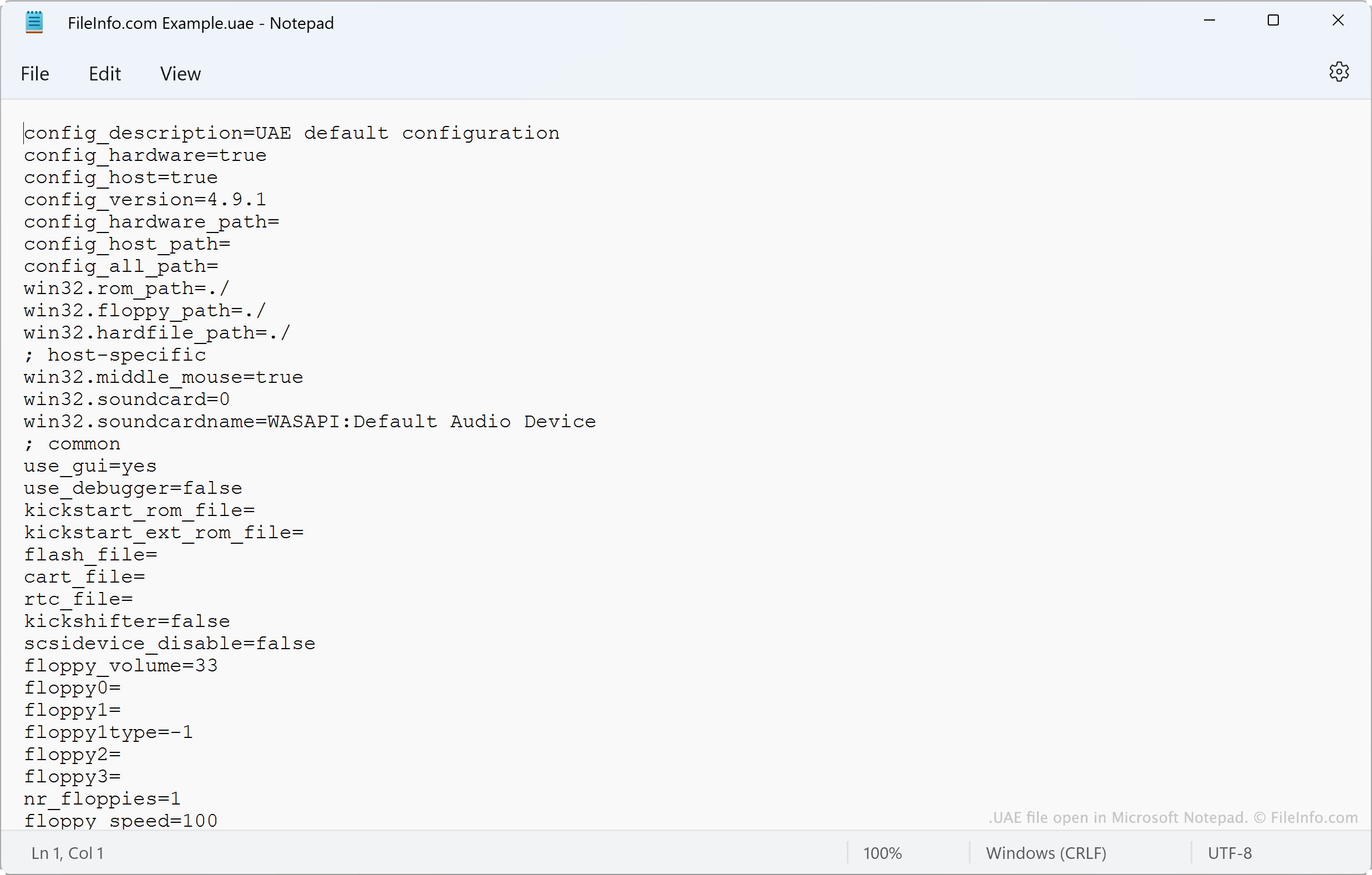
WinUAE permet aux passionnés d’Amiga d’émuler d’anciens ordinateurs Amiga dans Windows. Avant de lancer un émulateur, les utilisateurs de WinUAE peuvent configurer le type de processeur, de FPU, de jeu de puces, de ROM, de RAM, de lecteurs et de ports utilisés par l’émulateur. Ils effectuent cette configuration dans la fenêtre .
Après avoir configuré un émulateur selon leurs préférences, les utilisateurs peuvent enregistrer leur configuration dans un fichier UAE. Pour ce faire, l’utilisateur accède à et sélectionne le bouton . En général, les utilisateurs enregistrent les configurations dans C:/Users/Public/Documents/Amiga Files/WinUAE/Configurations et les chargent depuis cet emplacement.
Noms de fichiers .UAE courants
default.uae - Le nom du fichier de configuration par défaut de WinUAE.
Comment ouvrir un fichier UAE

Vous pouvez charger dans WinUAE (Windows) les paramètres contenus dans un fichier UAE. Pour ce faire, ouvrez et sélectionnez . Sélectionnez ensuite , puis accédez à votre fichier UAE et ouvrez-le.
Comme les fichiers UAE sont des fichiers texte brut, vous pouvez également afficher les paramètres qu’ils contiennent dans Microsoft Notepad (Windows), Apple TextEdit (Mac) ou tout autre éditeur de texte.