.UAE ファイル拡張子

WinUAE Configuration File

開発元 WinUAE
人気度
2.0  |  1 
 

UAEファイルとは?

A UAE file is a configuration file used by WinUAE, an open-source Amiga emulator for Windows. It determines what model of Amiga WinUAE emulates, as well as that model's CPU, chipset, ROM, RAM, and other settings. Users load and save UAE files from WinUAE's Configurations menu (WinUAE Properties → Settings → Configurations).

詳細情報

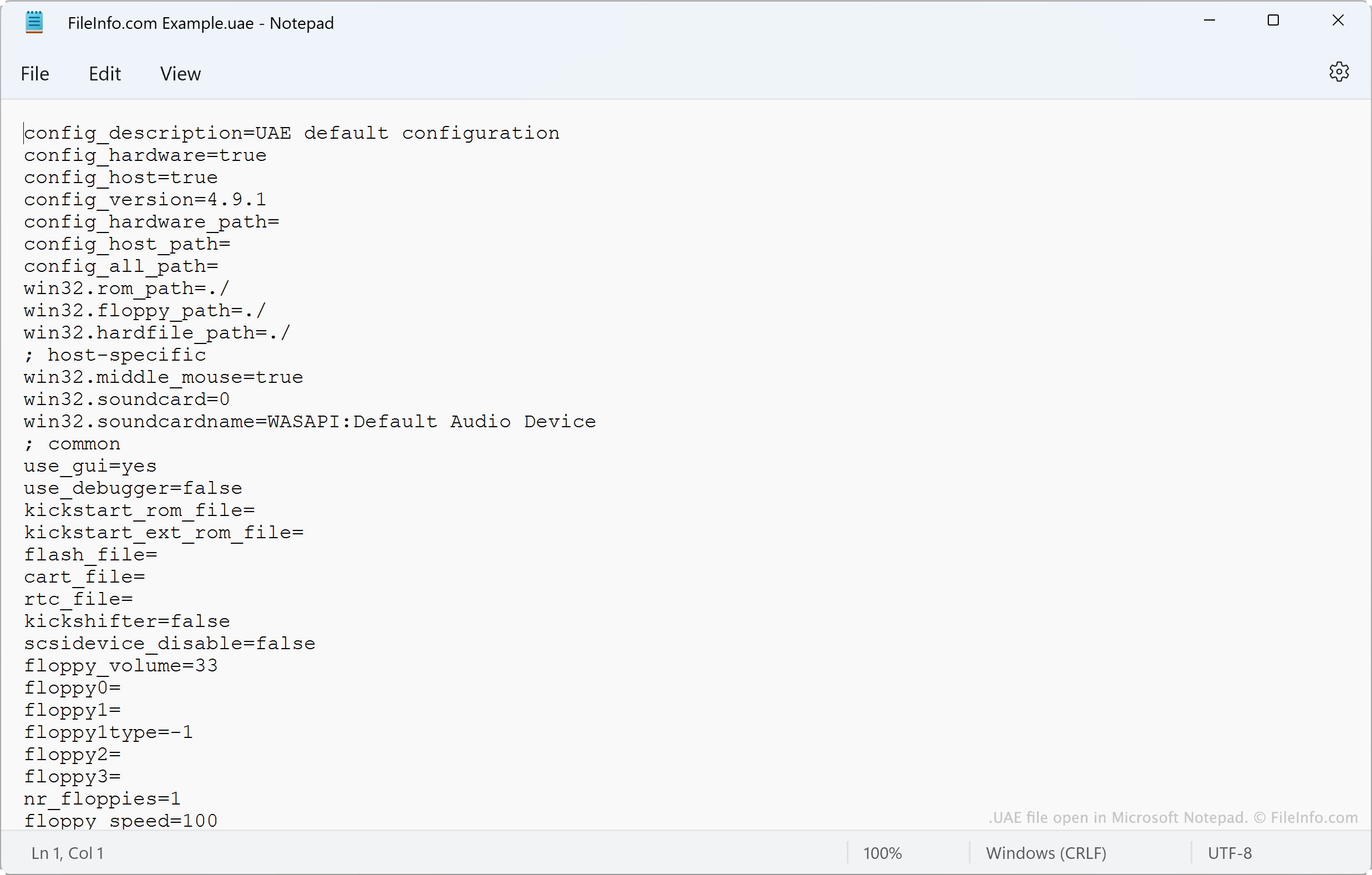
Microsoft Notepadで開いた.uaeファイルのスクリーンショット
Microsoft Notepadで開いたUAEファイル

WinUAE allows Amiga enthusiasts to emulate old Amiga computers in Windows. Before launching an emulator, WinUAE users can configure the type of CPU, FPU, chipset, ROM, RAM, drives, and ports the emulator uses. They do this in the WinUAE Properties window.

After configuring an emulator to their liking, users can save their configuration as a UAE file. To do so, the user goes to Configurations and selects the Save As... button. Typically, users save configurations to and load configurations from C:/​Users/​Public/​Documents/​Amiga Files/​WinUAE/​Configurations.

一般的な.UAEファイル名

default.uae - The name of WinUAE's default configuration file.

UAEファイルの開き方

Loading a UAE file in WinUAE

You can load the settings a UAE file contains in WinUAE (Windows). To do so, open WinUAE Properties and select Configurations. Then, select Load From... and navigate to and open your UAE file.

Because UAE files are plain text files, you can also view the settings they contain in Microsoft Notepad (Windows), Apple TextEdit (Mac), or any other text editor.

File Viewer Plusで400種類以上のファイル形式を開けます。無料ダウンロード

UAEファイルを開く、または参照するプログラム

Windows
無料
Mac
OSに同梱
Linux
無料
カテゴリ: 設定
更新日: 2022-05-16

検証者 FileInfo.com

FileInfo.comチーム は、このページに掲載されているWinUAE Configurationファイル形式とMac, Windows, and Linuxアプリについて独自に調査しました。 私たちの目標は100%の正確性であり、検証済みのファイルタイプに関する情報のみを公開しています。

このページへの追加や更新をご提案いただける場合は、お知らせください。