

.OCI Dateiendung
openCanvas-Bild
| Entwickler | Portalgraphics |
| Beliebtheit |
3,3 | 6 Stimmen |
Was ist eine OCI-Datei?
Eine OCI-Datei ist ein von openCanvas erstelltes Bild. openCanvas ist eine Anwendung zum Zeichnen und Malen. Sie speichert ein Bitmapbild im proprietären openCanvas-Image- (OCI-)Format. OCI-Dateien werden häufig für Anime und andere Arten digitaler Kunst verwendet.
Weitere Informationen
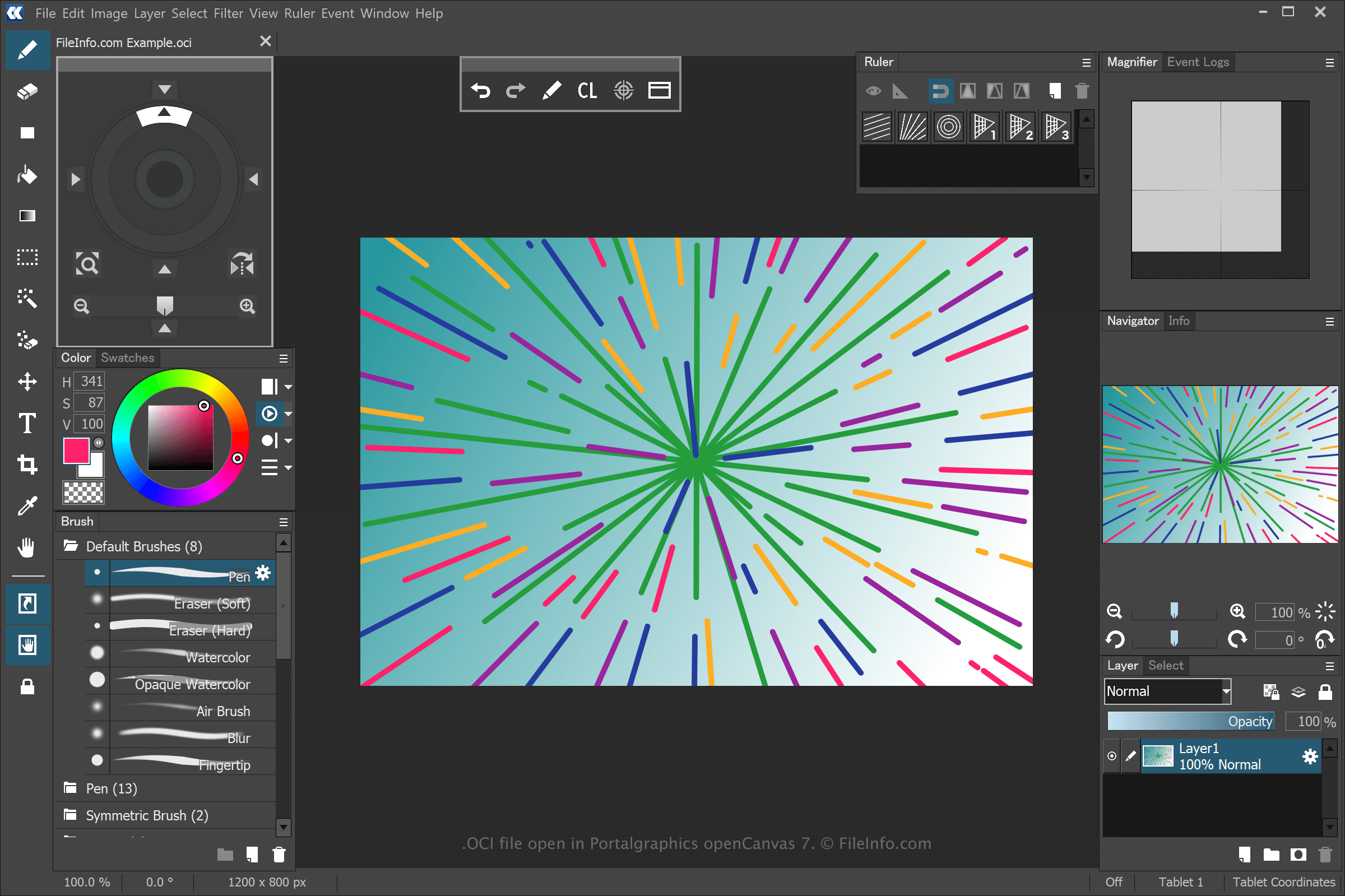
openCanvas ist eine Anwendung für digitale Kunst, die Funktionen für Anfänger und erfahrene Benutzer bietet. Wenn Sie eine Zeichnung mit openCanvas speichern, erstellt die Anwendung eine OCI-Datei, in der die Informationen gespeichert werden.
Um mit openCanvas eine OCI-Datei zu erstellen, wählen Sie , bearbeiten Sie die Zeichnung und wählen Sie anschließend oder . Nachdem Sie die OCI-Datei gespeichert haben, können Sie die Zeichnung schließen, erneut öffnen und anschließend weiter bearbeiten.
HINWEIS: Sie können die Strichereignisse aufzeichnen, die zum Zeichnen eines OCI-Bilds verwendet werden, und sie in der Software wiedergeben. Von openCanvas gespeicherte Ereignisdateien verwenden die Erweiterungen .OC3, .OC4, .OC5 usw., wobei die Zahl für die Version der Software steht.
So öffnen Sie eine OCI-Datei
Sie können OCI-Dateien mit Portalgraphics openCanvas öffnen. Um die OCI-Datei zu öffnen, wählen Sie .