.WFP 文件扩展名
WaveFront Program File
| 开发者 | Turtle Beach |
| 受欢迎程度 |
3.7 | 57 票 |
什么是 WFP 文件?
A WFP file contains a single program, or patch, used by Turtle Beach WaveFront synthesizer cards. It represents an instrument that can be added to a WaveFront synthesizer. WaveFront-based synthesizers include the Maui, Tropez, Rio, and Monterey.
更多信息
Since the mid-2000s, Turtle Beach has primarily produced gaming headsets and other gaming accessories, abandoning the sound card and synthesizer market. As such, you're unlikely to encounter a WaveFront Program File.
如何打开 WFP 文件
You can open WFP files using FMJ-Software Awave Studio.
可打开 WFP 文件的程序
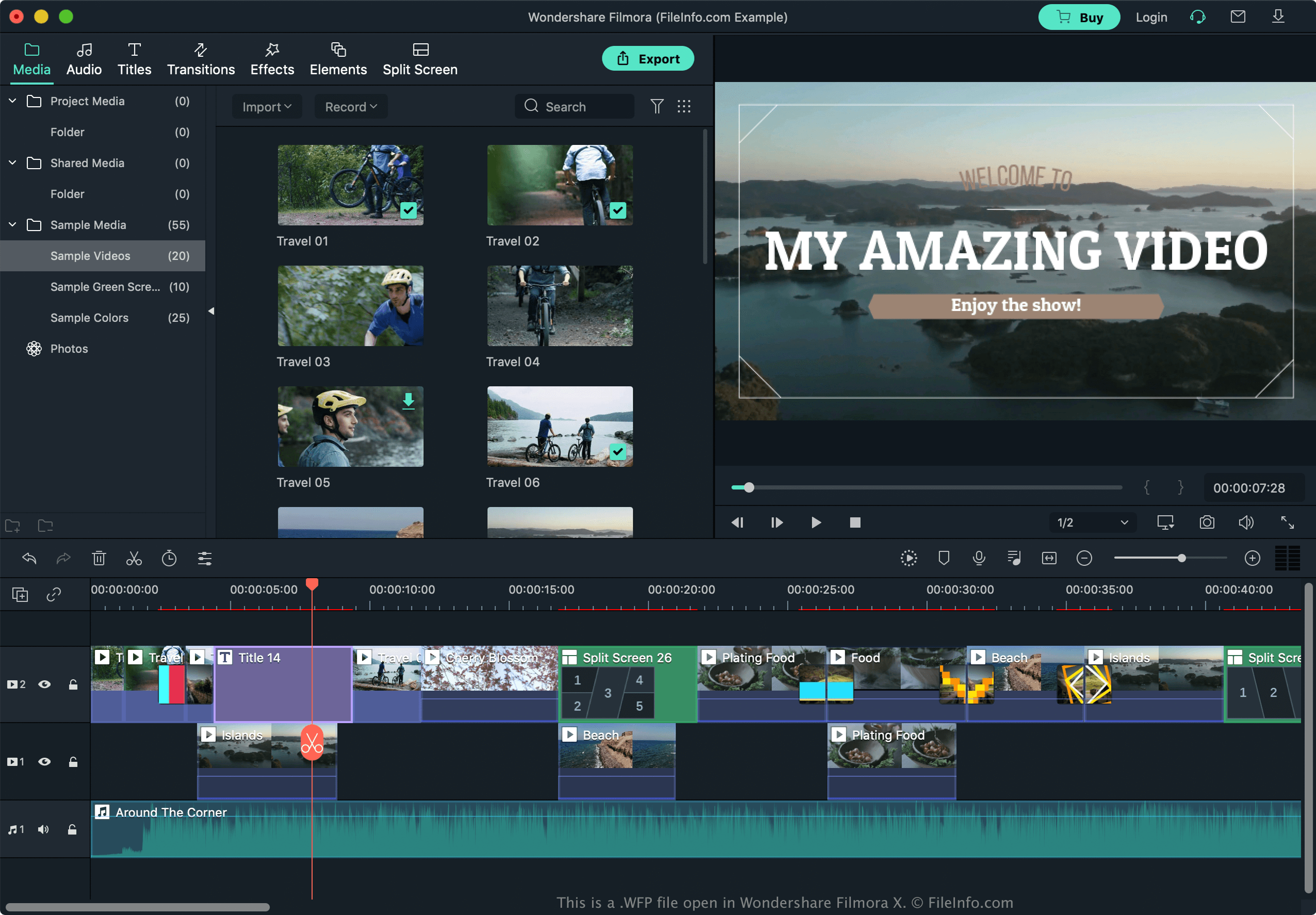
Wondershare Filmora Project File
| 开发者 | Wondershare |
| 受欢迎程度 |
3.7 | 53 票 |
A WFP file is a video project created by Wondershare Filmora, a video editor. It contains project information, such as a timeline with one or more video tracks, and includes project settings such as edits, transitions, animated titles, and special effects. WFP files also store video and audio settings for the project, such as the encoder, resolution, frame rate, channel, sample rate, and bitrate.
更多信息
Wondershare released the WFP format with Filmora9 in December 2018, replacing the .WVE (Windows) and .WSVE (Mac) project file types used by previous versions of Filmora for saving projects. To create a WFP project with Filmora9 and later, select Create Project → New Project from the welcome screen or select File → New.
When you are finished editing a WFP project with Filmora, you can export the project to various multimedia formats, including .MP4, .MOV, .AVI, .MKV, .GIF, and .MP3. You can also choose the output format based on a specific device or directly upload the video to YouTube or Vimeo.
注: WFP projects save references to video and music files, but not the files themselves. Therefore, to transfer a project, you must also copy the referenced files.
如何打开 WFP 文件
You can only open WFP files with Wondershare Filmora (version 9 or later) in Windows and macOS. To open a WFP file, select File → Open... or Open Recent.