.VMSN 文件扩展名

VMware Snapshot State File

开发者 VMware
受欢迎程度
4.0  |  2 
 

什么是 VMSN 文件?

A VMSN file saves the virtual machine (VM) data for a snapshot, which is a frozen state of the VM saved at a particular point in time. VMware virtualization software creates a VMSN file when a user takes a snapshot of a VM, which allows them to revert a VM to a saved point. VMSN files are saved with a .VMSD file, which contains the metadata for the snapshot.

更多信息

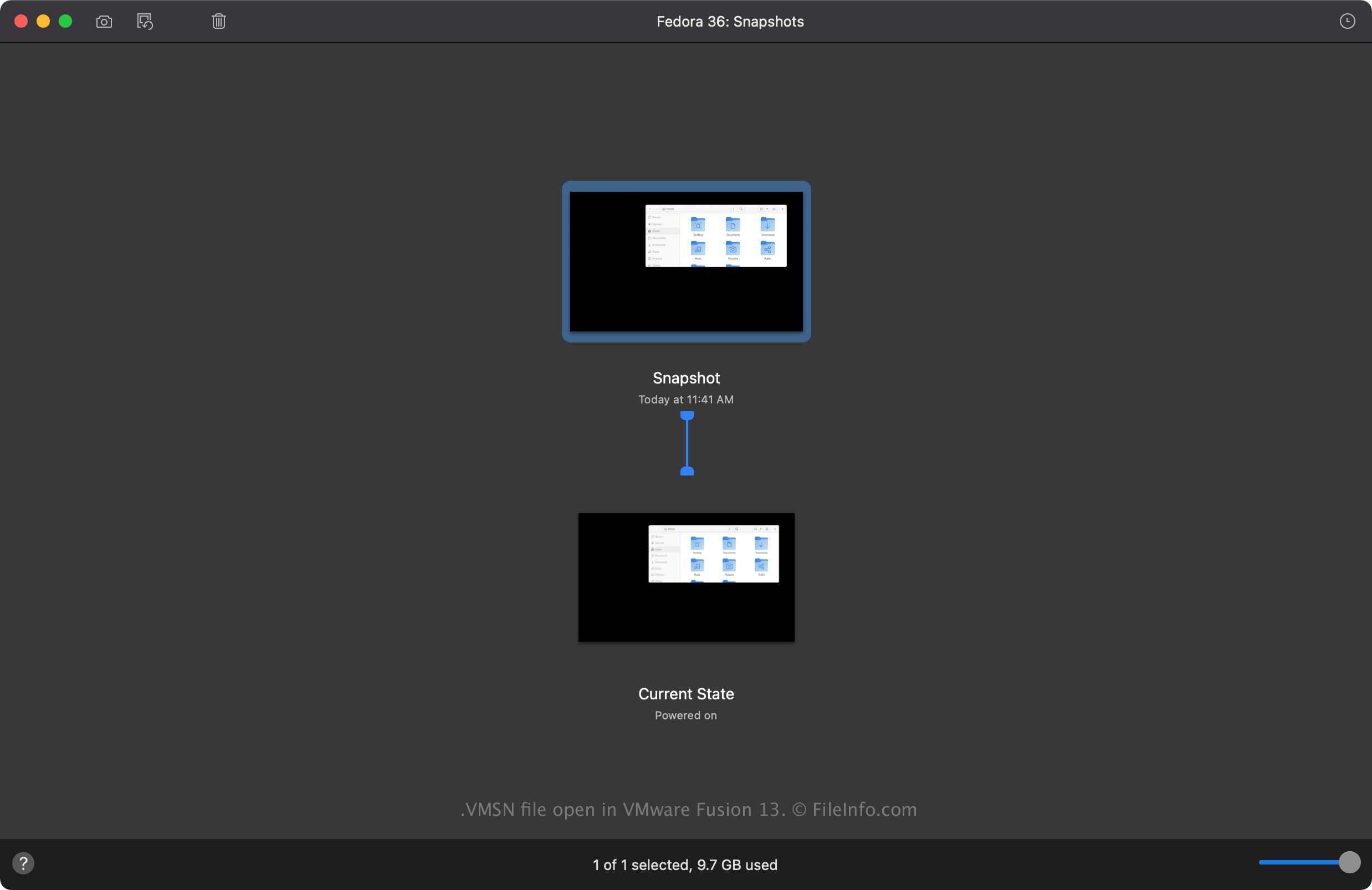
在 VMware Fusion 13 中打开的 .vmsn 文件截图
在 VMware Fusion 13 中打开的 VMSN 文件

VMware Fusion and VMware Workstation are virtualization applications that can run multiple VMs on a single machine. VM snapshots save a VM state you can revert to in case something happens to the VM. For example, you can save a fresh installation of a guest operating system (OS) as a snapshot and revert to the clean OS install even after installing applications.

How to create a VMSN file

When taking a snapshot of a VM, VMware virtualization software creates a VMSN file in the VM file. For example, you can take a snapshot in Fusion by selecting Virtual Machine → Snapshots... → Take Snapshot, then Fusion creates the VMSN file in the .VMWAREVM file, which you can find in the following location (Fusion saves it here by default):

Macintosh HD/​Users/​[username]/​Virtual Machines

常见 .VMSN 文件名

[VM name]-Snapshot[number].vmsn - The name of the VMSN file is the same name as the VM followed by the numbered snapshot. For example, the VMSN file for the second snapshot of a "Windows 11" VM is Windows 11-Snapshot2.vmsn.

如何打开 VMSN 文件

You should not attempt to open a VMSN file manually. Instead, you can open a VMSN file from within the VMware Fusion or VMware Workstation user interface. For example, to open a VMSN file in Fusion, select Virtual Machine → Snapshots... → Snapshots..., then double-click the snapshot to load it.

使用File Viewer Plus打开 400 多种文件格式。免费下载

可打开或引用 VMSN 文件的程序

Windows
免费试用
Mac
Linux
免费试用
分类: 数据
更新时间: 2022-12-21

验证者 FileInfo.com

FileInfo.com 团队 独立研究了本页面列出的 VMware Snapshot State 文件格式和 Mac, Windows, and Linux 应用。 我们的目标是达到 100% 的准确率,并且仅发布我们已验证过的文件类型信息。

如果您想为此页面提出新增或更新建议,请告诉我们