.VEGCAP 文件扩展名

VEGAS Video Capture File

开发者 MAGIX
受欢迎程度
2.0  |  1 
 

什么是 VEGCAP 文件?

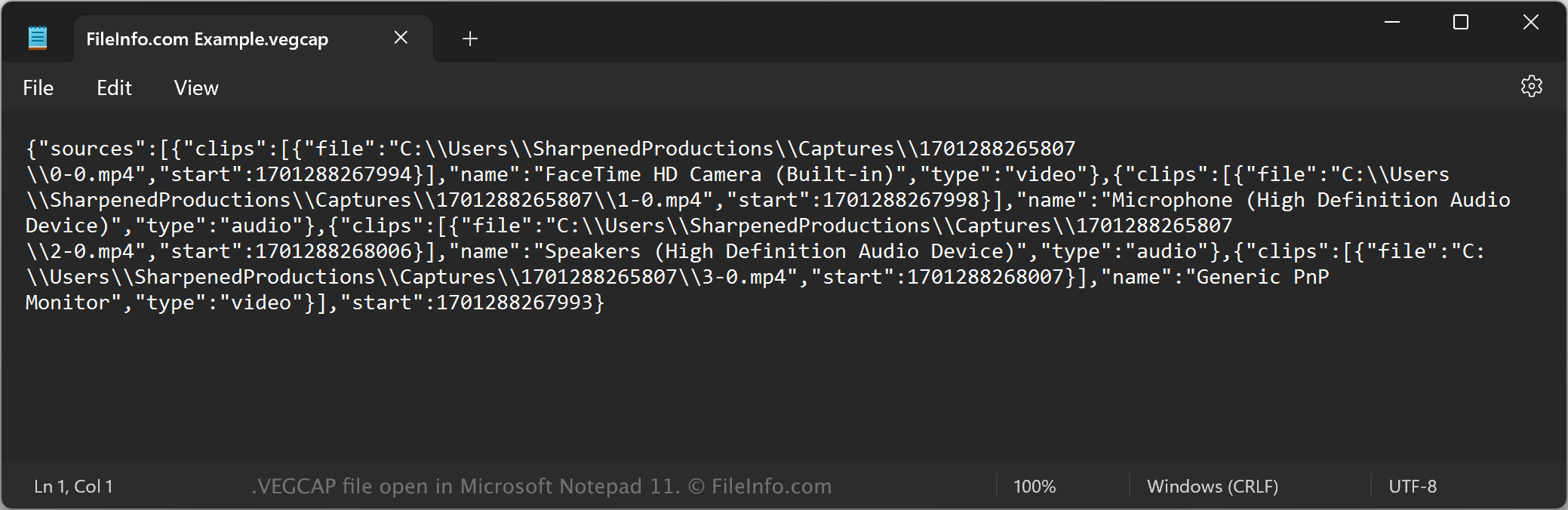
A VEGCAP file contains one or more references to the directory locations of .MP4 files that store video captured by MAGIX VEGAS Pro video-editing software. The captured video may be a screen recording or from a camera connected to the computer running VEGAS Pro. VEGCAP files do not contain actual video data; they store plain text.

更多信息

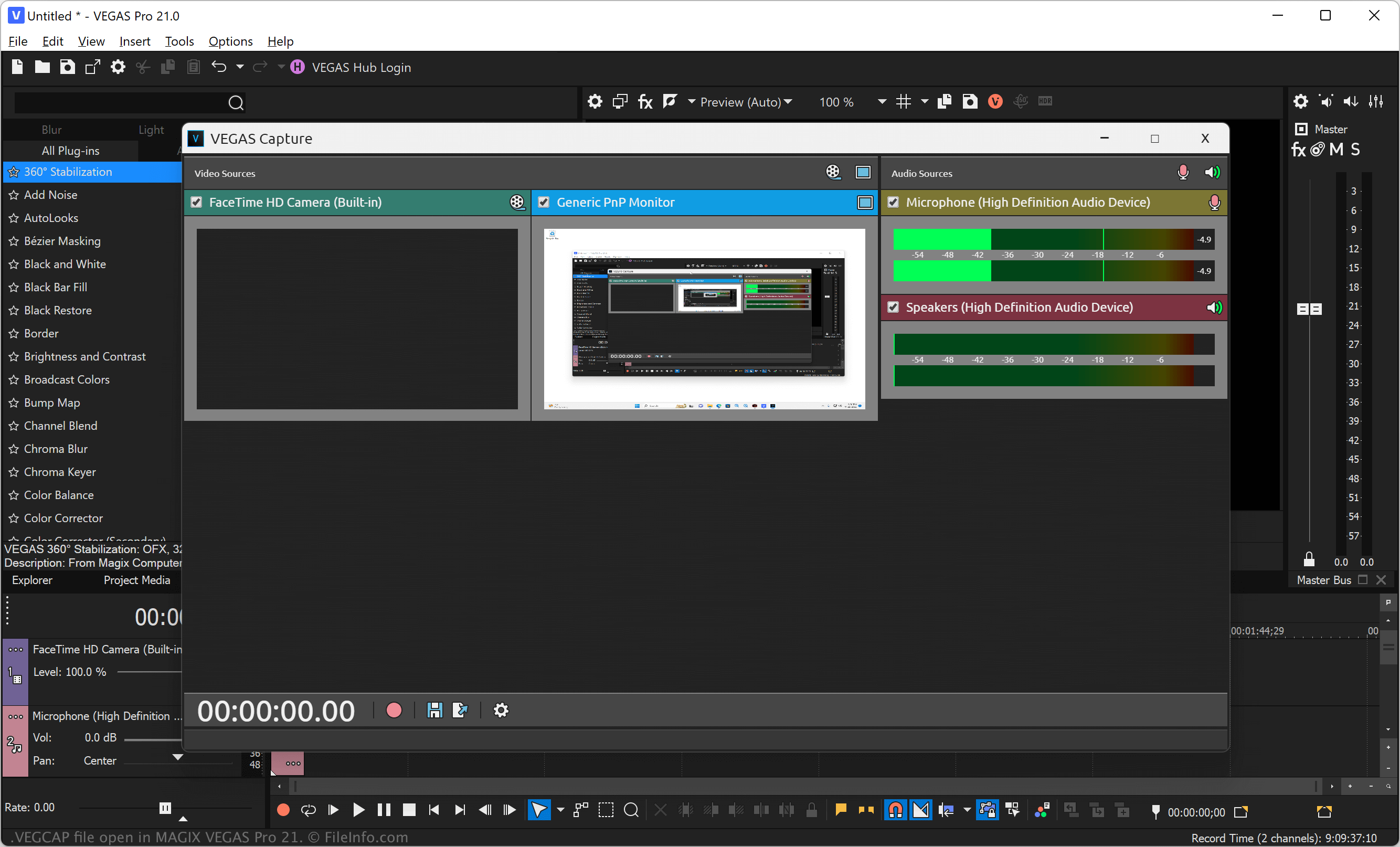
在 MAGIX Vegas Pro 21 中打开的 .vegcap 文件截图
在 MAGIX Vegas Pro 21 中打开的 VEGCAP 文件

VEGAS Pro (formerly Sony Vegas) is a professional video and audio-editing application for Windows. The software allows you to import media, such as video, image, and audio files, into your project, apply effects, and export the video to share with others.

You can also record video directly from your screen or a connected source and then import it into your project (.VEG file). To capture video of your screen or from a connected camera, select File → VEGAS Capture, choose the video source, and then click the red circle icon to begin recording. After you stop the recording, select the floppy disk save icon to choose the save location of the VEGCAP file, then click Save.

注: VEGAS Pro saves the MP4 files that store captured video referenced by VEGCAP files in a numbered folder in the following directory by default:

C:\​Users\​[username]\​Captures\​

如何打开 VEGCAP 文件

You can open VEGCAP files with MAGIX VEGAS Pro in Windows. To do so, select File → Open... from the program's menu bar. Then, navigate to and open your VEGCAP file.

Opening a VEGCAP file with a text editor

VEGCAP file open in Microsoft Notepad

Since VEGCAP files are saved in plain text, you can also open them with a text editor, such as Microsoft Notepad (Windows) or Apple TextEdit (Mac), or a source code editor. You may need to rename the .vegcap file extension to .txt for the text editor to recognize it. Remember that if you incorrectly edit the file, you may inadvertently corrupt the VEGCAP file.

如何转换 VEGCAP 文件

MAGIX VEGAS Pro can convert VEGCAP files to various file types. To do this, you must open the VEGCAP file with VEGAS Pro, which opens the referenced MP4 files in the video editor. You can then convert the video to the following formats:

  • .MOV - Apple QuickTime Movie
  • .AVI - Audio Video Interleave File
  • .WMV - Windows Media Video
  • .MPEG2 - MPEG-2 Video
  • .MPEG1 - MPEG-1 Video
  • .PRPROJ - Premiere Pro Project
  • .FCPXML - Final Cut Pro XML File
使用File Viewer Plus打开 400 多种文件格式。免费下载

可打开 VEGCAP 文件的程序

Windows
免费试用
分类: 视频
更新时间: 2023-11-29

验证者 FileInfo.com

FileInfo.com 团队 独立研究了本页面列出的 VEGAS Video Capture 文件格式和 Windows 应用。 我们的目标是达到 100% 的准确率,并且仅发布我们已验证过的文件类型信息。

如果您想为此页面提出新增或更新建议,请告诉我们