.VEGCAP ファイル拡張子

VEGAS Video Capture File

開発元 MAGIX
人気度
2.0  |  1 
 

VEGCAPファイルとは?

A VEGCAP file contains one or more references to the directory locations of .MP4 files that store video captured by MAGIX VEGAS Pro video-editing software. The captured video may be a screen recording or from a camera connected to the computer running VEGAS Pro. VEGCAP files do not contain actual video data; they store plain text.

詳細情報

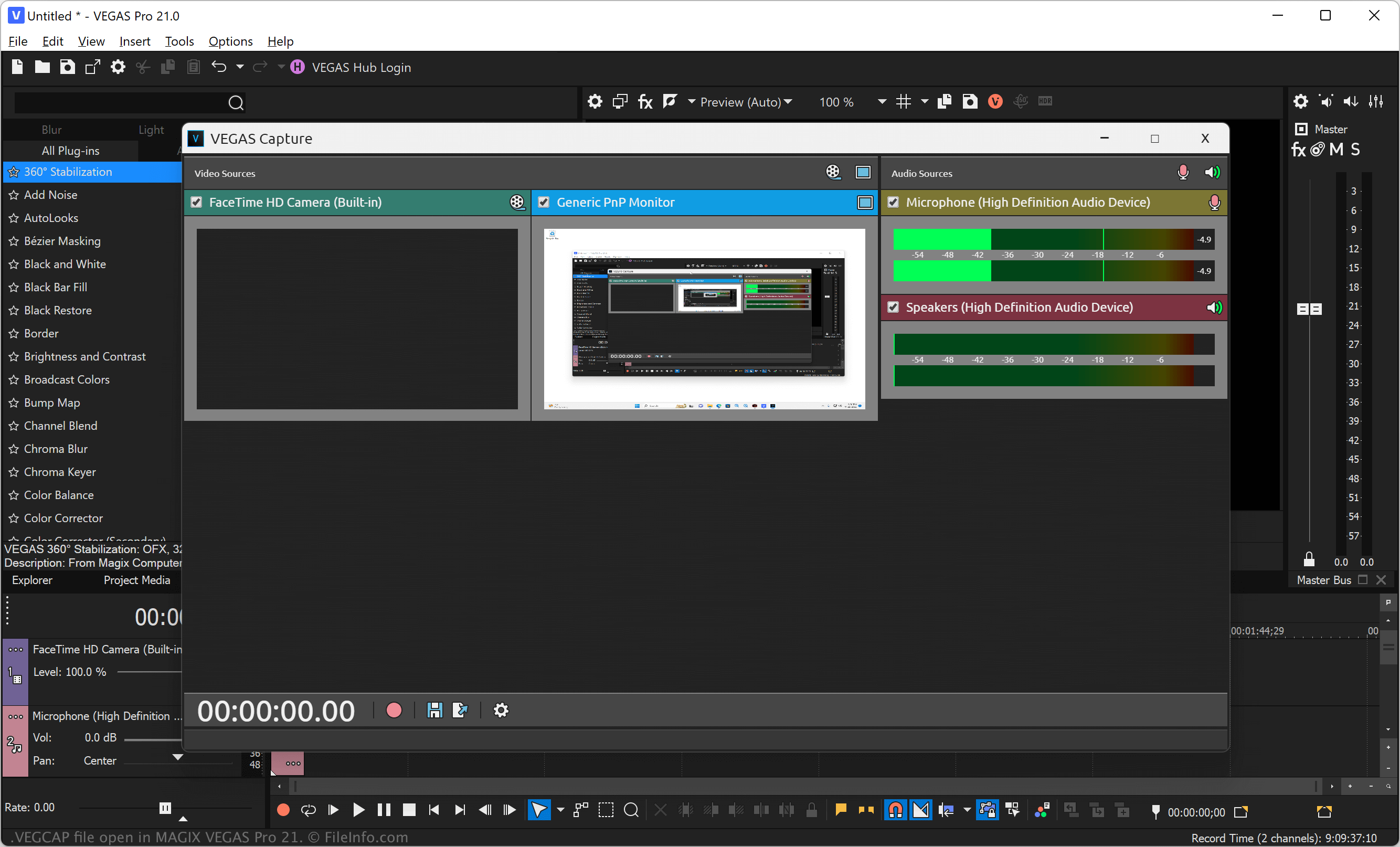
MAGIX Vegas Pro 21で開いた.vegcapファイルのスクリーンショット
MAGIX Vegas Pro 21で開いたVEGCAPファイル

VEGAS Pro (formerly Sony Vegas) is a professional video and audio-editing application for Windows. The software allows you to import media, such as video, image, and audio files, into your project, apply effects, and export the video to share with others.

You can also record video directly from your screen or a connected source and then import it into your project (.VEG file). To capture video of your screen or from a connected camera, select File → VEGAS Capture, choose the video source, and then click the red circle icon to begin recording. After you stop the recording, select the floppy disk save icon to choose the save location of the VEGCAP file, then click Save.

注: VEGAS Pro saves the MP4 files that store captured video referenced by VEGCAP files in a numbered folder in the following directory by default:

C:\​Users\​[username]\​Captures\​

VEGCAPファイルの開き方

You can open VEGCAP files with MAGIX VEGAS Pro in Windows. To do so, select File → Open... from the program's menu bar. Then, navigate to and open your VEGCAP file.

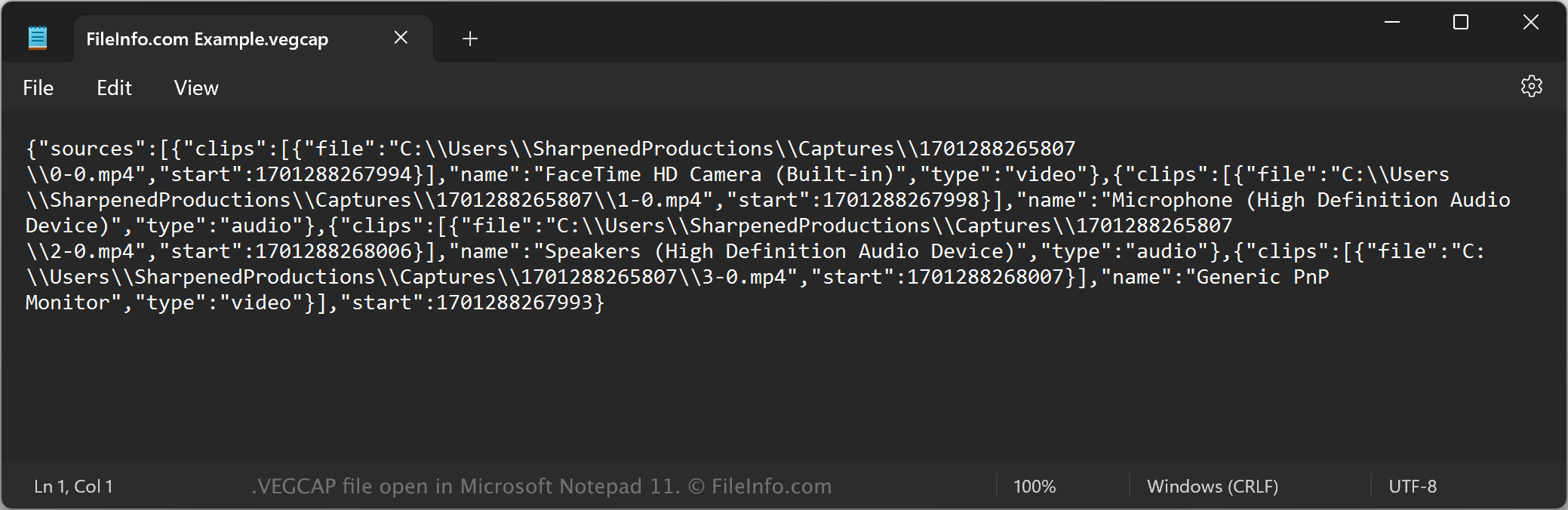
Opening a VEGCAP file with a text editor

VEGCAP file open in Microsoft Notepad

Since VEGCAP files are saved in plain text, you can also open them with a text editor, such as Microsoft Notepad (Windows) or Apple TextEdit (Mac), or a source code editor. You may need to rename the .vegcap file extension to .txt for the text editor to recognize it. Remember that if you incorrectly edit the file, you may inadvertently corrupt the VEGCAP file.

VEGCAPファイルの変換方法

MAGIX VEGAS Pro can convert VEGCAP files to various file types. To do this, you must open the VEGCAP file with VEGAS Pro, which opens the referenced MP4 files in the video editor. You can then convert the video to the following formats:

  • .MOV - Apple QuickTime Movie
  • .AVI - Audio Video Interleave File
  • .WMV - Windows Media Video
  • .MPEG2 - MPEG-2 Video
  • .MPEG1 - MPEG-1 Video
  • .PRPROJ - Premiere Pro Project
  • .FCPXML - Final Cut Pro XML File
File Viewer Plusで400種類以上のファイル形式を開けます。無料ダウンロード

VEGCAPファイルを開くプログラム

Windows
無料体験版
カテゴリ: ビデオ
更新日: 2023-11-29

検証者 FileInfo.com

FileInfo.comチーム は、このページに掲載されているVEGAS Video Captureファイル形式とWindowsアプリについて独自に調査しました。 私たちの目標は100%の正確性であり、検証済みのファイルタイプに関する情報のみを公開しています。

このページへの追加や更新をご提案いただける場合は、お知らせください。