.TSCDF 文件扩展名

TechSmith Camtasia Device Frame File

开发者 TechSmith
受欢迎程度
2.0  |  3 
 

什么是 TSCDF 文件?

A TSCDF file contains a device frame used by TechSmith Camtasia, a screen recording and video editing application. It stores an image or video that includes a device, such as a desktop, laptop, or mobile device, which frames a clip to make it appear that the recording is occurring on that device.

更多信息

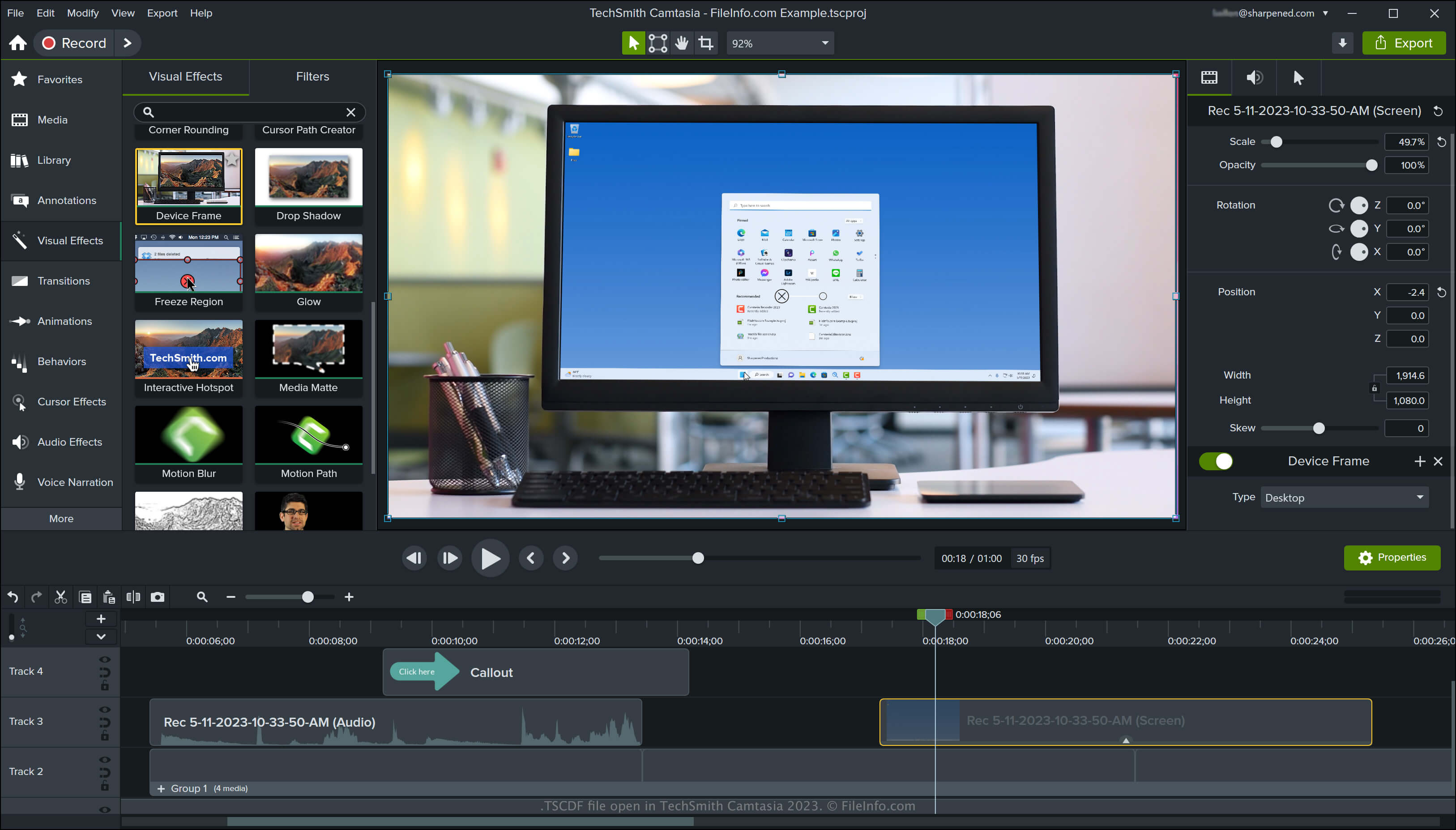
在 TechSmith Camtasia 2023 中打开的 .tscdf 文件截图
在 TechSmith Camtasia 2023 中打开的 TSCDF 文件

Camtasia is an application for Windows and macOS that captures screen activity, such as a video conference, how-to tutorial, software demonstration, or online gaming session. The application includes several default device frames, and you can also download more from the TechSmith library site.

How to access device frames in Camtasia

You can access the device frames in Camtasia by selecting "Visual Effects" in the pane on the left side of the program interface, then drag and drop the "Device Frame" effect onto your video. Camtasia then frames the clip in that device.

You can change the device frame type by selecting the "Device Frame Type" dropdown menu in the right pane of the program interface. You can also select Download More... from the dropdown menu to download different device frames or select Remove Device Frames... to choose device frames to remove from the list.

注: TSCDF stands for "TechSmith Camtasia Device Frame."

如何打开 TSCDF 文件

You can open TSCDF files with TechSmith Camtasia in Windows and macOS. To open and add TSCDF files in Camtasia, double-click the file and click OK in the prompt that notifies you that Camtasia successfully added the device frame as a visual effect.

使用File Viewer Plus打开 400 多种文件格式。免费下载

可打开 TSCDF 文件的程序

Windows
免费试用
Mac
免费试用
分类: 杂项
更新时间: 2023-05-11

验证者 FileInfo.com

FileInfo.com 团队 独立研究了本页面列出的 TechSmith Camtasia Device Frame 文件格式和 Mac and Windows 应用。 我们的目标是达到 100% 的准确率,并且仅发布我们已验证过的文件类型信息。

如果您想为此页面提出新增或更新建议,请告诉我们