

.TSCDF ファイル拡張子
TechSmith Camtasiaデバイスフレームファイル
| 開発元 | TechSmith |
| 人気度 |
2.0 | 3 票 |
TSCDFファイルとは?
TSCDFファイルには、画面録画および動画編集アプリケーションであるTechSmith Camtasiaが使用するデバイスフレームが含まれています。このファイルには、デスクトップ、ノートパソコン、モバイルデバイスなどのデバイスを含む画像または動画が保存されており、そのデバイス上で録画が行われているように見せるためにクリップを枠で囲みます。
詳細情報
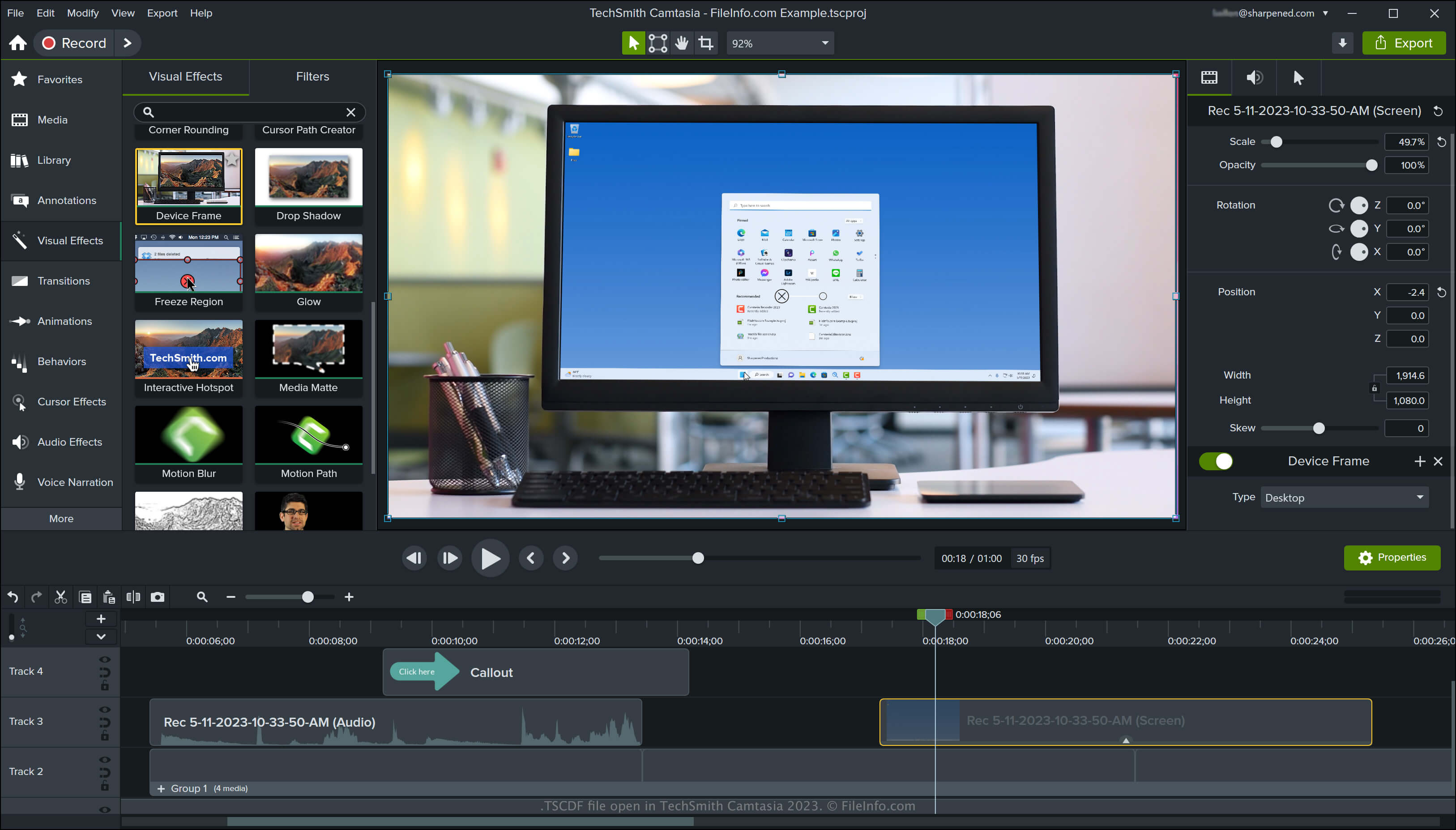
Camtasiaは、ビデオ会議、操作方法のチュートリアル、ソフトウェアのデモンストレーション、オンラインゲームのセッションなど、画面上のアクティビティをキャプチャするWindowsおよびmacOS用アプリケーションです。このアプリケーションには複数のデフォルトのデバイスフレームが含まれており、TechSmithのライブラリサイトからさらにダウンロードすることもできます。
Camtasiaでデバイスフレームにアクセスする方法
Camtasiaでデバイスフレームにアクセスするには、プログラムインターフェースの左側にあるペインで「Visual Effects」を選択し、「Device Frame」エフェクトを動画にドラッグアンドドロップします。すると、Camtasiaによってそのデバイスのフレーム内にクリップが表示されます。
プログラムインターフェースの右側のペインにある「Device Frame Type」ドロップダウンメニューを選択すると、デバイスフレームの種類を変更できます。また、ドロップダウンメニューからを選択してさまざまなデバイスフレームをダウンロードしたり、を選択してリストから削除するデバイスフレームを選んだりすることもできます。
注: TSCDFは「TechSmith Camtasia Device Frame」の略です。
TSCDFファイルの開き方
WindowsおよびmacOSでは、TechSmith CamtasiaでTSCDFファイルを開けます。CamtasiaでTSCDFファイルを開いて追加するには、ファイルをダブルクリックし、Camtasiaがデバイスフレームをビジュアルエフェクトとして正常に追加したことを知らせるプロンプトでをクリックします。