

.TSCDF 파일 확장자
TechSmith Camtasia 장치 프레임 파일
| 개발사 | TechSmith |
| 인기도 |
2.0 | 3 표 |
TSCDF 파일이란 무엇인가요?
TSCDF 파일에는 화면 녹화 및 동영상 편집 애플리케이션인 TechSmith Camtasia에서 사용하는 장치 프레임이 들어 있습니다. 데스크톱, 노트북 또는 모바일 장치와 같은 장치가 포함된 이미지나 동영상을 저장하며, 이 장치가 클립을 둘러싸 녹화가 해당 장치에서 진행되는 것처럼 보이게 합니다.
추가 정보
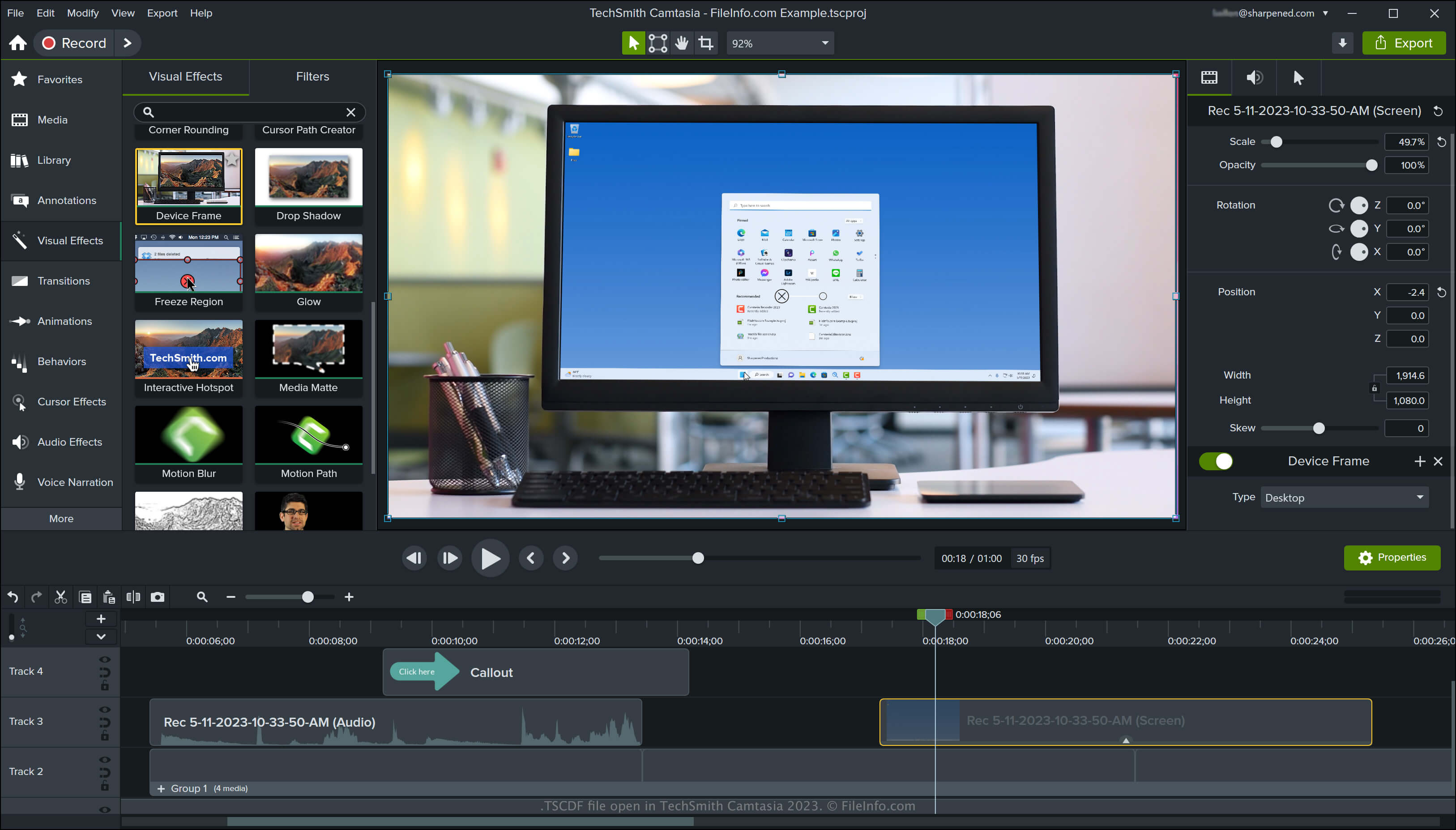
Camtasia는 화상 회의, 사용 방법 튜토리얼, 소프트웨어 시연 또는 온라인 게임 세션과 같은 화면 활동을 캡처하는 Windows 및 macOS용 애플리케이션입니다. 이 애플리케이션에는 기본 장치 프레임이 여러 개 포함되어 있으며, TechSmith 라이브러리 사이트에서 더 많은 프레임을 다운로드할 수도 있습니다.
Camtasia에서 장치 프레임에 액세스하는 방법
Camtasia에서는 프로그램 인터페이스 왼쪽의 창에서 "Visual Effects"를 선택한 다음, "Device Frame" 효과를 동영상으로 끌어다 놓아 장치 프레임에 액세스할 수 있습니다. 그러면 Camtasia가 해당 장치에 맞춰 클립을 프레임 처리합니다.
프로그램 인터페이스 오른쪽 창에서 "Device Frame Type" 드롭다운 메뉴를 선택하여 장치 프레임 유형을 변경할 수 있습니다. 드롭다운 메뉴에서 를 선택하여 다른 장치 프레임을 다운로드하거나, 를 선택하여 목록에서 제거할 장치 프레임을 고를 수도 있습니다.
참고: TSCDF는 "TechSmith Camtasia Device Frame"을 의미합니다.
TSCDF 파일을 여는 방법
Windows 및 macOS에서는 TechSmith Camtasia로 TSCDF 파일을 열 수 있습니다. Camtasia에서 TSCDF 파일을 열고 추가하려면 파일을 두 번 클릭한 다음, Camtasia가 장치 프레임을 시각 효과로 성공적으로 추가했다는 알림이 표시되는 창에서 를 클릭합니다.