

.TSCDF Dateiendung
TechSmith Camtasia-Geräterahmendatei
| Entwickler | TechSmith |
| Beliebtheit |
2,0 | 3 Stimmen |
Was ist eine TSCDF-Datei?
Eine TSCDF-Datei enthält einen Geräterahmen, der von TechSmith Camtasia, einer Anwendung für Bildschirmaufnahmen und Videobearbeitung, verwendet wird. Sie speichert ein Bild oder Video, das ein Gerät wie einen Desktopcomputer, Laptop oder ein Mobilgerät enthält. Dieses Gerät bildet den Rahmen für einen Clip, sodass es so wirkt, als würde die Aufnahme auf diesem Gerät stattfinden.
Weitere Informationen
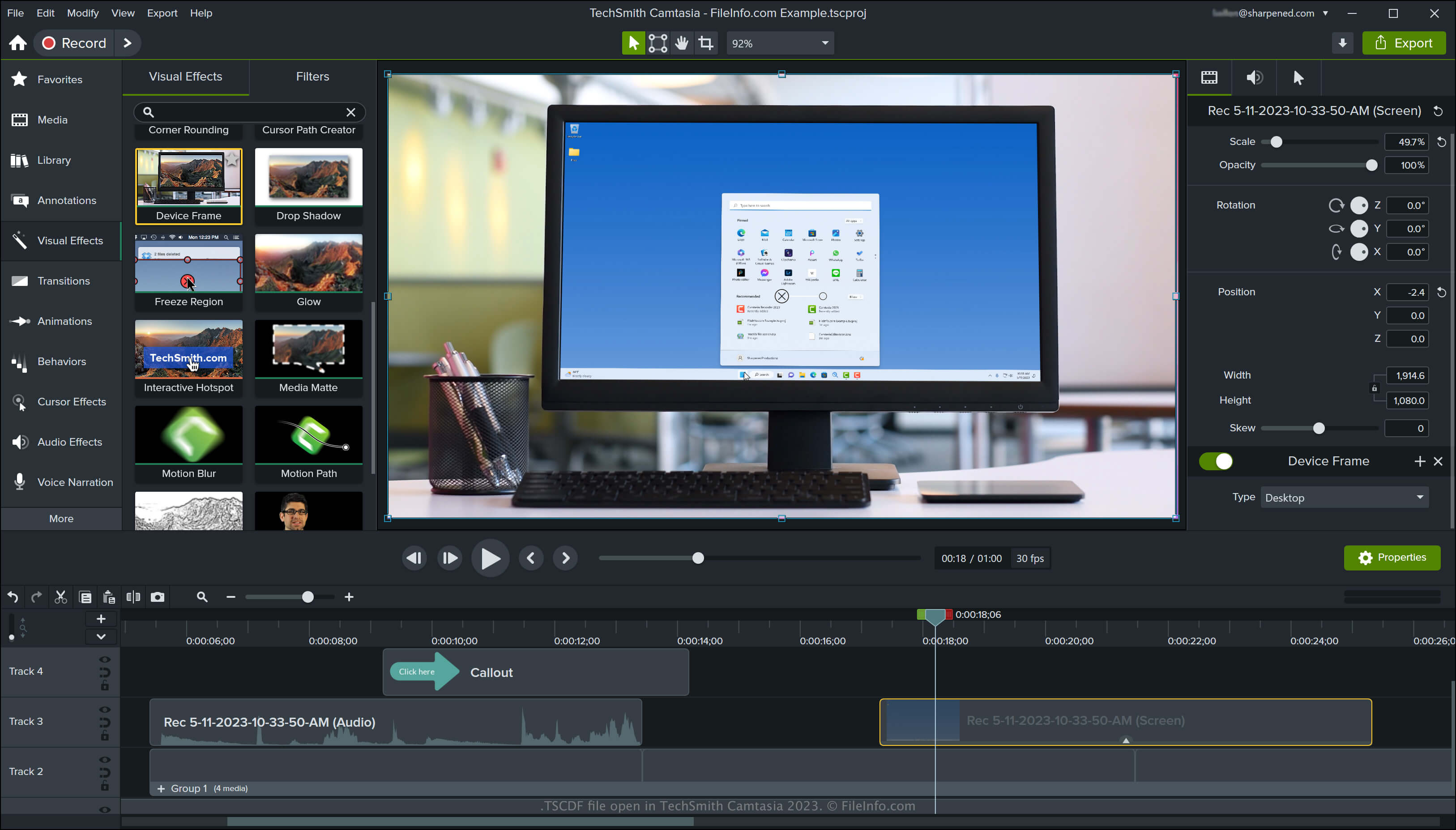
Camtasia ist eine Anwendung für Windows und macOS, die Bildschirmaktivitäten aufzeichnet, etwa eine Videokonferenz, ein Tutorial, eine Softwaredemonstration oder eine Online-Gaming-Sitzung. Die Anwendung enthält mehrere standardmäßige Geräterahmen. Weitere können Sie von der TechSmith-Bibliothekswebsite herunterladen.
So greifen Sie in Camtasia auf Geräterahmen zu
Sie können in Camtasia auf die Geräterahmen zugreifen, indem Sie im linken Bereich der Programmoberfläche auswählen und dann den Effekt auf Ihr Video ziehen. Camtasia versieht den Clip anschließend mit dem Rahmen dieses Geräts.
Sie können den Typ des Geräterahmens ändern, indem Sie im rechten Bereich der Programmoberfläche das Dropdown-Menü auswählen. Sie können auch aus dem Dropdown-Menü auswählen, um andere Geräterahmen herunterzuladen, oder auswählen, um Geräterahmen festzulegen, die aus der Liste entfernt werden sollen.
HINWEIS: TSCDF steht für „TechSmith Camtasia Device Frame“.
So öffnen Sie eine TSCDF-Datei
Sie können TSCDF-Dateien unter Windows und macOS mit TechSmith Camtasia öffnen. Um TSCDF-Dateien in Camtasia zu öffnen und hinzuzufügen, doppelklicken Sie auf die Datei und klicken Sie in der Meldung, die Sie darüber informiert, dass Camtasia den Geräterahmen erfolgreich als visuellen Effekt hinzugefügt hat, auf .