.MPJ 文件扩展名
Minitab Project File
| 开发者 | Minitab |
| 受欢迎程度 |
3.8 | 25 票 |
什么是 MPJ 文件?
Project file used by Minitab, a statistical analysis program used for business processes and quality management; contains all user work, including the data (.MTW files), session history, graphs, and reports; used to compile multiple analysis resources together into single a project.
可打开 MPJ 文件的程序
messiahStudio Project File
| 开发者 | pmG |
| 受欢迎程度 |
2.6 | 7 票 |
Project file created by messiahStudio, a 3D animation and rendering application; saves all project data in a single binary file; includes the scene (.FXS), cameras, objects, motions, and other model information; useful for sharing the whole project as a single archive.
可打开 MPJ 文件的程序
RoboHelp HTML Project
| 开发者 | Adobe Systems |
| 受欢迎程度 |
2.0 | 3 票 |
Project file created by older versions of RoboHelp, a help content authoring application; contains help content such as table of contents, written help information, and searchable indexes; commonly used in the process of generating software help manuals.
更多信息
Newer versions of RoboHelp use the .XPJ extension. MPJ project files can still be opened in recent versions of RoboHelp.
可打开 MPJ 文件的程序
UNO R4 WiFi LED Animation Project
| 开发者 | Arduino |
| 受欢迎程度 |
3.0 | 1 票 |
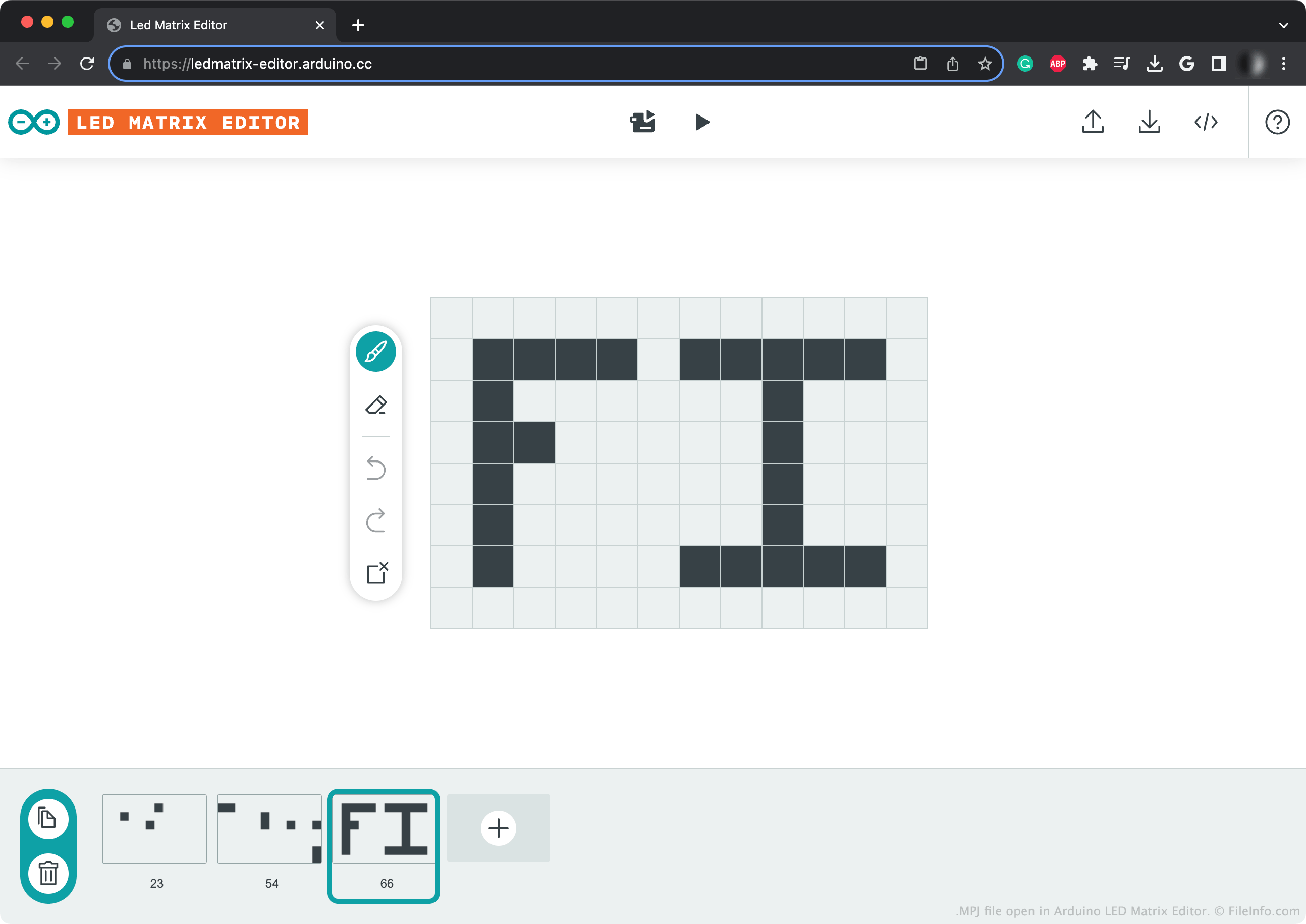
An MPJ file is a project file created by the Arduino LED Matrix Editor, an online tool used to create LED animations for the Arduino UNO R4 WiFi. It contains JSON-formatted data that describes an animation. Using the LED Matrix Editor, UNO R4 WiFi users can play the animation an MPJ file describes.
更多信息
The Arduino UNO R4 WiFi is a 32-bit microprocessor that includes a 12 x 8 LED matrix. To program this matrix, users can either manually add animation frames to an Arduino sketch, or they can use Arduino's online LED Matrix Editor. After creating an animation in the LED Matrix Editor, users can send that animation to their Arduino UNO R4 WiFi.
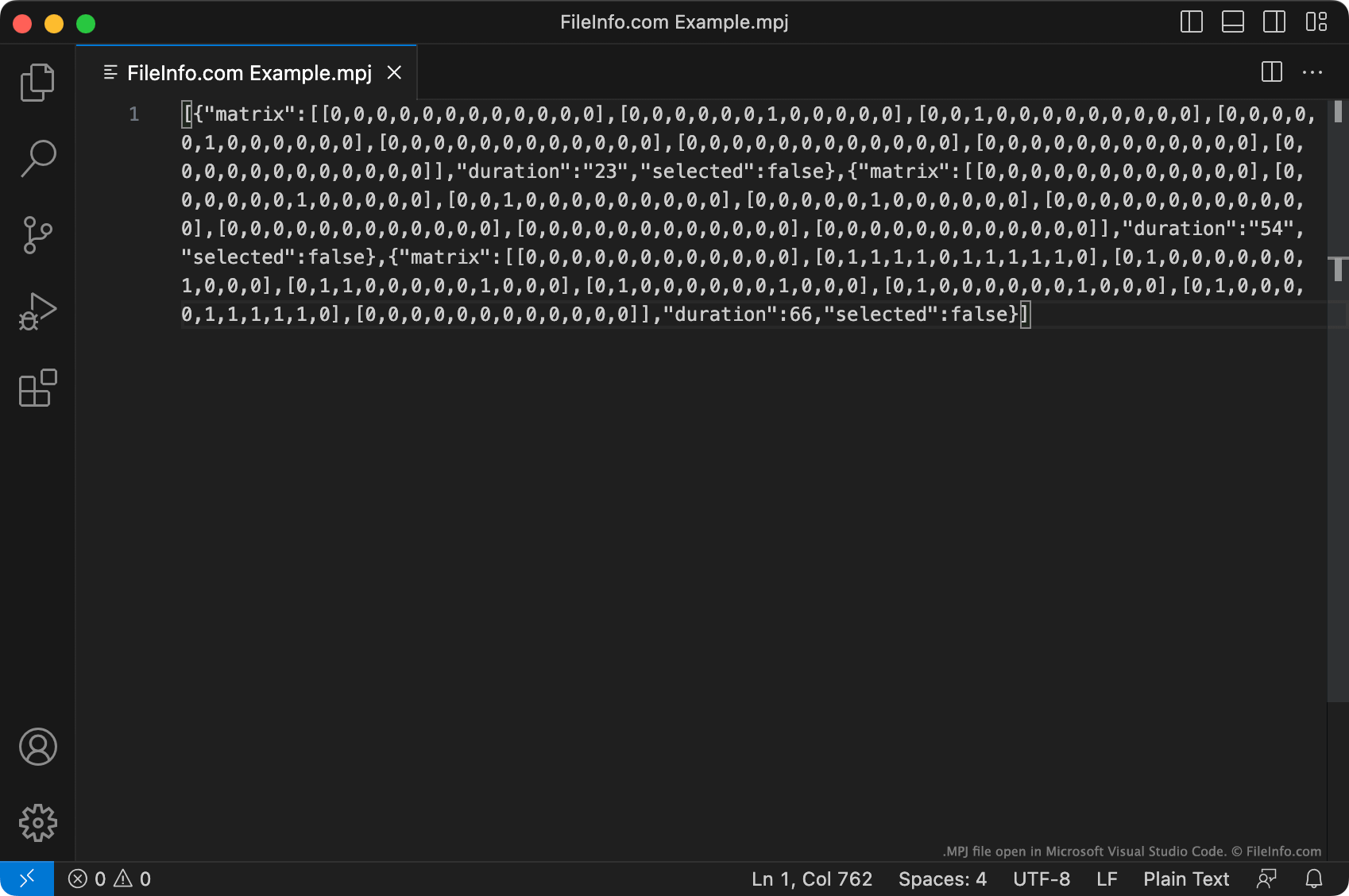
Optionally, a user can save a copy of their LED Matrix Editor project as an MPJ file. This file is a JSON file that describes the animation a user has created, as a set of individual frames. Each frame's data begins with [{"matrix":.
The data an MPJ file contains is not what LED Matrix Editor sends to an UNO R4 WiFi to play an animation. (LED Matrix Editor converts the MPJ file's data to Arduino source code before sending it.) Thus, directly transferring an MPJ file to an UNO R4 WiFi will not allow you to play the animation it describes. Instead, you must open your MPJ file with LED Matrix Editor and then either:
- Use LED Matrix Editor to play your animation on your device
- Convert the animation into an .INO file
如何打开 MPJ 文件
You can open an MPJ file with Arduino's online LED Matrix Editor, to view, edit, and play the LED sequence it contains. To do so, click the Upload button found in LED Matrix Editor's upper-right corner. Then, navigate to and open your MPJ file.
You can also open an MPJ file with Microsoft Visual Studio Code or any other text editor, to view and edit the JSON-formatted data it contains.
如何转换 MPJ 文件
You can use Arduino LED Matrix Editor to convert an MPJ file to an .INO (Arduino Sketch) file. To do so, click the </> button found in LED Matrix Editor's upper-right corner. LED Matrix Editor will then open a live preview of the resulting INO file. Click the Download button on this webpage's right side to download the INO file.