.MPJ 파일 확장자

Minitab Project File

개발사 Minitab
인기도
3.8  |  25 투표
 

MPJ 파일이란 무엇인가요?

Project file used by Minitab, a statistical analysis program used for business processes and quality management; contains all user work, including the data (.MTW files), session history, graphs, and reports; used to compile multiple analysis resources together into single a project.

File Viewer Plus(으)로 400개 이상의 파일 형식을 여세요.무료 다운로드

MPJ 파일을 여는 프로그램

Windows
무료 체험판
카테고리: 데이터
업데이트: 2010-02-02

messiahStudio Project File

개발사 pmG
인기도
2.6  |  7 투표
 

Project file created by messiahStudio, a 3D animation and rendering application; saves all project data in a single binary file; includes the scene (.FXS), cameras, objects, motions, and other model information; useful for sharing the whole project as a single archive.

MPJ 파일을 여는 프로그램

RoboHelp HTML Project

개발사 Adobe Systems
인기도
2.0  |  3 투표
 

Project file created by older versions of RoboHelp, a help content authoring application; contains help content such as table of contents, written help information, and searchable indexes; commonly used in the process of generating software help manuals.

추가 정보

Newer versions of RoboHelp use the .XPJ extension. MPJ project files can still be opened in recent versions of RoboHelp.

MPJ 파일을 여는 프로그램

Windows
무료 체험판
Mac
무료 체험판
카테고리: 데이터
업데이트: 2011-01-11

UNO R4 WiFi LED Animation Project

개발사 Arduino
인기도
3.0  |  1 투표
 

An MPJ file is a project file created by the Arduino LED Matrix Editor, an online tool used to create LED animations for the Arduino UNO R4 WiFi. It contains JSON-formatted data that describes an animation. Using the LED Matrix Editor, UNO R4 WiFi users can play the animation an MPJ file describes.

추가 정보

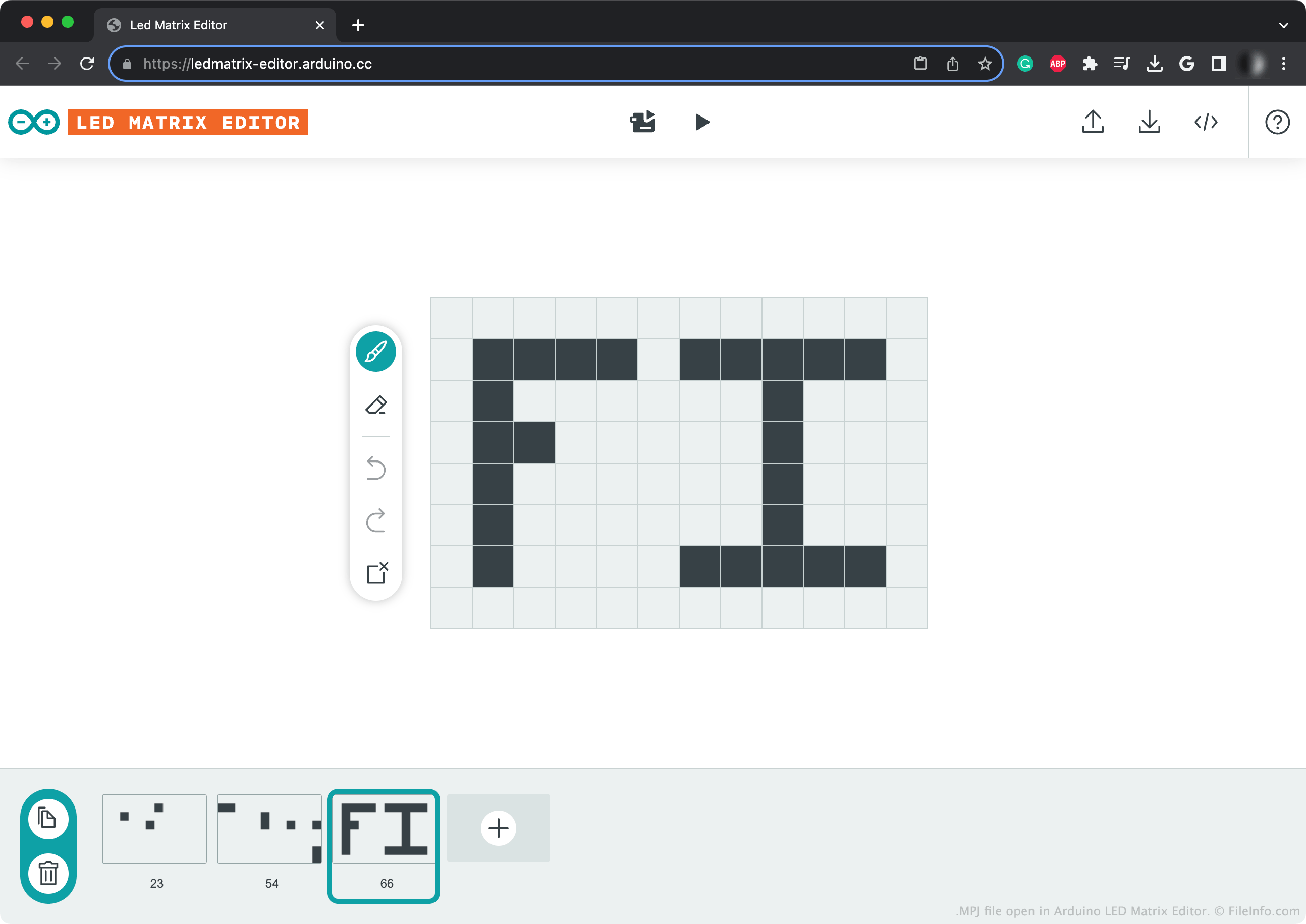
Arduino LED Matrix Editor에서 열린 .mpj 파일의 스크린샷
Arduino LED Matrix Editor에서 열린 MPJ 파일

The Arduino UNO R4 WiFi is a 32-bit microprocessor that includes a 12 x 8 LED matrix. To program this matrix, users can either manually add animation frames to an Arduino sketch, or they can use Arduino's online LED Matrix Editor. After creating an animation in the LED Matrix Editor, users can send that animation to their Arduino UNO R4 WiFi.

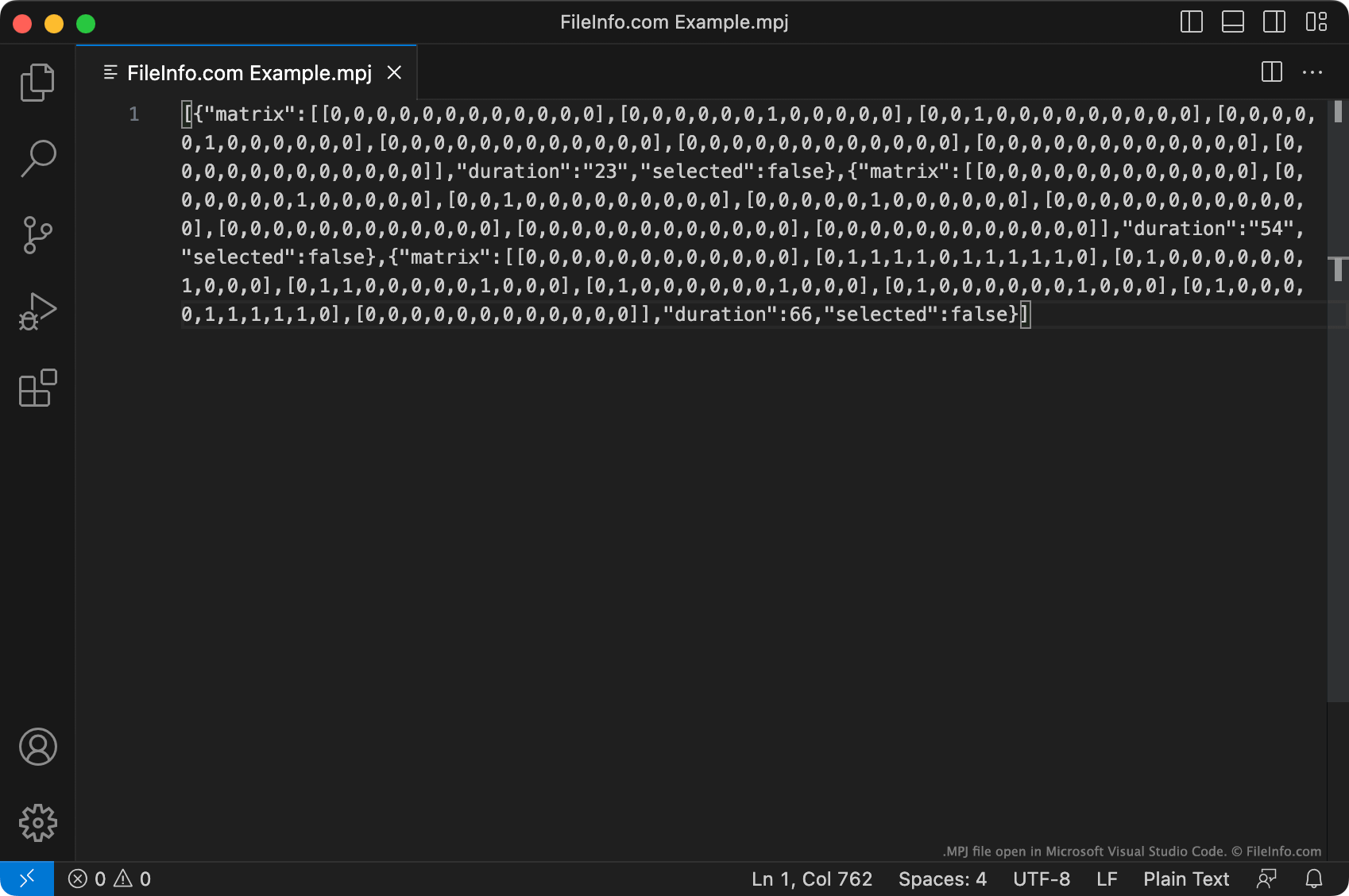
Optionally, a user can save a copy of their LED Matrix Editor project as an MPJ file. This file is a JSON file that describes the animation a user has created, as a set of individual frames. Each frame's data begins with [{"matrix":.

The data an MPJ file contains is not what LED Matrix Editor sends to an UNO R4 WiFi to play an animation. (LED Matrix Editor converts the MPJ file's data to Arduino source code before sending it.) Thus, directly transferring an MPJ file to an UNO R4 WiFi will not allow you to play the animation it describes. Instead, you must open your MPJ file with LED Matrix Editor and then either:

  • Use LED Matrix Editor to play your animation on your device
  • Convert the animation into an .INO file

MPJ 파일을 여는 방법

MPJ file open in Microsoft Visual Studio Code

You can open an MPJ file with Arduino's online LED Matrix Editor, to view, edit, and play the LED sequence it contains. To do so, click the Upload button found in LED Matrix Editor's upper-right corner. Then, navigate to and open your MPJ file.

You can also open an MPJ file with Microsoft Visual Studio Code or any other text editor, to view and edit the JSON-formatted data it contains.

MPJ 파일을 변환하는 방법

You can use Arduino LED Matrix Editor to convert an MPJ file to an .INO (Arduino Sketch) file. To do so, click the </> button found in LED Matrix Editor's upper-right corner. LED Matrix Editor will then open a live preview of the resulting INO file. Click the Download button on this webpage's right side to download the INO file.

MPJ 파일을 여는 프로그램

카테고리: 데이터
업데이트: 2023-08-30

검증자 FileInfo.com

FileInfo.com 팀 이 페이지에 나열된 모든 파일 형식과 소프트웨어 프로그램을 독자적으로 조사했습니다. 저희의 목표는 100% 정확성이며, 검증한 파일 유형에 대한 정보만 게시합니다.

이 페이지에 추가하거나 업데이트할 내용을 제안하고 싶으시면 알려 주세요.