

.MPJ Estensione file
Progetto di animazione LED UNO R4 WiFi
| Sviluppatore | Arduino |
| Popolarità |
3,0 | 1 Voto |
Un file MPJ è un file di progetto creato da Arduino LED Matrix Editor, uno strumento online usato per creare animazioni LED per Arduino UNO R4 WiFi. Contiene dati in formato JSON che descrivono un'animazione. Usando LED Matrix Editor, gli utenti di UNO R4 WiFi possono riprodurre l'animazione descritta da un file MPJ.
Maggiori informazioni
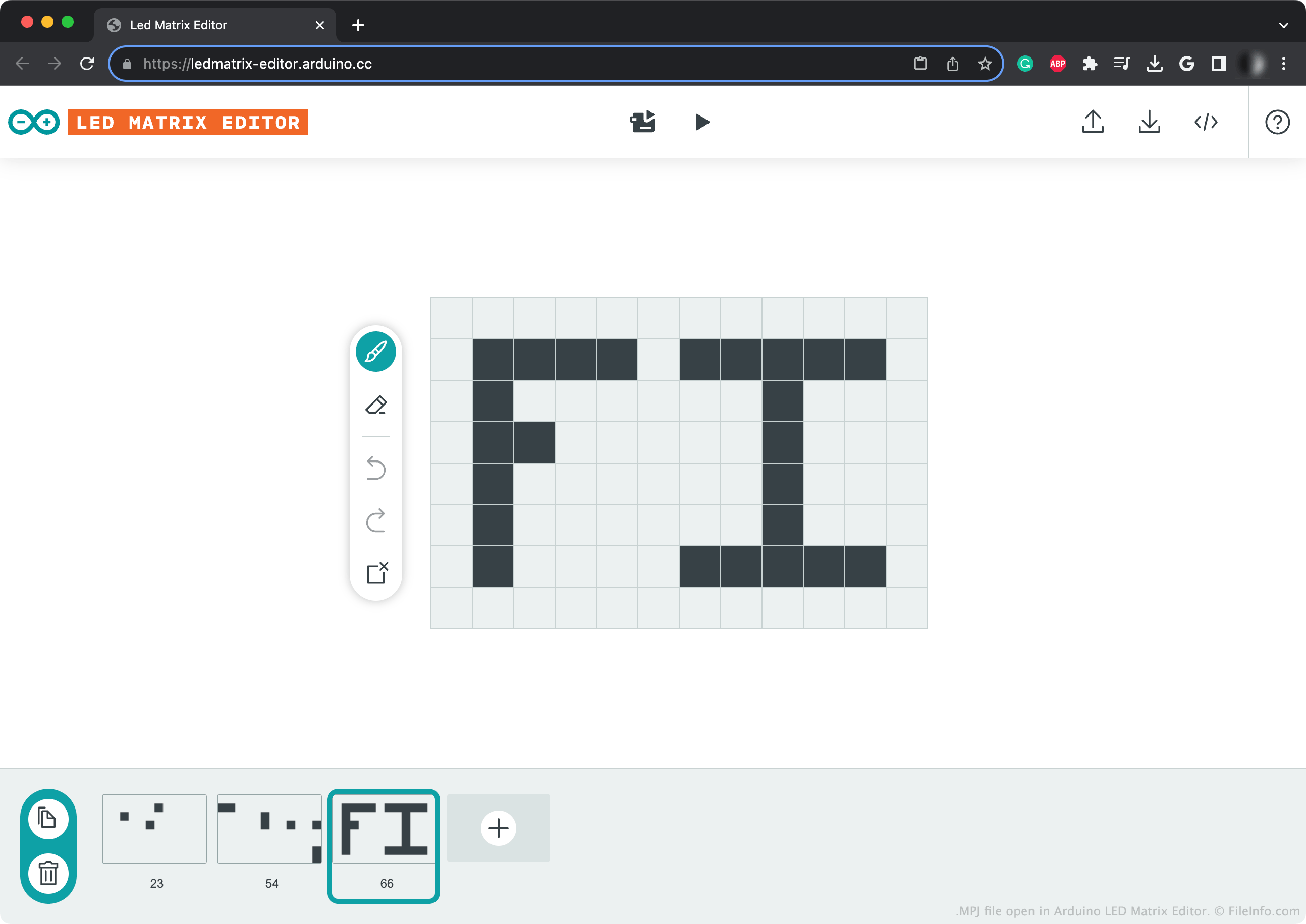
Arduino UNO R4 WiFi è un microprocessore a 32 bit che include una matrice LED da 12 x 8. Per programmare questa matrice, gli utenti possono aggiungere manualmente i fotogrammi dell'animazione a uno sketch Arduino oppure usare Arduino LED Matrix Editor online. Dopo aver creato un'animazione in LED Matrix Editor, gli utenti possono inviarla al proprio Arduino UNO R4 WiFi.
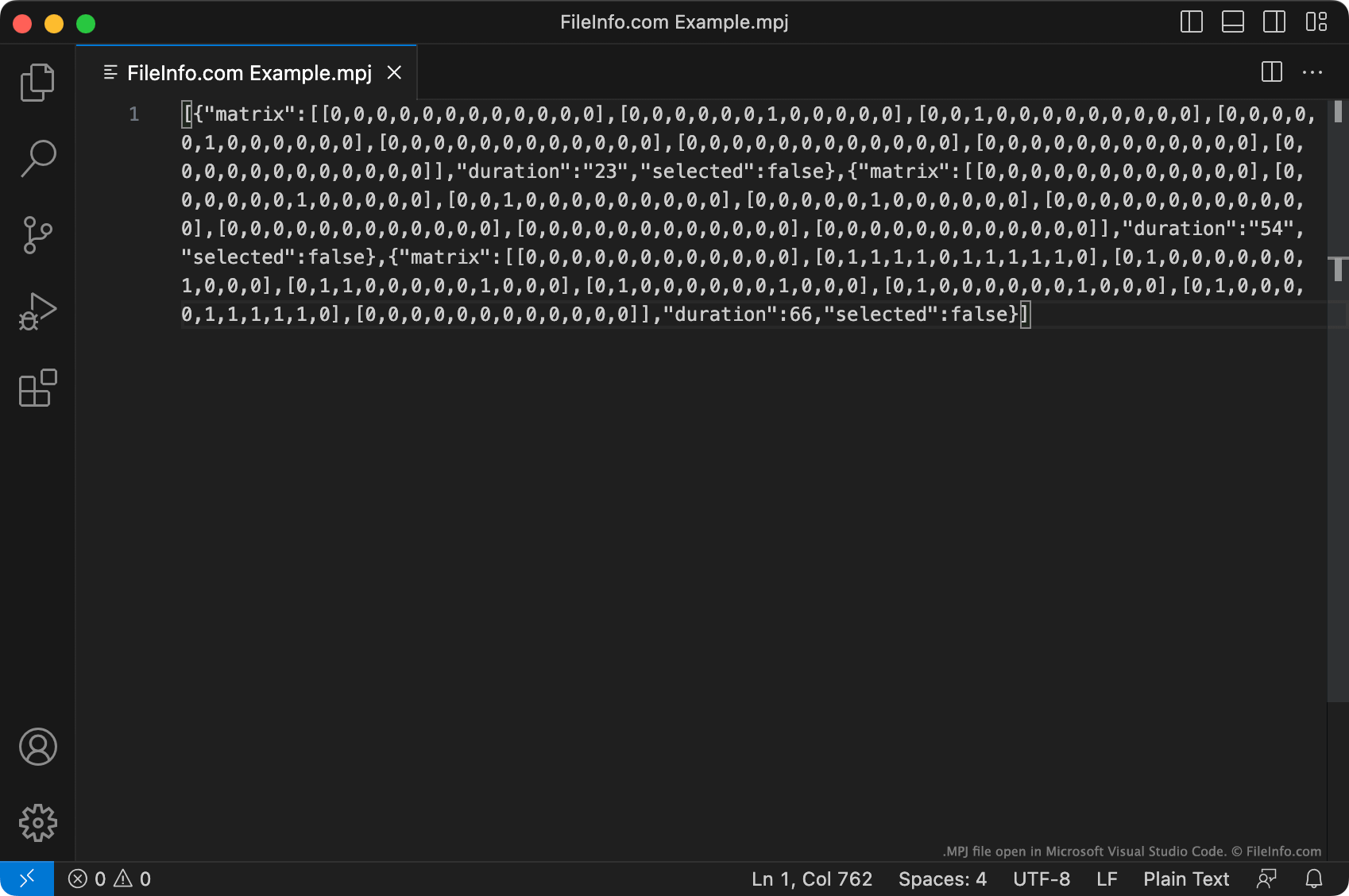
Facoltativamente, un utente può salvare una copia del proprio progetto LED Matrix Editor come file MPJ. Questo file è un file JSON che descrive l'animazione creata dall'utente come un insieme di singoli fotogrammi. I dati di ogni fotogramma iniziano con [{"matrix":.
I dati contenuti in un file MPJ non sono quelli che LED Matrix Editor invia a un UNO R4 WiFi per riprodurre un'animazione. (LED Matrix Editor converte i dati del file MPJ in codice sorgente Arduino prima di inviarli.) Pertanto, trasferire direttamente un file MPJ a un UNO R4 WiFi non ti permetterà di riprodurre l'animazione che descrive. Devi invece aprire il file MPJ con LED Matrix Editor e poi:
- Usare LED Matrix Editor per riprodurre l'animazione sul tuo dispositivo
- Convertire l'animazione in un file .INO
Come aprire un file MPJ
Puoi aprire un file MPJ con Arduino LED Matrix Editor online per visualizzare, modificare e riprodurre la sequenza LED che contiene. Per farlo, fai clic sul pulsante Upload nell'angolo superiore destro di LED Matrix Editor. Quindi cerca e apri il file MPJ.
Puoi anche aprire un file MPJ con Microsoft Visual Studio Code o qualsiasi altro editor di testo per visualizzare e modificare i dati in formato JSON che contiene.
Come convertire un file MPJ
Puoi usare Arduino LED Matrix Editor per convertire un file MPJ in un file .INO (Arduino Sketch). Per farlo, fai clic sul pulsante nell'angolo superiore destro di LED Matrix Editor. LED Matrix Editor aprirà quindi un'anteprima dal vivo del file INO risultante. Fai clic sul pulsante Download sul lato destro di questa pagina web per scaricare il file INO.