.IRCP 文件扩展名

SpeedGrade IRIDAS Composite File

开发者 Adobe Systems
受欢迎程度
3.5  |  6 
 

什么是 IRCP 文件?

An IRCP file contains a project created by Adobe SpeedGrade, a color grading application used in video production. It stores a timeline of video clips as well as color settings and masks to be applied to each clip.

更多信息

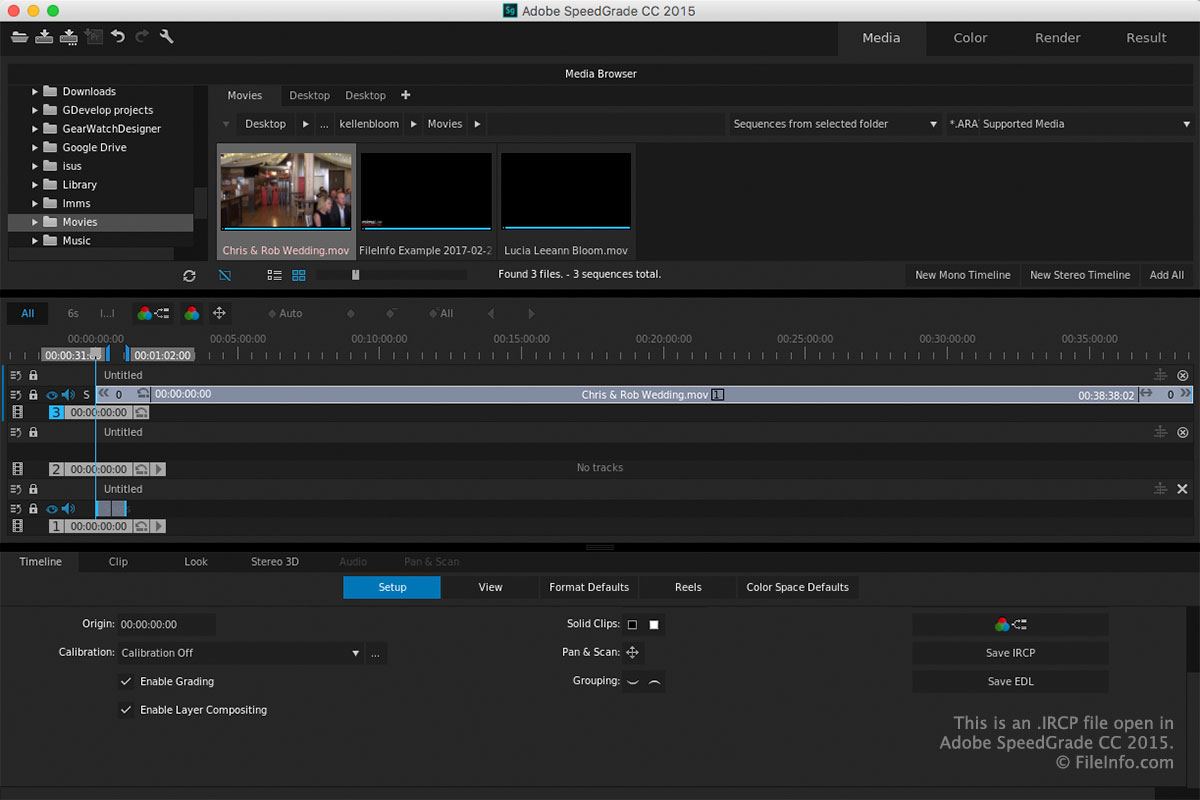
在 Adobe SpeedGrade CC 2015 中打开的 .ircp 文件截图
在 Adobe SpeedGrade CC 2015 中打开的 IRCP 文件

SpeedGrade users utilize the software during post production to adjust the color of videos. By modifying or correcting the color, users can give productions a look and feel (e.g., blues for a cold feeling or reds and oranges for a warm look).

When you save a project in SpeedGrade, the application creates an IRCP file to store its contents. After saving the file, you can close it, re-open it, then continue editing the project.

To save a project as an IRCP file with SpeedGrade, click the "Save SpeedGrade Project" icon in the toolbar in the upper-left corner of the workspace.

注: IRIDAS technology was acquired by Adobe Systems and the IRIDAS Composite (IRCP) XML-based format is now used with Adobe SpeedGrade, which is now discontinued.

如何打开 IRCP 文件

You can open IRCP files with Adobe SpeedGrade (Windows and macOS) by clicking the "Open SpeedGrade Project" icon in the toolbar in the upper-left corner of the workspace.

注: Since IRCP files are saved in the XML standard, you can also open and edit them with an XML or text editor. Keep in mind that an IRCP file will not appear the same in a text or XML editor compared to SpeedGrade.

使用File Viewer Plus打开 400 多种文件格式。免费下载

可打开 IRCP 文件的程序

Windows
Mac
分类: 视频
更新时间: 2022-01-20

验证者 FileInfo.com

FileInfo.com 团队 独立研究了本页面列出的 SpeedGrade IRIDAS Composite 文件格式和 Mac and Windows 应用。 我们的目标是达到 100% 的准确率,并且仅发布我们已验证过的文件类型信息。

如果您想为此页面提出新增或更新建议,请告诉我们