

.IRCP Extension de fichier
Fichier composite IRIDAS SpeedGrade
| Développeur | Adobe Systems |
| Popularité |
3,5 | 6 Votes |
Qu'est-ce qu'un fichier IRCP ?
Un fichier IRCP contient un projet créé par Adobe SpeedGrade, une application d’étalonnage colorimétrique utilisée dans la production vidéo. Il stocke une timeline de clips vidéo ainsi que les paramètres de couleur et les masques à appliquer à chaque clip.
Plus d'informations
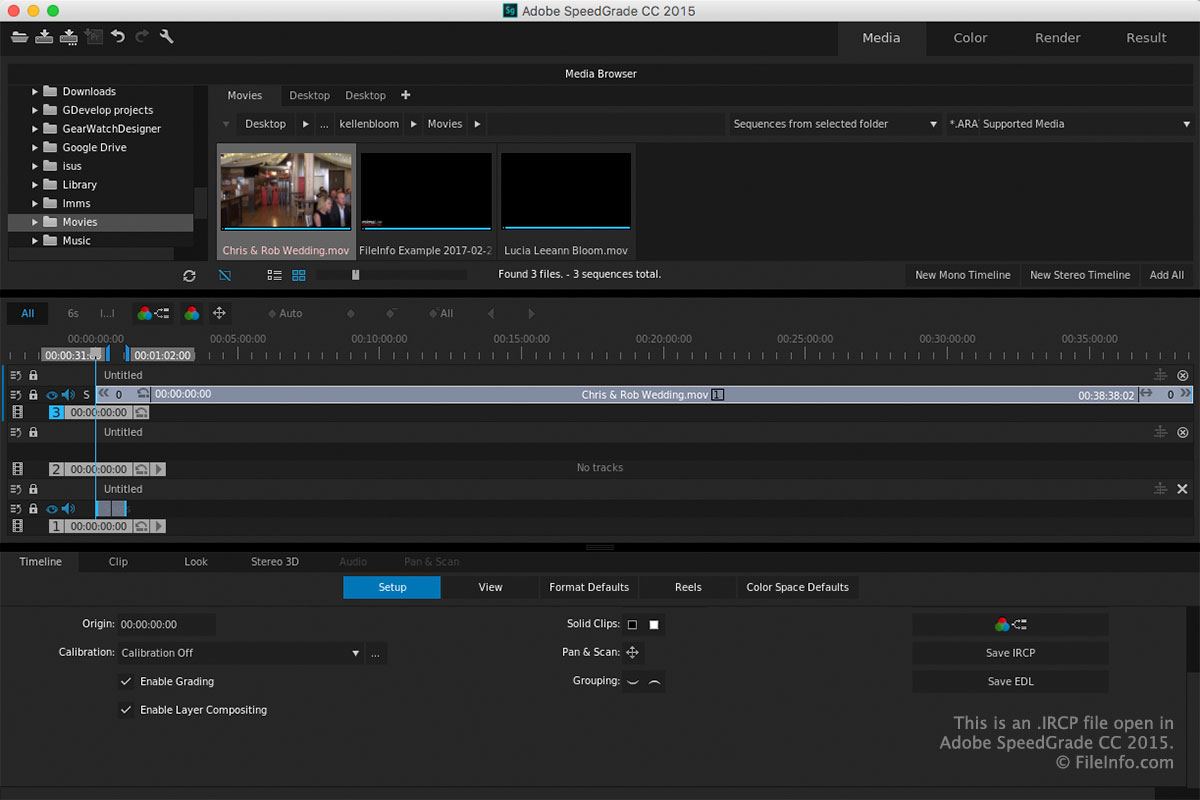
Les utilisateurs de SpeedGrade utilisent le logiciel pendant la postproduction pour ajuster la couleur des vidéos. En modifiant ou en corrigeant les couleurs, ils peuvent donner aux productions une apparence et une ambiance particulières (par exemple, des bleus pour une sensation de froid ou des rouges et des oranges pour une apparence chaleureuse).
Lorsque vous enregistrez un projet dans SpeedGrade, l’application crée un fichier IRCP pour en stocker le contenu. Après avoir enregistré le fichier, vous pouvez le fermer, le rouvrir, puis continuer à modifier le projet.
Pour enregistrer un projet au format IRCP avec SpeedGrade, cliquez sur l’icône « Save SpeedGrade Project » dans la barre d’outils située dans le coin supérieur gauche de l’espace de travail.
REMARQUE : La technologie IRIDAS a été acquise par Adobe Systems et le format basé sur XML IRIDAS Composite (IRCP) est désormais utilisé avec Adobe SpeedGrade, qui n’est plus commercialisé.
Comment ouvrir un fichier IRCP
Vous pouvez ouvrir les fichiers IRCP avec Adobe SpeedGrade (Windows et macOS) en cliquant sur l’icône « Open SpeedGrade Project » dans la barre d’outils située dans le coin supérieur gauche de l’espace de travail.
REMARQUE : Comme les fichiers IRCP sont enregistrés selon la norme XML, vous pouvez également les ouvrir et les modifier avec un éditeur XML ou de texte. Gardez à l’esprit qu’un fichier IRCP n’apparaîtra pas de la même façon dans un éditeur de texte ou XML que dans SpeedGrade.