

.BFLY 文件扩展名
Butterfly笔记
| 开发者 | Linwood |
| 受欢迎程度 |
3.5 | 2 票 |
什么是 BFLY 文件?
BFLY文件是由Linwood Butterfly创建的笔记,Linwood Butterfly是一款开源笔记应用。它包含一个或多个图层,这些图层可能包括文本、笔画路径、形状和其他文档元素。BFLY文件还可能存储导入的图像和文档,例如.JPG、.SVG和.PDF。
更多信息
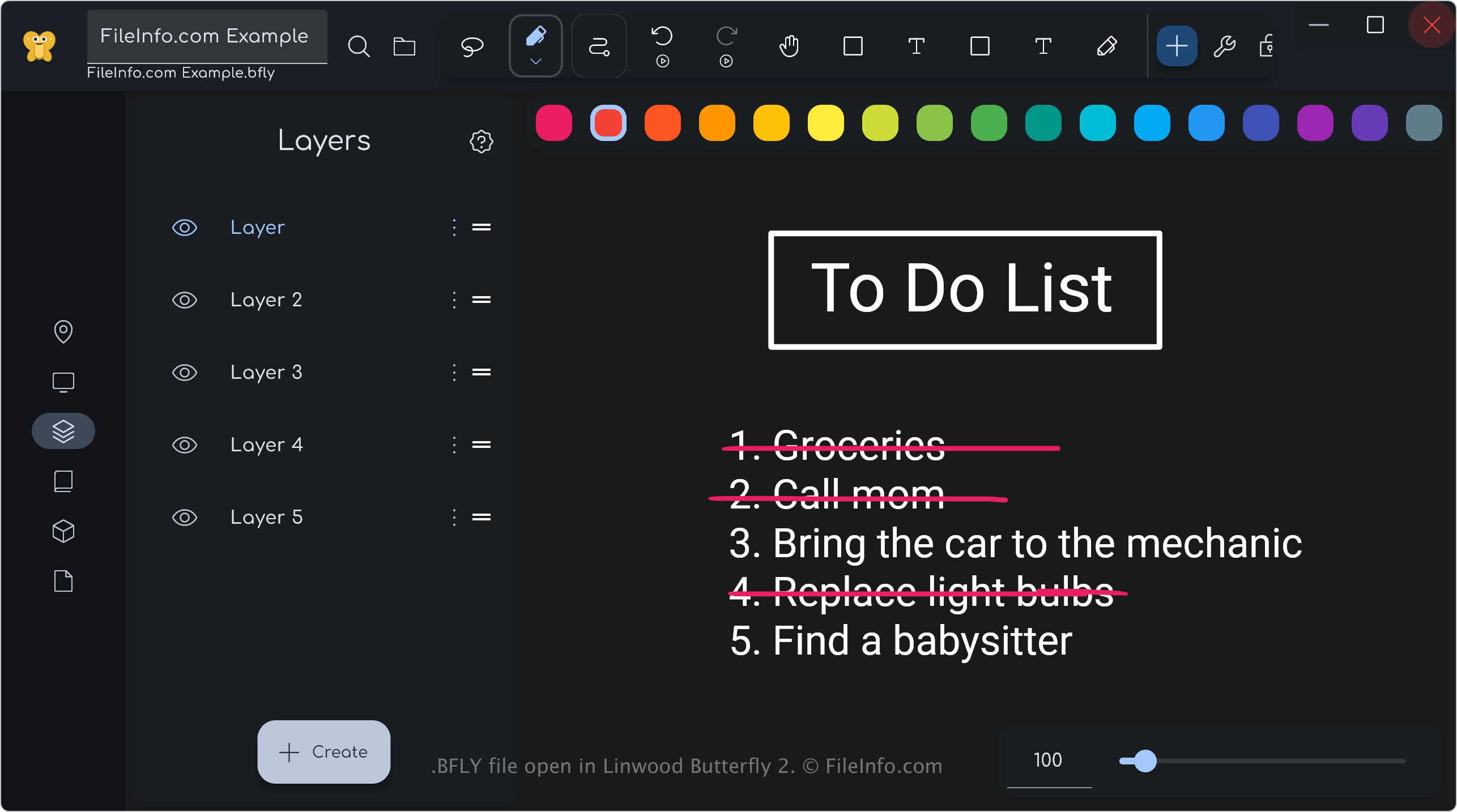
Butterfly是一款简约的笔记应用,可让你创建各种类型的笔记,例如购物清单、讲座要点和客户反馈。你还可以使用Butterfly创作艺术作品,包括手写涂鸦。
当你开始记笔记时,应用会自动将你的进度保存到所创建的BFLY文件中。之后,你可以关闭、重新打开并继续修改笔记。应用还允许你将笔记导出为其他更常见的图像或文档格式,这在分享笔记时很有帮助。
注: Butterfly的桌面版本默认会将BFLY文件保存到“Documents”文件夹。如果你使用Windows,可以在以下位置找到BFLY文件:
C:\Users\[username]\Documents\Linwood\Butterfly\Documents
如何打开 BFLY 文件
你可以使用Linwood Butterfly(跨平台)打开BFLY文件。要使用该应用打开BFLY文件,请在主屏幕上选择+符号(创建),然后选择。
如何转换 BFLY 文件
可打开 BFLY 文件的程序
Windows
Mac
Linux
Web
iOS
Android