

.ELD Extensão de arquivo
Arquivo de dados de luminárias formatado em Eulumdat
| Desenvolvedor | DIAL |
| Popularidade |
3,3 | 3 Votos |
O que é um arquivo ELD?
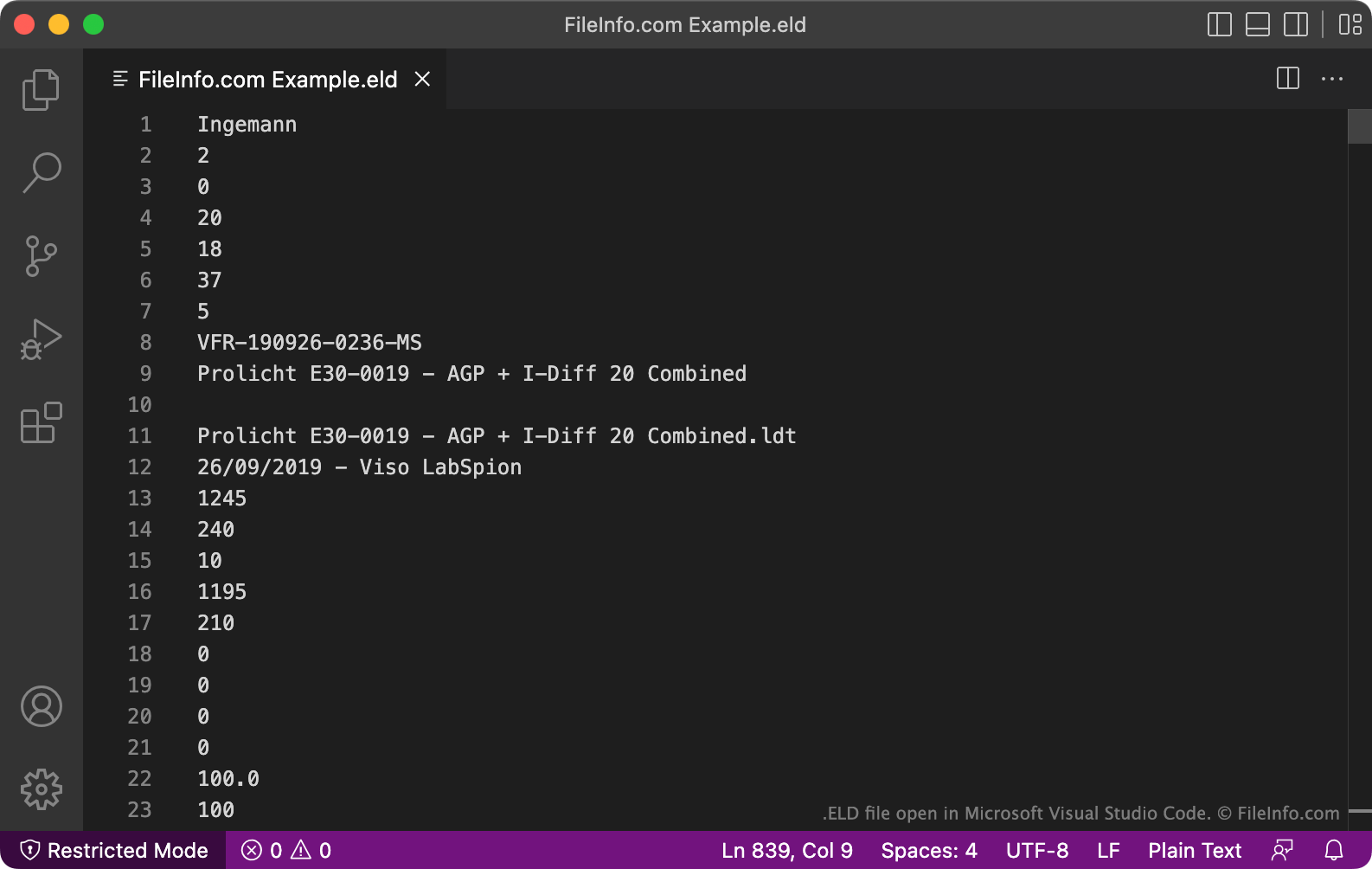
Um arquivo ELD contém dados de luminárias (dispositivos de iluminação) em texto simples, formatados para uso com o DIAL DIALux, um aplicativo profissional de planejamento de iluminação. Ele define a intensidade, a curva de distribuição da luz, o tamanho e o número de lâmpadas de uma luminária. Os dados contidos nos arquivos ELD são salvos no formato proprietário Elumudat da DIAL.
Mais informações
O DIALux permite que designers de iluminação modelem como as instalações de iluminação incluídas em uma casa, prédio comercial, bairro ou outro ambiente se comportarão. Para simular uma fonte de luz, os designers importam um arquivo de dados no formato Elumudat que descreve as características e o comportamento da fonte de luz. Os fabricantes de instalações de iluminação costumam criar esses arquivos de dados e fornecê-los aos designers de iluminação para uso no DIALux.
Em raras ocasiões, os arquivos de dados Elumudat podem ser salvos com a extensão .eld. Mais comumente, esses arquivos são salvos com a extensão .LDT. A maioria dos programas que usam arquivos no formato Elumudat não reconhece a extensão .eld. Portanto, provavelmente você deve renomear seu arquivo ELD para usar a extensão .ldt, para poder abri-lo com mais facilidade.
Como abrir um arquivo ELD
Antes de tentar abrir um arquivo ELD, você deve renomeá-lo para usar a extensão .ldt. Isso permitirá que você abra o arquivo em programas compatíveis com o formato Elumudat, como DIAL LDT Editor (Windows), Meduza Photometric Toolset (Windows) e DIAL DIALux Evo (Windows).
Abrindo um arquivo ELD em um editor de texto
Como alternativa, você pode abrir um arquivo ELD no Microsoft Notepad, no Apple TextEdit ou em qualquer outro editor de texto para visualizar os dados em texto simples que ele contém. No entanto, é muito melhor abrir um arquivo ELD no LDT Editor ou em outro programa que mostre os dados do arquivo em um formato compreensível.
Como converter um arquivo ELD
Depois de renomear seu arquivo ELD para usar a extensão .ldt, você pode convertê-lo para outros formatos usando o módulo PhotoView incluído no OxyTech LITESTAR 4D Open ou a ferramenta online Eulumdat Tools ELUMDAT to IES Converter. O LITESTAR 4D Open pode converter arquivos LDT para os seguintes formatos:
- .IES - Dados fotométricos IES
- .LTL - Dados de luminárias
- CIE - Dados da Comissão Internacional de Iluminação
O Eulumdat Tools ELUMDAT to IES Converter pode converter arquivos LDT para o formato IES.