

.ELD Extension de fichier
Fichier de données de luminaires au format Eulumdat
| Développeur | DIAL |
| Popularité |
3,3 | 3 Votes |
Qu'est-ce qu'un fichier ELD ?
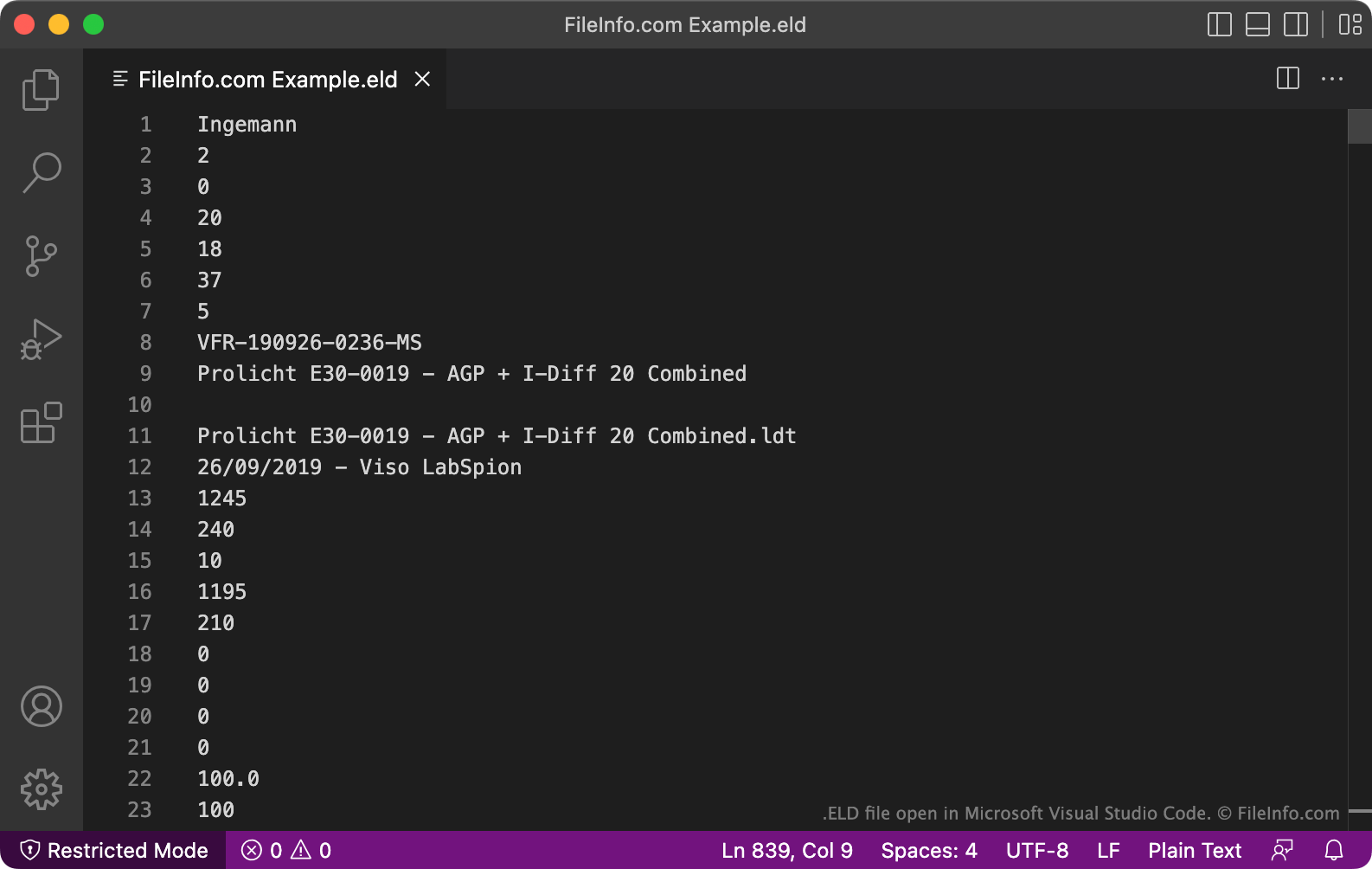
Un fichier ELD contient des données de luminaires en texte brut, formatées pour être utilisées avec DIAL DIALux, une application professionnelle de planification de l'éclairage. Il définit l'intensité d'un luminaire, sa courbe de distribution de la lumière, sa taille et son nombre de lampes. Les données contenues dans les fichiers ELD sont enregistrées au format propriétaire Elumudat de DIAL.
Plus d'informations
DIALux permet aux concepteurs lumière de modéliser le comportement des installations d'éclairage d'une maison, d'un immeuble de bureaux, d'un quartier ou d'un autre environnement. Pour simuler une source lumineuse, les concepteurs importent un fichier de données au format Elumudat qui décrit les caractéristiques et le comportement de la source lumineuse. Les fabricants d'installations d'éclairage créent souvent ces fichiers de données et les fournissent aux concepteurs lumière pour qu'ils les utilisent dans DIALux.
Dans de rares cas, les fichiers de données Elumudat peuvent être enregistrés avec l'extension .eld. Plus couramment, ces fichiers sont enregistrés avec l'extension .LDT. La plupart des programmes qui utilisent les fichiers au format Elumudat ne reconnaissent pas l'extension .eld. Vous devriez donc probablement renommer votre fichier ELD pour lui attribuer l'extension .ldt, afin de pouvoir l'ouvrir plus facilement.
Comment ouvrir un fichier ELD
Avant d'essayer d'ouvrir un fichier ELD, vous devez le renommer pour lui attribuer l'extension .ldt. Vous pourrez ainsi ouvrir le fichier dans des programmes prenant en charge le format Elumudat, tels que DIAL LDT Editor (Windows), Meduza Photometric Toolset (Windows) et DIAL DIALux Evo (Windows).
Ouvrir un fichier ELD dans un éditeur de texte
Vous pouvez également ouvrir un fichier ELD dans Microsoft Notepad, Apple TextEdit ou tout autre éditeur de texte pour afficher les données en texte brut qu'il contient. Cependant, il est préférable d'ouvrir un fichier ELD dans LDT Editor ou dans un autre programme qui affiche les données du fichier dans un format compréhensible.
Comment convertir un fichier ELD
Après avoir renommé votre fichier ELD pour lui attribuer l'extension .ldt, vous pouvez le convertir dans d'autres formats à l'aide du module PhotoView inclus dans OxyTech LITESTAR 4D Open ou de l'outil en ligne Eulumdat Tools ELUMDAT to IES Converter. LITESTAR 4D Open peut convertir les fichiers LDT dans les formats suivants :
- .IES - Données photométriques IES
- .LTL - Données de luminaires
- CIE - Données de la Commission internationale de l'éclairage
Eulumdat Tools ELUMDAT to IES Converter peut convertir les fichiers LDT au format IES.