

.REALM Rozszerzenie pliku
Baza danych Realm
| Deweloper | MongoDB |
| Popularność |
3,3 | 4 Głosy |
Czym jest plik REALM?
Plik REALM to baza danych utworzona za pomocą MongoDB Realm, systemu zarządzania bazami danych o otwartym kodzie źródłowym. Zawiera dane używane przez co najmniej jedną aplikację, uporządkowane jako seria typów i obiektów. Pliki REALM można otwierać i wyświetlać zawarte w nich dane w MongoDB Realm Studio.
Więcej informacji
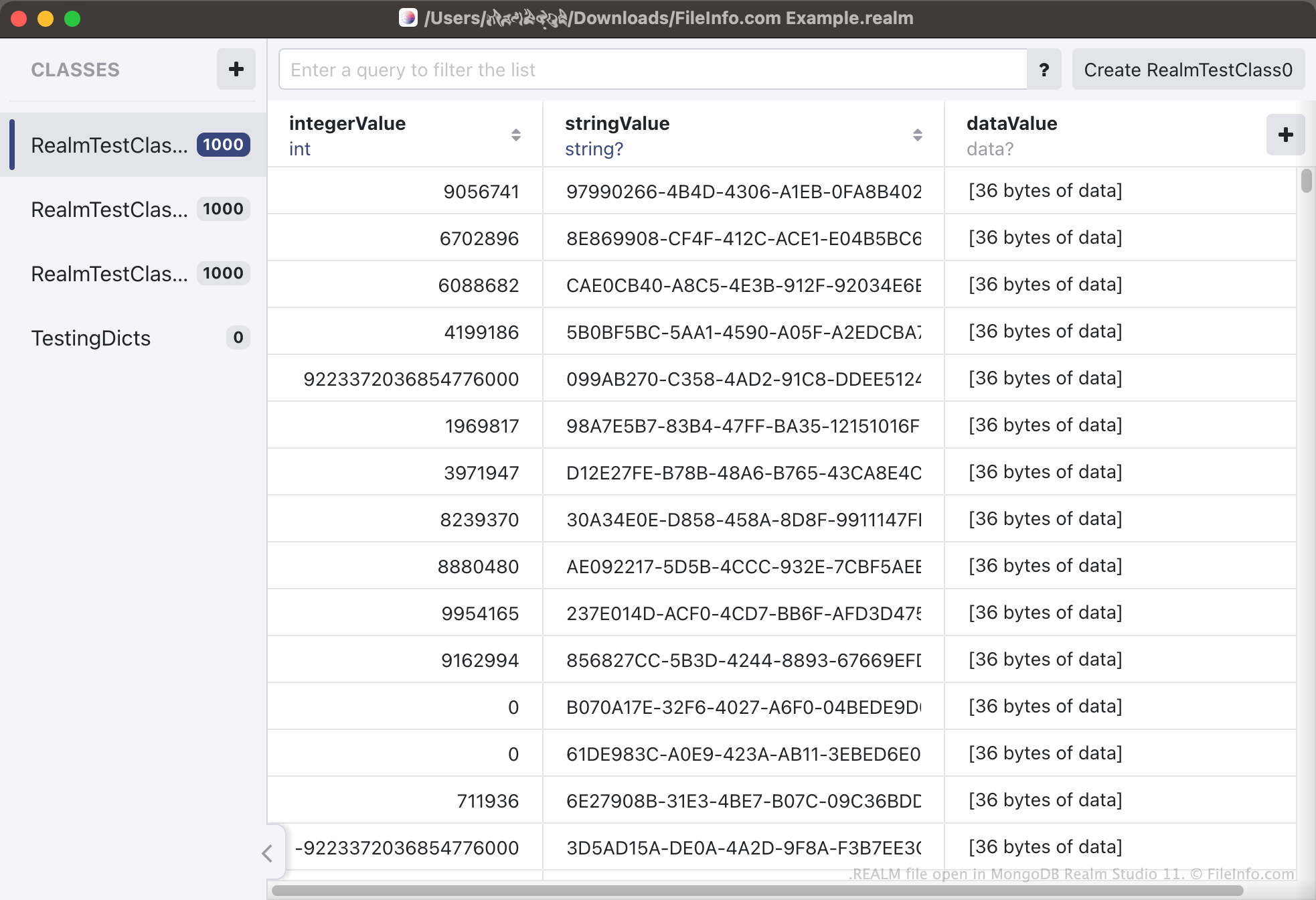
Realm to system zarządzania bazami danych, którego deweloperzy mogą używać, aby umożliwić swoim aplikacjom tworzenie baz danych i uzyskiwanie do nich dostępu. Bazy te zawierają różne informacje związane z aplikacją, uporządkowane jako typy i obiekty. Na przykład aplikacja śledząca zakupy użytkownika w internecie może zawierać informacje o kupionych przez niego produktach, czasie zakupu, zapłaconej kwocie i tak dalej. Każda kategoria (np. nazwa produktu) jest zapisywana jako typ bazy danych, a każdy wpis w każdej kategorii (np. Pampers Diapers 204 Pack) jest zapisywany jako obiekt bazy danych.
Bazy danych tworzone przez Realm są zapisywane jako pliki REALM. Pliki REALM to przede wszystkim pliki binarne, których nie należy otwierać poza MongoDB Realm Studio. Aplikacje korzystające z Realm zapisują swoje bazy danych REALM w różnych lokalizacjach, zależnie od platformy aplikacji. Na przykład w systemach macOS i iOS wiele aplikacji obsługujących Realm zapisuje pliki REALM w podkatalogu folderu Documents. Na urządzeniach z systemem Android możesz użyć polecenia adb pull /data/data/<packagename>/files/, aby pobrać bazę danych REALM aplikacji.
Jak przekonwertować plik CSV na plik REALM?
Deweloperzy mogą chcieć przekonwertować istniejącą bazę danych na bazę danych Realm, aby móc używać jej w aplikacji obsługującej Realm. W tym celu mogą zapisać istniejącą bazę danych jako plik .CSV, a następnie użyć MongoDB Realm Studio do przekonwertowania pliku CSV na plik REALM. Aby przekonwertować plik CSV na plik REALM, otwórz Realm Studio i wybierz .
Jak otworzyć plik REALM
Plik REALM można otworzyć w MongoDB Realm Studio (programie wieloplatformowym). W tym celu otwórz Realm Studio, wybierz przycisk , a następnie przejdź do pliku REALM i otwórz go. Dane zawarte w pliku REALM pojawią się w Realm Studio.