

.REALM Bestandsextensie
Realm-database
| Ontwikkelaar | MongoDB |
| Populariteit |
3,3 | 4 stemmen |
Wat is een REALM-bestand?
Een REALM-bestand is een database die is gemaakt met MongoDB Realm, een opensourcebeheersysteem voor databases. Het bevat gegevens die door een of meer toepassingen worden gebruikt, geordend als een reeks typen en objecten. Je kunt REALM-bestanden openen en de gegevens die ze bevatten bekijken in MongoDB Realm Studio.
Meer informatie
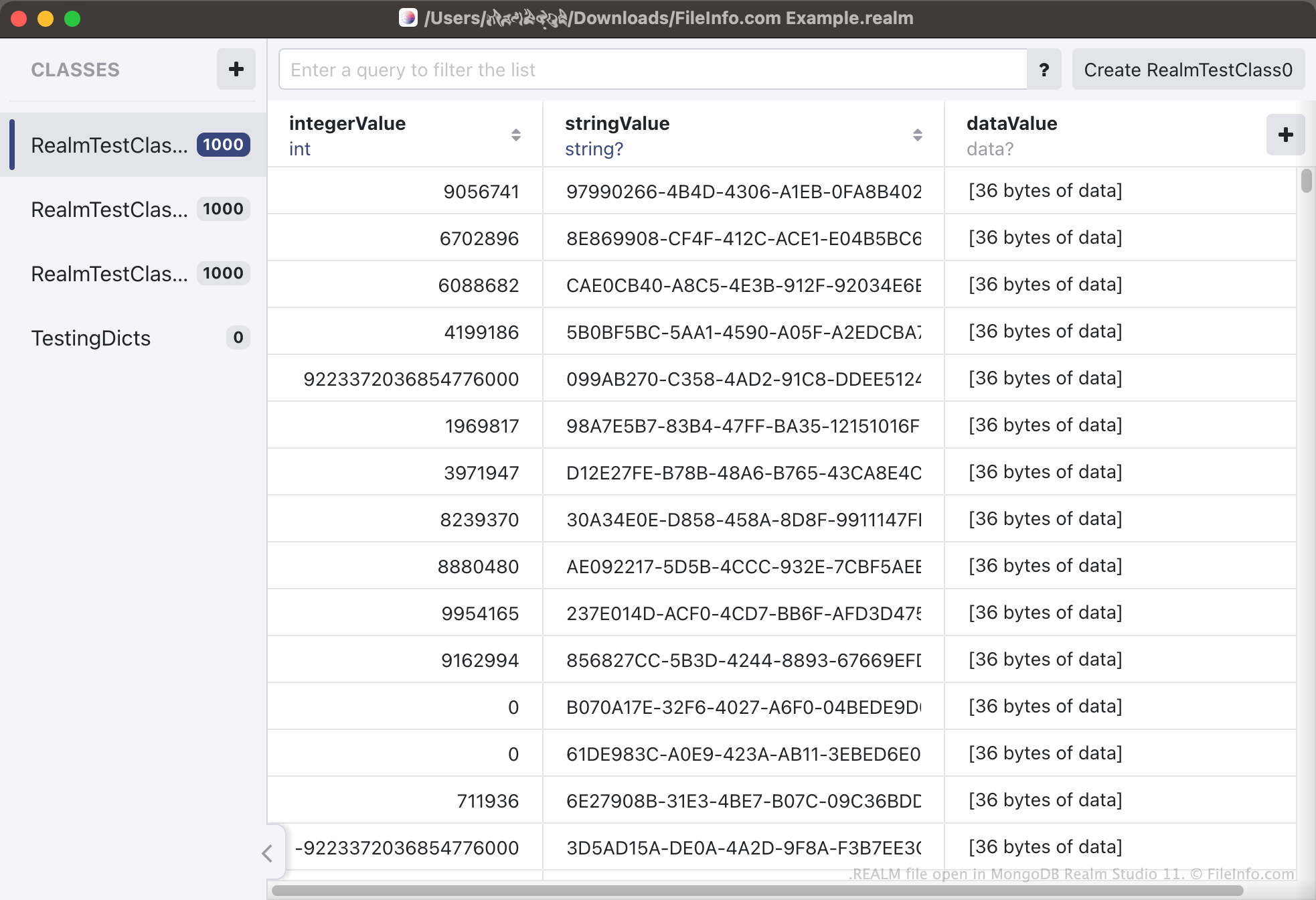
Realm is een beheersysteem voor databases dat ontwikkelaars kunnen gebruiken om hun apps databases te laten maken en openen. Deze databases bevatten allerlei app-gerelateerde informatie, geordend als typen en objecten. Een app die bijvoorbeeld de onlineaankopen van een gebruiker bijhoudt, kan informatie bevatten over de producten die de gebruiker heeft gekocht, wanneer de gebruiker deze heeft gekocht, hoeveel de gebruiker ervoor heeft betaald, enzovoort. Elke categorie (bijvoorbeeld Productnaam) wordt opgeslagen als een databasetype, terwijl elke vermelding in elke categorie (bijvoorbeeld Pampers Diapers 204 Pack) wordt opgeslagen als een databaseobject.
De databases die Realm maakt, worden opgeslagen als REALM-bestanden. REALM-bestanden zijn voornamelijk binaire bestanden, die niet bedoeld zijn om buiten MongoDB Realm Studio te worden geopend. Apps die Realm gebruiken, slaan hun REALM-databases op verschillende locaties op, afhankelijk van het platform van de app. Op macOS en iOS slaan veel apps met Realm-ondersteuning REALM-bestanden bijvoorbeeld op in een submap binnen hun Documents-map. Op Android-apparaten kun je de opdracht adb pull /data/data/<packagename>/files/ gebruiken om de REALM-database van een app op te halen.
Hoe converteer ik een CSV-bestand naar een REALM-bestand?
Ontwikkelaars willen mogelijk een bestaande database converteren naar een Realm-database, zodat ze die database met hun app met Realm-ondersteuning kunnen gebruiken. Hiervoor kunnen ontwikkelaars hun bestaande database opslaan als een .CSV-bestand en vervolgens MongoDB Realm Studio gebruiken om het CSV-bestand naar een REALM-bestand te converteren. Als je een CSV-bestand naar een REALM-bestand wilt converteren, open je Realm Studio en selecteer je .
Een REALM-bestand openen
Je kunt een REALM-bestand openen in MongoDB Realm Studio (platformonafhankelijk). Open hiervoor Realm Studio, selecteer de knop en navigeer vervolgens naar je REALM-bestand en open het. De gegevens in je REALM-bestand worden weergegeven in Realm Studio.