

.REALM Estensione file
Database Realm
| Sviluppatore | MongoDB |
| Popolarità |
3,3 | 4 Voti |
Che cos'è un file REALM?
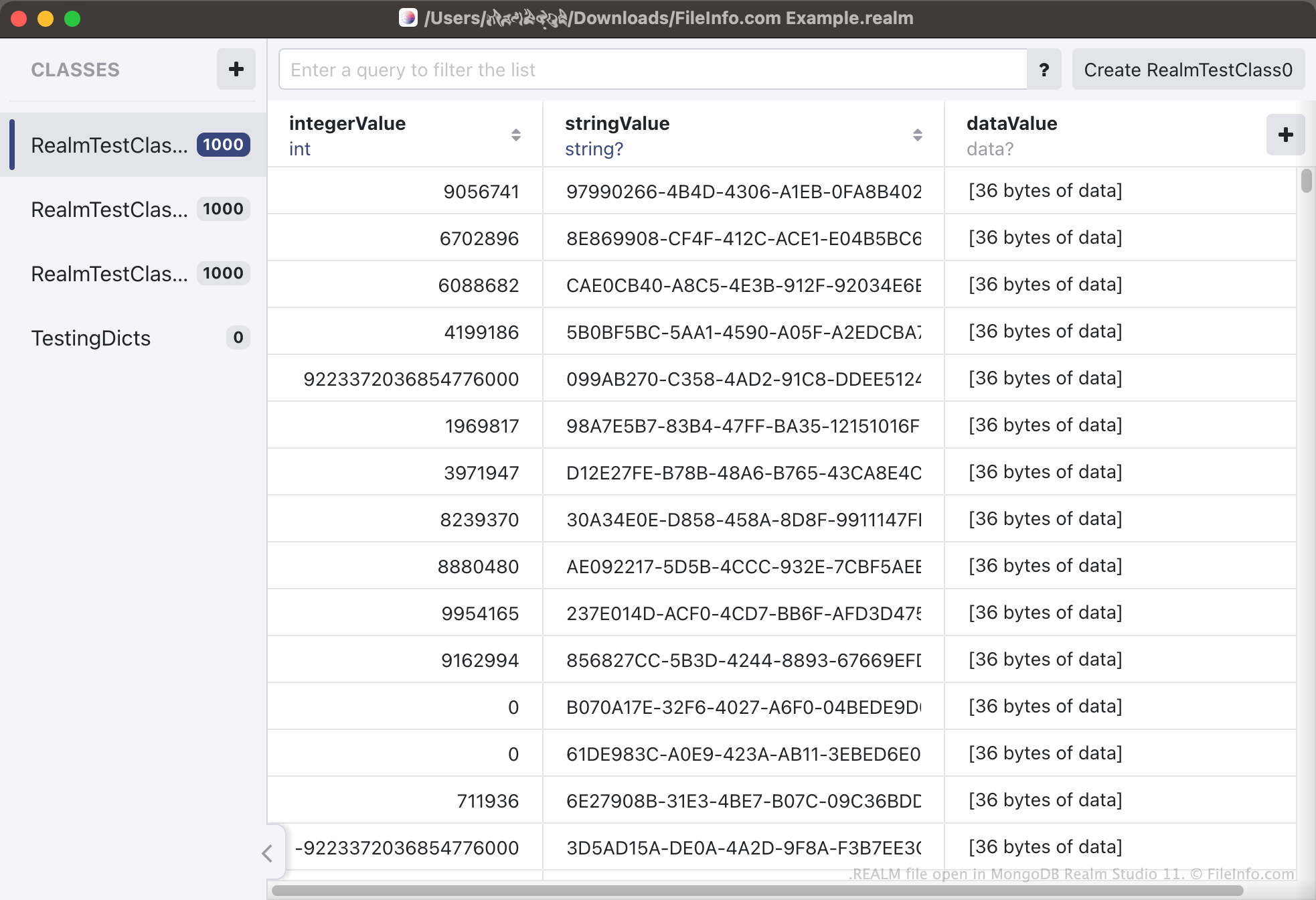
Un file REALM è un database creato utilizzando MongoDB Realm, un sistema open source per la gestione dei database. Contiene dati utilizzati da una o più applicazioni, organizzati come una serie di tipi e oggetti. Puoi aprire i file REALM e visualizzare i dati che contengono in MongoDB Realm Studio.
Maggiori informazioni
Realm è un sistema per la gestione dei database che gli sviluppatori possono utilizzare per consentire alle proprie app di creare e accedere ai database. Questi database contengono diverse informazioni relative alle app, organizzate come tipi e oggetti. Ad esempio, un'app che tiene traccia degli acquisti online di un utente può contenere informazioni sui prodotti acquistati dall'utente, sulla data dell'acquisto, sul prezzo pagato e così via. Ogni categoria (ad es. Nome prodotto) viene salvata come tipo di database, mentre ogni voce di ciascuna categoria (ad es. Confezione da 204 pannolini Pampers) viene salvata come oggetto del database.
I database creati da Realm vengono salvati come file REALM. I file REALM sono principalmente file binari, che non sono destinati a essere aperti al di fuori di MongoDB Realm Studio. Le app che utilizzano Realm salvano i propri database REALM in varie posizioni, a seconda della piattaforma dell'app. Ad esempio, su macOS e iOS, molte app compatibili con Realm salvano i file REALM in una sottodirectory della directory Documents. Sui dispositivi Android, puoi utilizzare il comando adb pull /data/data/<packagename>/files/ per recuperare il database REALM di un'app.
Come posso convertire un file CSV in un file REALM?
Gli sviluppatori potrebbero voler convertire un database esistente in un database Realm, in modo da poter utilizzare quel database con la propria applicazione compatibile con Realm. Per farlo, gli sviluppatori possono salvare il database esistente come file .CSV e quindi utilizzare MongoDB Realm Studio per convertire il file CSV in un file REALM. Per convertire un file CSV in un file REALM, apri Realm Studio e seleziona .
Come aprire un file REALM
Puoi aprire un file REALM in MongoDB Realm Studio (multipiattaforma). Per farlo, apri Realm Studio, seleziona il pulsante e quindi individua e apri il file REALM. I dati contenuti nel file REALM verranno visualizzati in Realm Studio.