

.REALM 파일 확장자
Realm 데이터베이스
| 개발사 | MongoDB |
| 인기도 |
3.3 | 4 표 |
REALM 파일이란 무엇인가요?
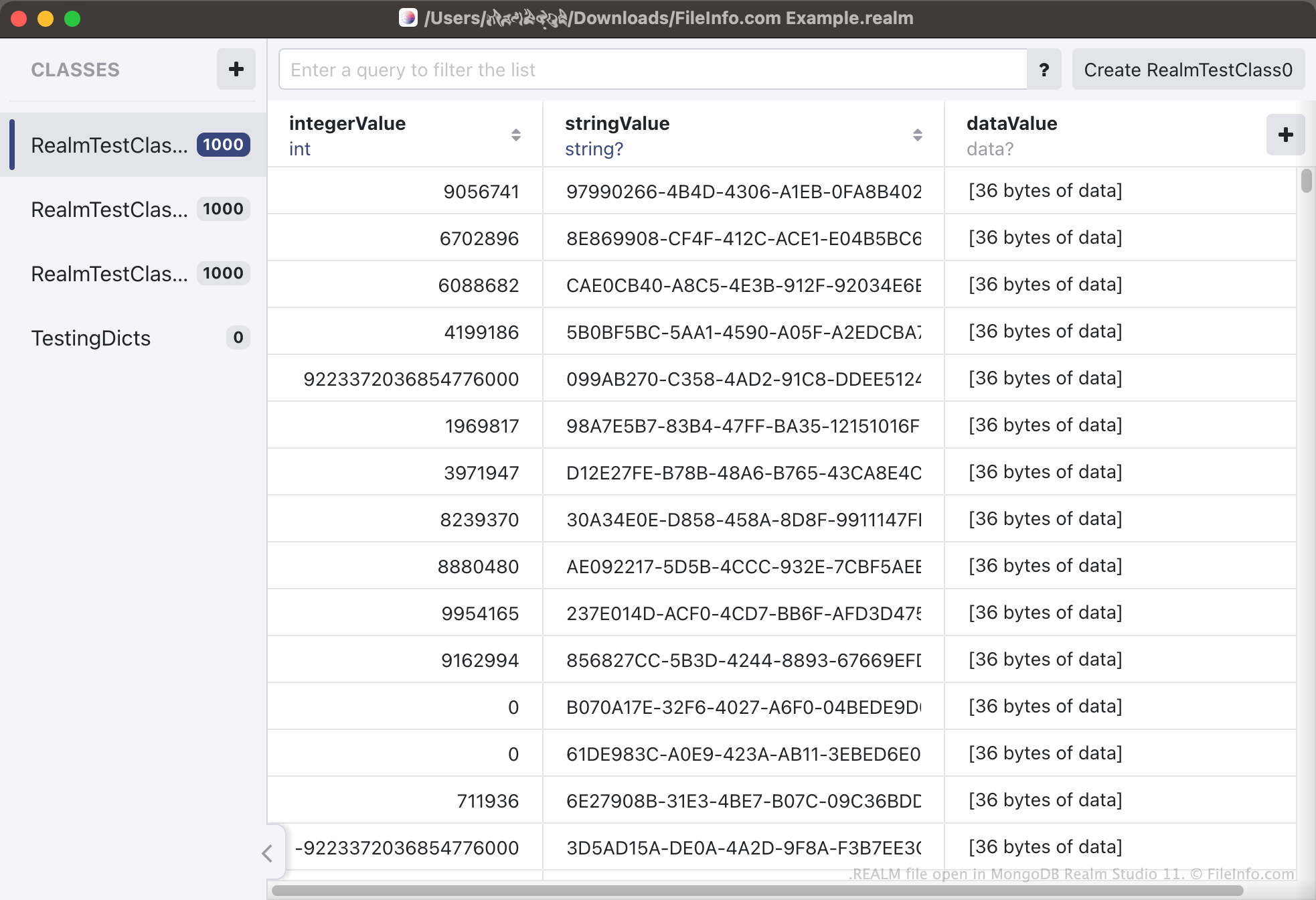
REALM 파일은 오픈 소스 데이터베이스 관리 시스템인 MongoDB Realm을 사용하여 만든 데이터베이스입니다. 하나 이상의 애플리케이션에서 사용하는 데이터가 유형과 객체의 연속으로 구성되어 포함되어 있습니다. MongoDB Realm Studio에서 REALM 파일을 열고 파일에 포함된 데이터를 볼 수 있습니다.
추가 정보
Realm은 개발자가 앱에서 데이터베이스를 만들고 액세스할 수 있도록 사용할 수 있는 데이터베이스 관리 시스템입니다. 이러한 데이터베이스에는 다양한 앱 관련 정보가 유형과 객체로 구성되어 포함됩니다. 예를 들어 사용자의 온라인 구매 내역을 추적하는 앱에는 사용자가 구매한 제품, 구매 시기, 지불한 금액 등의 정보가 포함될 수 있습니다. 각 범주(예: 제품 이름)는 데이터베이스 유형으로 저장되고, 각 범주의 각 항목(예: Pampers Diapers 204 Pack)은 데이터베이스 객체로 저장됩니다.
Realm이 만드는 데이터베이스는 REALM 파일로 저장됩니다. REALM 파일은 주로 이진 파일이므로 MongoDB Realm Studio 외부에서 열도록 만들어지지 않았습니다. Realm을 사용하는 앱은 앱 플랫폼에 따라 다양한 위치에 REALM 데이터베이스를 저장합니다. 예를 들어 macOS와 iOS에서는 Realm을 지원하는 많은 앱이 Documents 디렉터리 내의 하위 디렉터리에 REALM 파일을 저장합니다. Android 기기에서는 adb pull /data/data/<packagename>/files/ 명령을 사용하여 앱의 REALM 데이터베이스를 가져올 수 있습니다.
CSV 파일을 REALM 파일로 변환하려면 어떻게 해야 하나요?
개발자는 기존 데이터베이스를 Realm 데이터베이스로 변환하여 해당 데이터베이스를 Realm을 지원하는 애플리케이션에서 사용하려 할 수 있습니다. 그러려면 기존 데이터베이스를 .CSV 파일로 저장한 다음 MongoDB Realm Studio를 사용하여 CSV 파일을 REALM 파일로 변환할 수 있습니다. CSV 파일을 REALM 파일로 변환하려면 Realm Studio를 열고 를 선택합니다.
REALM 파일을 여는 방법
MongoDB Realm Studio(크로스 플랫폼)에서 REALM 파일을 열 수 있습니다. 그러려면 Realm Studio를 열고 버튼을 선택한 다음 REALM 파일이 있는 위치로 이동하여 엽니다. REALM 파일에 포함된 데이터가 Realm Studio에 표시됩니다.