

.ASPX Rozszerzenie pliku
Rozszerzona strona internetowa Active Server Page
| Deweloper | Microsoft |
| Popularność |
3,8 | 560 Głosów |
Czym jest plik ASPX?
Plik ASPX to strona internetowa napisana w formacie rozszerzonej strony internetowej Active Server Page (ASPX). Serwery internetowe korzystające ze struktury ASP.NET firmy Microsoft używają plików ASPX do generowania dynamicznych stron internetowych. Każdy plik ASPX składa się z języka znaczników Active Server Page oraz co najmniej jednego skryptu napisanego w języku programowania VBScript lub C#. Serwery internetowe tłumaczą tę zawartość na standardowy HTML, zanim wyślą ją do przeglądarki internetowej użytkownika.
Więcej informacji
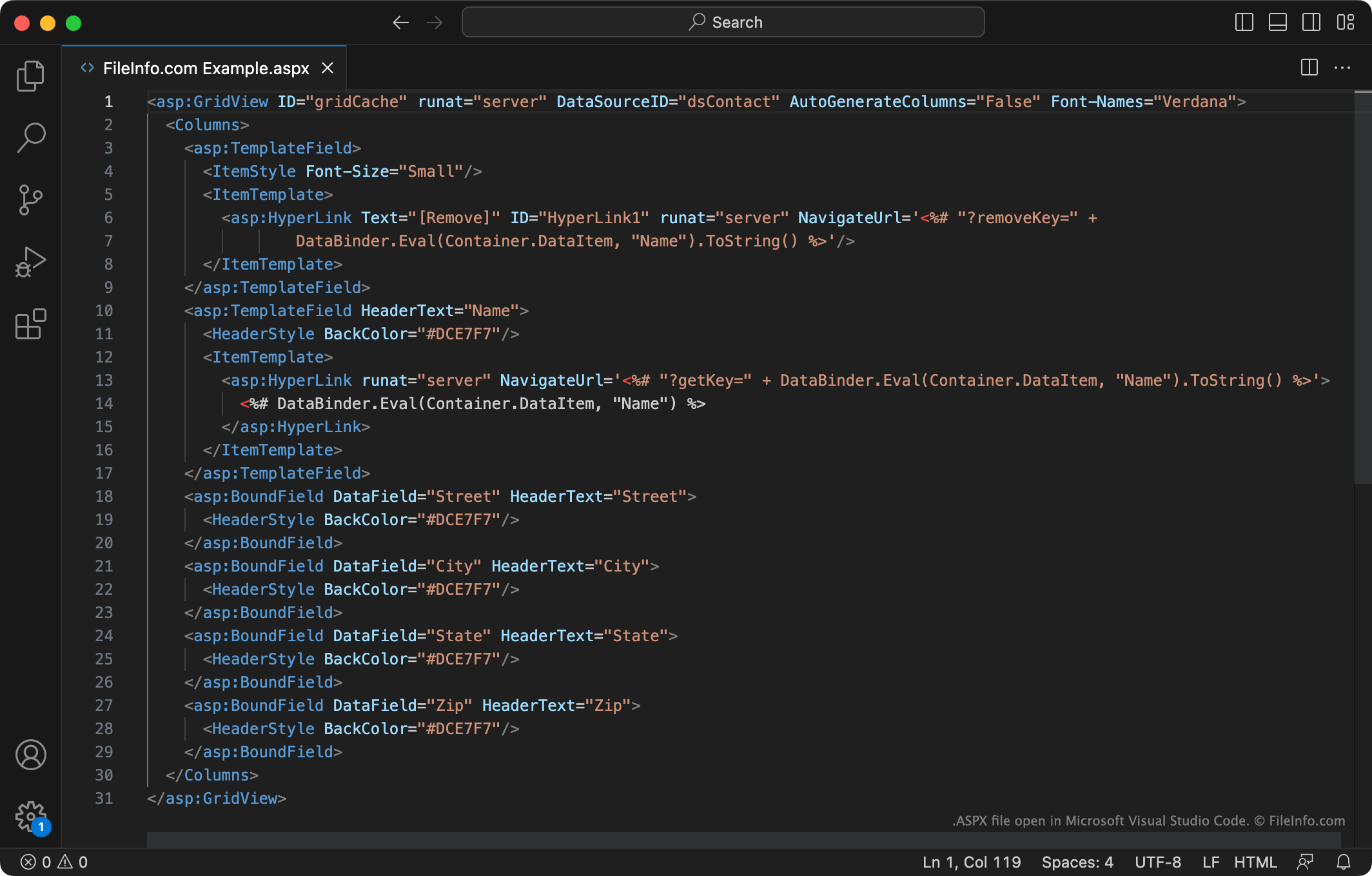
ASP.NET to struktura aplikacji internetowych, której programiści używają do tworzenia dynamicznych witryn i stron internetowych. Na przykład programista stron internetowych może użyć ASP.NET do utworzenia aplikacji internetowej składającej się z kilku połączonych ze sobą formularzy do wypełnienia.
Programiści zazwyczaj tworzą i zapisują strony internetowe ASP.NET jako pliki ASPX. Następnie umieszczają te pliki na serwerach internetowych obsługujących strukturę ASP.NET. Gdy przeglądarka internetowa użytkownika żąda strony opisanej przez plik ASPX, serwer internetowy najpierw tłumaczy zawarte w pliku znaczniki i skrypty na zawartość HTML. Następnie przeglądarka internetowa użytkownika wyświetla tę zawartość tak jak każdą inną stronę internetową HTML.
Zwykli użytkownicy internetu najczęściej spotykają pliki ASPX jako strony wyświetlane w przeglądarce internetowej. Te pliki ASPX zostały już przetłumaczone na zawartość HTML. Podczas wyświetlania jednej z tych stron możesz kliknąć ją prawym przyciskiem myszy i wybrać , aby wyświetlić wersję strony ASPX w języku HTML.
Czy można pobrać plik ASPX z serwera internetowego?
Niektórzy twórcy stron internetowych mogą chcieć pobrać nieprzetłumaczoną wersję pliku ASPX z serwera internetowego innego użytkownika. (Na przykład aby wyświetlić znaczniki i skrypty użyte przez innego programistę do utworzenia strony internetowej). Niestety, jeśli nie masz danych logowania do powiązanego serwera internetowego, nie ma możliwości pobrania nieprzetłumaczonej wersji pliku ASPX.
Jak otworzyć plik ASPX
Jeśli chcesz edytować znaczniki i kod zawarte w pliku ASPX, otwórz go w programie Microsoft Visual Studio (Windows), Adobe Dreamweaver (Windows, Mac) lub innym programie do tworzenia aplikacji internetowych obsługującym format ASPX. Programy te zawierają narzędzia ułatwiające wyświetlanie, zrozumienie i edytowanie zawartości plików ASPX.
Jeśli chcesz tylko zobaczyć tekst zawarty w pliku ASPX, możesz otworzyć go w programie Microsoft Notepad (Windows), Apple TextEdit (Mac) lub dowolnym innym edytorze tekstu. Możesz także przeciągnąć plik do przeglądarki internetowej.