

.ASPX 파일 확장자
Active Server Page Extended 웹 페이지
| 개발사 | Microsoft |
| 인기도 |
3.8 | 560 표 |
ASPX 파일이란 무엇인가요?
ASPX 파일은 Active Server Page Extended (ASPX) 형식으로 작성된 웹 페이지입니다. 웹 서버는 Microsoft의 ASP.NET 프레임워크를 실행하며, ASPX 파일을 사용해 동적 웹 페이지를 생성합니다. 각 ASPX 파일은 Active Server Page 마크업과 VBScript 또는 C# 프로그래밍 언어로 작성된 하나 이상의 스크립트로 구성됩니다. 웹 서버는 이 콘텐츠를 표준 HTML로 변환한 후 사용자의 웹 브라우저로 전송합니다.
추가 정보
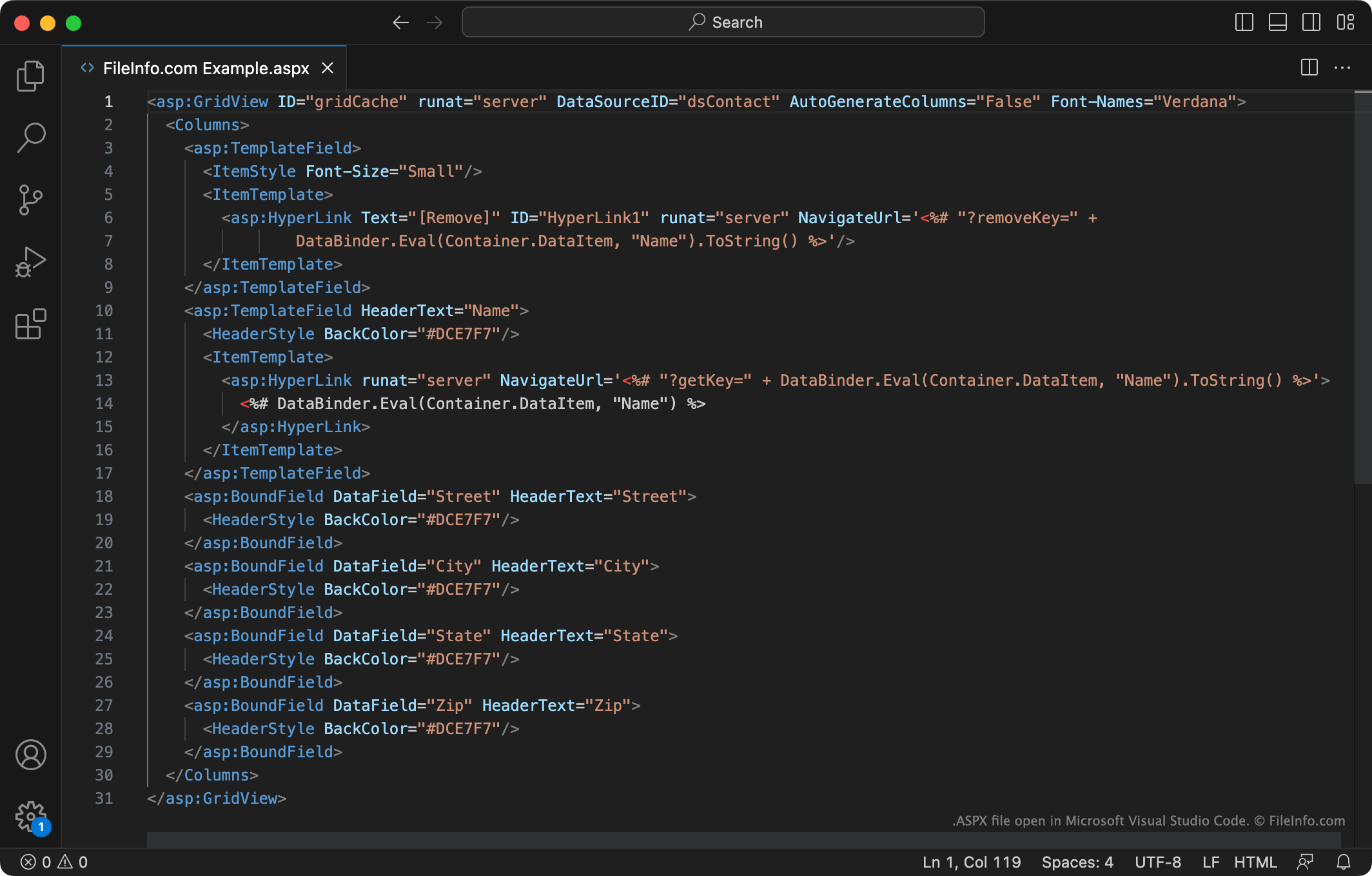
ASP.NET은 개발자가 동적인 웹사이트와 웹 페이지를 만드는 데 사용하는 웹 애플리케이션 프레임워크입니다. 예를 들어 웹 개발자는 ASP.NET을 사용해 서로 연결된 여러 입력 가능한 양식으로 구성된 웹 앱을 만들 수 있습니다.
개발자는 주로 ASP.NET 웹 페이지를 ASPX 파일로 만들고 저장합니다. 그런 다음 ASP.NET 프레임워크를 지원하는 웹 서버에 이 파일을 배치합니다. 사용자의 웹 브라우저가 ASPX 파일에 설명된 웹 페이지를 요청하면 웹 서버는 먼저 파일에 포함된 마크업과 스크립트를 HTML 콘텐츠로 변환합니다. 그러면 사용자의 웹 브라우저는 다른 HTML 웹 페이지와 마찬가지로 이 콘텐츠를 표시합니다.
일반적인 인터넷 사용자는 웹 브라우저에 표시되는 웹 페이지로 ASPX 파일을 접할 가능성이 가장 높습니다. 이러한 ASPX 파일은 이미 HTML 콘텐츠로 변환된 상태입니다. 이러한 웹 페이지 중 하나를 보고 있을 때 마우스 오른쪽 버튼을 클릭하고 를 선택하면 ASPX 웹 페이지의 HTML 버전을 볼 수 있습니다.
웹 서버에서 ASPX 파일을 다운로드할 수 있나요?
일부 웹 개발자는 다른 사용자의 웹 서버에서 변환되지 않은 ASPX 파일을 다운로드하려고 할 수 있습니다. (예를 들어 다른 개발자가 웹 페이지를 만들 때 사용한 마크업과 스크립트를 보기 위해서입니다.) 안타깝게도 해당 웹 서버의 로그인 자격 증명이 없다면 ASPX 파일의 변환되지 않은 버전을 다운로드할 방법은 없습니다.
ASPX 파일을 여는 방법
ASPX 파일에 포함된 마크업과 코드를 편집하려면 Microsoft Visual Studio(Windows), Adobe Dreamweaver(Windows, Mac) 또는 ASPX 형식을 지원하는 다른 웹 앱 개발 프로그램으로 파일을 열어야 합니다. 이러한 프로그램에는 ASPX 파일의 콘텐츠를 확인하고 이해하며 편집하기 쉽게 해 주는 도구가 포함되어 있습니다.
ASPX 파일에 포함된 텍스트를 보기만 하려면 Microsoft Notepad(Windows), Apple TextEdit(Mac) 또는 다른 텍스트 편집기로 파일을 열 수 있습니다. 파일을 웹 브라우저로 끌어다 놓아도 됩니다.