

.ASPX Bestandsextensie
Active Server Page Extended-webpagina
| Ontwikkelaar | Microsoft |
| Populariteit |
3,8 | 560 stemmen |
Wat is een ASPX-bestand?
Een ASPX-bestand is een webpagina die is geschreven in het Active Server Page Extended (ASPX)-formaat. Webservers waarop het ASP.NET-framework van Microsoft draait, gebruiken ASPX-bestanden om dynamische webpagina's te genereren. Elk ASPX-bestand bestaat uit Active Server Page-markup en een of meer scripts die zijn geschreven in de programmeertaal VBScript of C#. Webservers vertalen deze inhoud naar standaard-HTML voordat ze deze naar de webbrowser van een gebruiker sturen.
Meer informatie
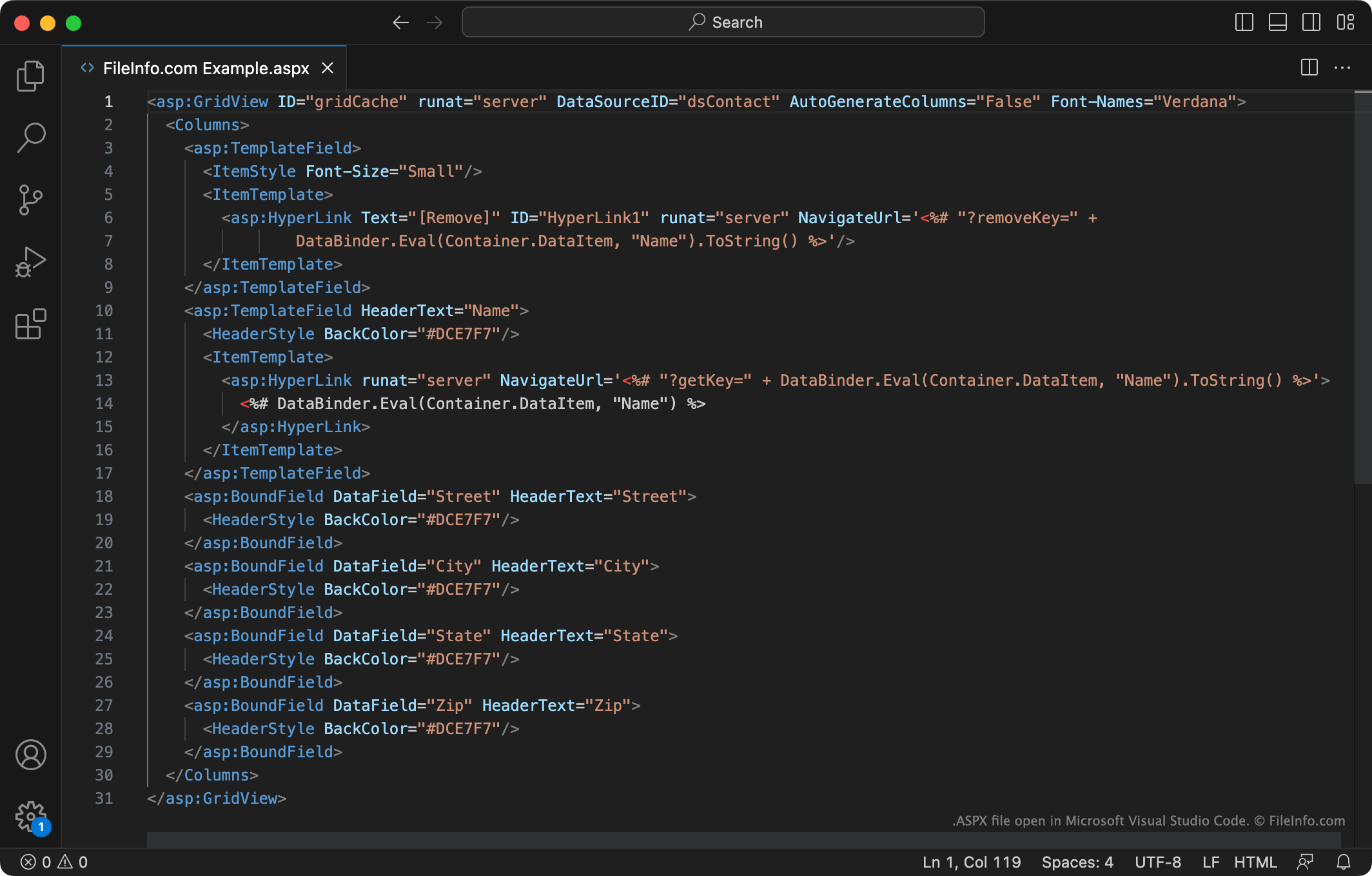
ASP.NET is een framework voor webapplicaties dat ontwikkelaars gebruiken om dynamische websites en webpagina's te maken. Een webontwikkelaar kan ASP.NET bijvoorbeeld gebruiken om een webapp te maken die uit meerdere onderling verbonden invulbare formulieren bestaat.
Ontwikkelaars maken en bewaren ASP.NET-webpagina's voornamelijk als ASPX-bestanden. Vervolgens plaatsen ze deze bestanden op webservers die het ASP.NET-framework ondersteunen. Wanneer de webbrowser van een gebruiker de webpagina opvraagt die een ASPX-bestand beschrijft, vertaalt de webserver eerst de markup en scripts in het bestand naar HTML-inhoud. De webbrowser van de gebruiker geeft deze inhoud vervolgens weer zoals elke andere HTML-webpagina.
Typische internetgebruikers komen ASPX-bestanden waarschijnlijk tegen als webpagina's die in hun webbrowser worden weergegeven. Deze ASPX-bestanden zijn al vertaald naar HTML-inhoud. Terwijl je een van deze webpagina's bekijkt, kun je met de rechtermuisknop klikken en selecteren om de HTML-versie van de ASPX-webpagina te bekijken.
Kun je een ASPX-bestand downloaden van een webserver?
Sommige webontwikkelaars willen misschien de onvertaalde versie van een ASPX-bestand downloaden van de webserver van een andere gebruiker. (Bijvoorbeeld om de markup en scripts te bekijken die een andere ontwikkelaar heeft gebruikt om een webpagina te maken.) Helaas is er, tenzij je inloggegevens hebt voor de betreffende webserver, geen manier om de onvertaalde versie van een ASPX-bestand te downloaden.
Een ASPX-bestand openen
Als je de markup en code in een ASPX-bestand wilt bewerken, kun je het openen met Microsoft Visual Studio (Windows), Adobe Dreamweaver (Windows, Mac) of een ander programma voor de ontwikkeling van webapps dat het ASPX-formaat ondersteunt. Deze programma's bevatten hulpmiddelen waarmee je de inhoud van ASPX-bestanden gemakkelijker kunt bekijken, begrijpen en bewerken.
Als je alleen de tekst in een ASPX-bestand wilt bekijken, kun je het openen met Microsoft Notepad (Windows), Apple TextEdit (Mac) of een andere teksteditor. Je kunt het bestand ook naar je webbrowser slepen.