

.ASPX ファイル拡張子
Active Server Page Extended Webページ
| 開発元 | Microsoft |
| 人気度 |
3.8 | 560 票 |
ASPXファイルとは?
ASPXファイルは、Active Server Page Extended(ASPX)形式で記述されたWebページです。Webサーバーは、MicrosoftのASP.NETフレームワークを実行し、ASPXファイルを使用して動的なWebページを生成します。各ASPXファイルは、Active Server Pageのマークアップと、VBScriptまたはC#プログラミング言語で記述された1つ以上のスクリプトで構成されています。Webサーバーは、このコンテンツを標準のHTMLに変換してから、ユーザーのWebブラウザーに送信します。
詳細情報
ASP.NETは、開発者が動的なWebサイトやWebページを作成するために使用するWebアプリケーションフレームワークです。たとえば、Web開発者はASP.NETを使用して、相互に接続された複数の入力可能なフォームで構成されるWebアプリを作成できます。
主に、開発者はASP.NETのWebページをASPXファイルとして作成して保存します。その後、これらのファイルをASP.NETフレームワークに対応したWebサーバーに配置します。ユーザーのWebブラウザーがASPXファイルで記述されたWebページを要求すると、Webサーバーはまず、ファイルに含まれるマークアップとスクリプトをHTMLコンテンツに変換します。次に、ユーザーのWebブラウザーは、他のHTML Webページと同じように、このコンテンツを表示します。
一般的なインターネットユーザーがASPXファイルに遭遇する可能性が最も高いのは、Webブラウザーに表示されるWebページとしてです。これらのASPXファイルは、すでにHTMLコンテンツに変換されています。これらのWebページの1つを表示しているときに、右クリックしてを選択すると、ASPX WebページのHTML版を表示できます。
WebサーバーからASPXファイルをダウンロードできますか?
一部のWeb開発者は、別のユーザーのWebサーバーから、変換前のASPXファイルをダウンロードしたいと考える場合があります。(たとえば、別の開発者がWebページの作成に使用したマークアップとスクリプトを確認するためです。)残念ながら、関連するWebサーバーのログイン認証情報を持っていない限り、ASPXファイルの変換前のバージョンをダウンロードする方法はありません。
ASPXファイルの開き方
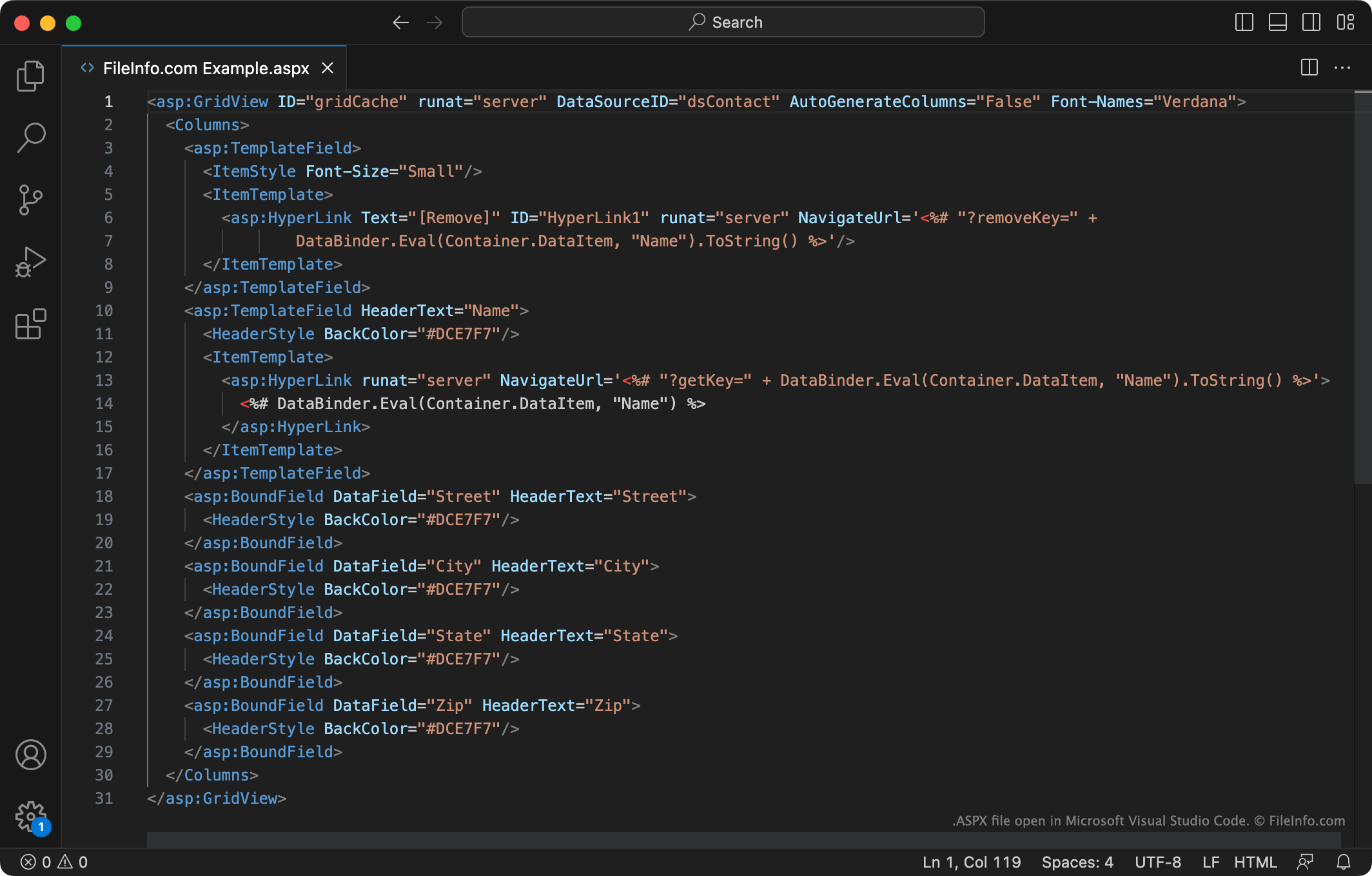
ASPXファイルに含まれるマークアップやコードを編集したい場合は、Microsoft Visual Studio(Windows)、Adobe Dreamweaver(Windows、Mac)、またはASPX形式に対応した別のWebアプリ開発プログラムで開いてください。これらのプログラムには、ASPXファイルの内容を表示、理解、編集しやすくするツールが含まれています。
ASPXファイルに含まれるテキストを確認したいだけの場合は、Microsoft Notepad(Windows)、Apple TextEdit(Mac)、またはその他のテキストエディターで開くことができます。ファイルをWebブラウザーにドラッグすることもできます。