

.ZS Bestandsextensie
ZenScript-bestand
| Ontwikkelaar | N.v.t. |
| Populariteit |
3,6 | 16 stemmen |
Wat is een ZS-bestand?
Een ZS-bestand bevat de programmeertaal ZenScript, die door verschillende Minecraft-mods, zoals CraftTweaker en MineTweaker, wordt gebruikt om gamecontent aan te passen. De taal heeft een syntaxis die vergelijkbaar is met Java en is ontworpen om eenvoudig te zijn voor Minecraft-spelers die weinig programmeerkennis hebben.
Meer informatie

De programmeertaal ZenScript werd oorspronkelijk ontwikkeld voor gebruik met CraftTweaker, een Minecraft-mod waarmee spelers content kunnen aanpassen, waaronder "recepten" Met deze recepten kunnen gebruikers nieuwe items maken met grondstoffen die ze verzamelen. De programmeertaal ZenScript wordt voornamelijk gebruikt door modmakers om recepten in de game toe te voegen, te bewerken en te verwijderen.
Omdat ZS-bestanden opdrachten in platte tekst opslaan, kun je de bestanden openen en bewerken met elke teksteditor. Bepaalde teksteditors, zoals Notepad++, Visual Studio Code en Sublime Text, zijn echter betere opties voor het bewerken van ZS-bestanden, omdat ze syntaxismarkering voor de ZenScript-taal ondersteunen of plug-ins hebben die de taal ondersteunen.
OPMERKING: ZS-bestanden moeten worden opgeslagen in de map [gamedir]/scripts om te worden geladen wanneer een speler in Minecraft een wereld betreedt.
Programma's die ZS-bestanden openen of ernaar verwijzen
ZScript-script
| Ontwikkelaar | ZDoom |
| Populariteit |
4,0 | 2 stemmen |
Meer informatie
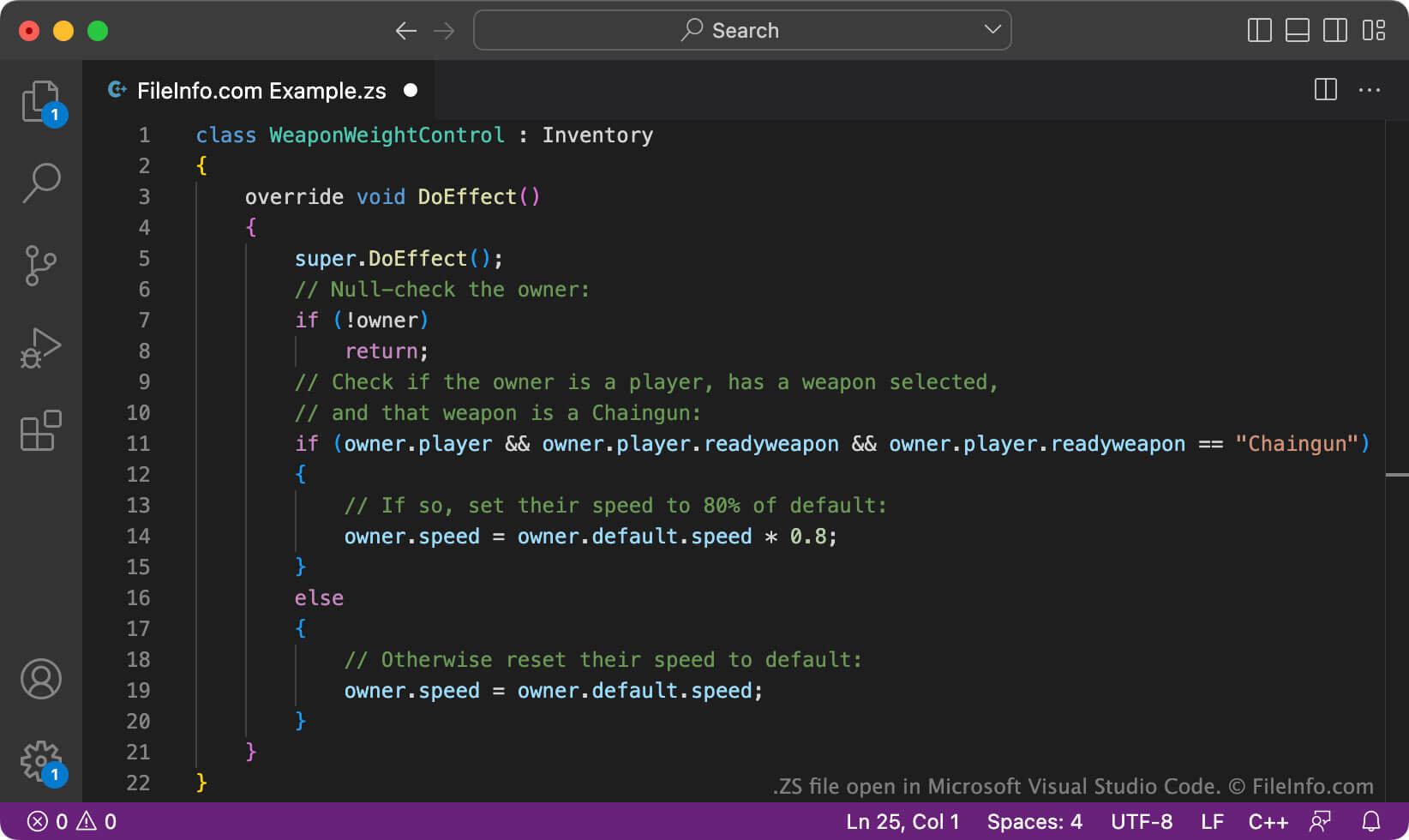
ZDoom en GZDoom zijn ports van Doom met bijgewerkte versies van de engine, een populaire firstpersonshooter. Ze stellen spelers ook in staat om andere games te spelen die de Doom-engine gebruiken. Omdat ZDoom en GZDoom door fans worden ontwikkeld en onderhouden, worden spelers aangemoedigd om ze aan te passen. Een manier waarop spelers ZDoom en GZDoom kunnen aanpassen, is door ZScript-bestanden (ZS) te maken en te laden die de gameplay van de games veranderen.
Een ZS-bestand kan bijvoorbeeld een script bevatten dat een pictogram weergeeft als een speler zichtlijn heeft op het huidige doelwit. Of het kan een script bevatten dat nieuwe vijanden en voorwerpen in een bepaald level laat verschijnen.
Veel ZS-bestanden op het hoogste niveau worden opgeslagen met de naam zscript.zs. Deze scripts verwijzen vaak naar subscripts, die de daadwerkelijke code bevatten die wordt gebruikt om ZDoom of GZDoom aan te passen. Een subscript dat wapens aanpast, kan bijvoorbeeld de naam weapons.zs hebben.
Veelvoorkomende .ZS-bestandsnamen
Zscript.zs - De naam die aan de meeste ZS-bestanden op het hoogste niveau wordt gegeven.
Een ZS-bestand openen
Je kunt een ZS-bestand openen en bewerken in SLADE (multiplatform), een tool voor het aanpassen van ZDoom. Je kunt ZS-bestanden ook openen en bewerken in Microsoft Visual Studio Code (multiplatform) of een andere editor voor tekst of broncode.
Als je een ZS-bestand met ZDoom of GZDoom wilt gebruiken, voer je de programma's uit vanaf de opdrachtregel en gebruik je de opdracht -file om het pad op te geven naar de map die je ZS-bestand bevat. Je kunt bijvoorbeeld tekst invoeren die er op de opdrachtregel als volgt uitziet:
start gzdoom.exe -iwad doom2.wad -file Path/To/Your/Folder
Programma's die ZS-bestanden openen
Z-Sharp-script
| Ontwikkelaar | Sam Astro |
| Populariteit |
3,5 | 2 stemmen |
Een ZS-bestand is een Z-Sharp-script. Het bevat broncode die is geschreven in de programmeertaal Z-Sharp, ontwikkeld door Sam Astro.
Meer informatie
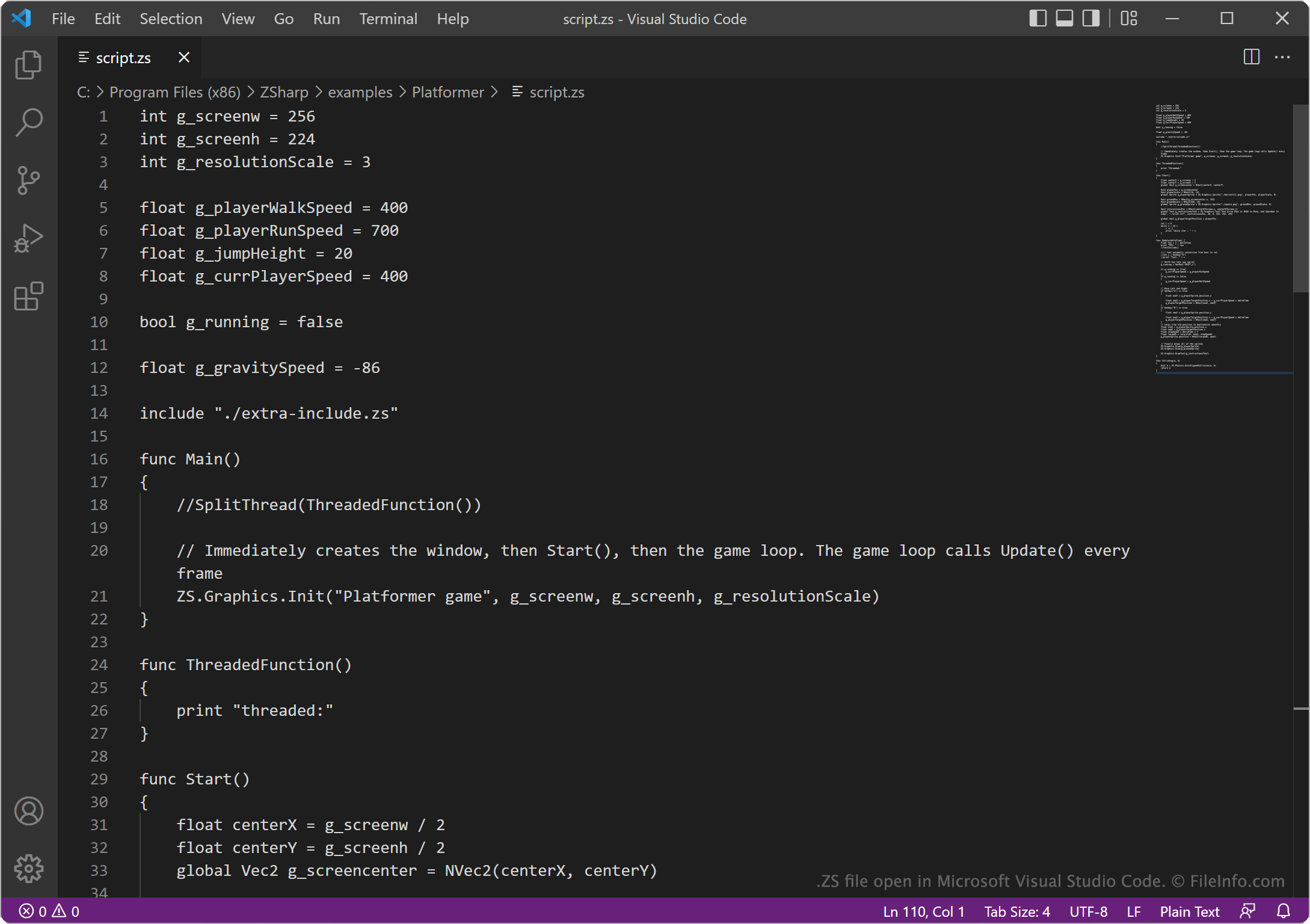
In 2022 plaatste YouTuber Sam Astro (ook bekend als AstroSam) een video waarin hij zijn pogingen beschreef om zijn eigen programmeertaal te maken en met die taal een game te programmeren. De taal die Astro maakte, staat bekend als Z-Sharp.
Z-Sharp gebruikt syntaxis en opmaak die vergelijkbaar zijn met die van de programmeertalen C# en Python. De taal bevat genoeg functies om de game Pong te programmeren (het uiteindelijke doel van Astro). Volgens Astro zal de taal waarschijnlijk nooit worden voltooid. Toch kunnen ontwikkelaars die programma's willen maken met de taal Z-Sharp, deze programma's opslaan in ZS-bestanden, die de Z-Sharp-interpreter herkent als Z-Sharp-scripts.
OPMERKING: Voorheen stond Z-Sharp bekend als Stupid Lang en werden ZS-bestanden opgeslagen als SLG-bestanden.
Veelvoorkomende .ZS-bestandsnamen
script.zs - De naam van voorbeeldscripts in Z-Sharp die zijn opgenomen in de broncode van Z-Sharp.
Een ZS-bestand openen
Je kunt een ZS-bestand openen en bewerken in elke tekst- of broncode-editor, zoals Microsoft Visual Studio Code of GitHub Atom. Je kunt het script in een ZS-bestand uitvoeren met de Z-Sharp-interpreter (Windows, Linux).