

.VPB Bestandsextensie
Back-up van Photos Legacy-videoproject
| Ontwikkelaar | Microsoft |
| Populariteit |
2,4 | 8 stemmen |
Wat is een VPB-bestand?
Een VPB-bestand is een back-up van een videoproject dat is gemaakt in de Video-editor van Microsoft Photos (die bij eerdere versies van het programma werd geleverd). Het bevat een exacte kopie van de gegevens van het videoproject, waaronder een kopie van de video's, foto's en andere media die het project bevat. Je kunt een VPB-bestand importeren in de Legacy-versie van Microsoft Photos om het project dat het bevat te bekijken en te bewerken.
Meer informatie
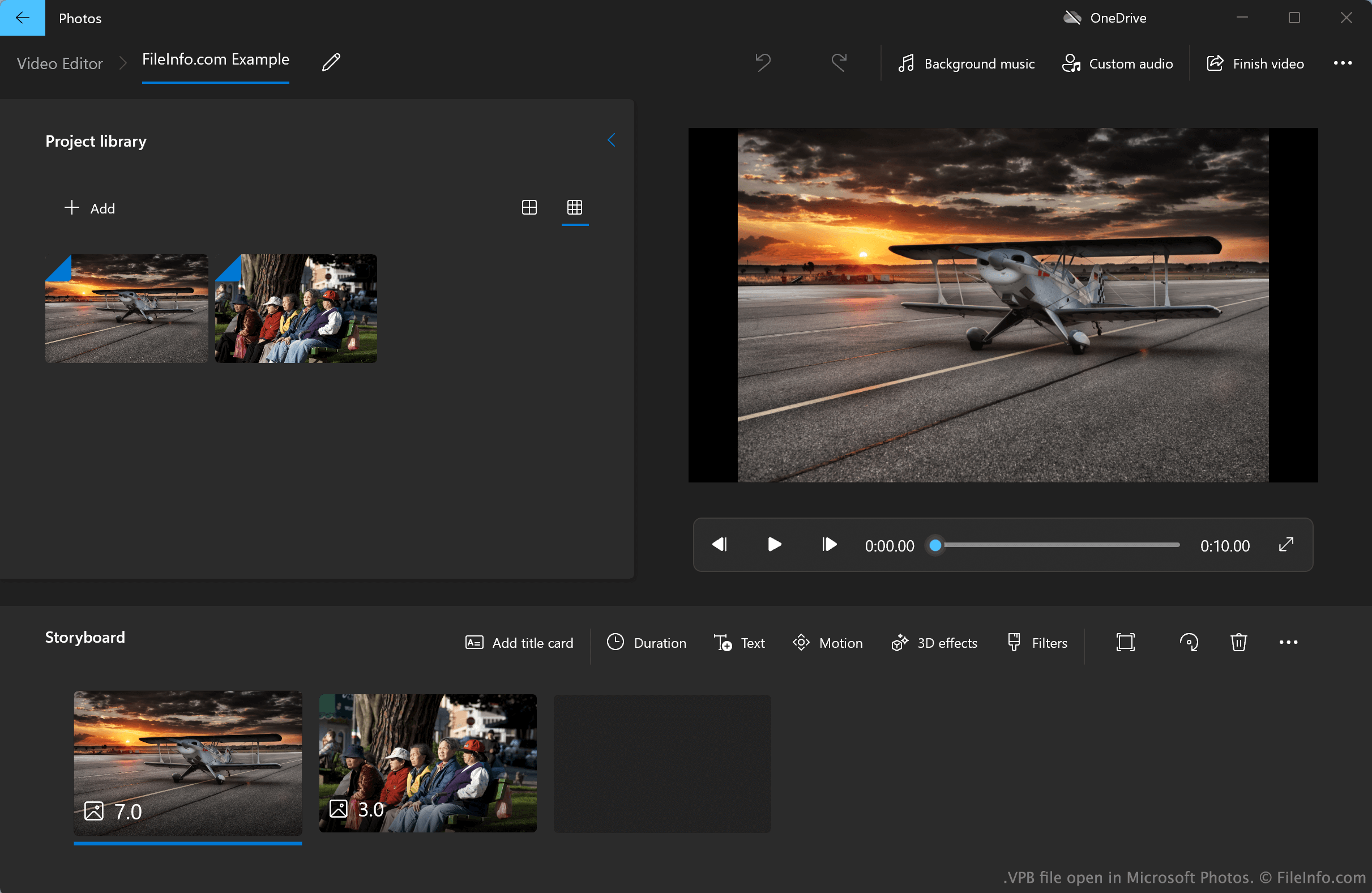
De versie van Microsoft Photos voor Windows 10 en 11 van vóór 2022, die nu Microsoft Photos Legacy wordt genoemd, bevat een Video-editor. Met deze eenvoudige video-editor kunnen gebruikers foto's, video's en audiobestanden importeren en samenvoegen tot films. Met de Video-editor kunnen gebruikers ook titelkaarten, tekst, bewegingseffecten, 3D-effecten en filters aan hun films toevoegen.
Standaard slaat Photos Legacy Video-editor de videoprojecten van gebruikers automatisch op in en laadt deze automatisch uit een verborgen systeemmap. Gebruikers kunnen echter ook handmatig back-ups van hun Video-editorprojecten exporteren, die als VPB-bestanden worden opgeslagen. Een gebruiker die zijn project bijvoorbeeld van de ene pc naar de andere wil overzetten, kan het project als VPB-bestand exporteren. Elk VPB-bestand bevat alle mediabestanden van een project, evenals informatie over bewerkingen en effecten die de gebruiker op het project heeft toegepast.
Hoe maak ik een back-up van een Microsoft Photos Legacy Video-editorproject?
Een back-up maken van een Microsoft Photos Legacy Video-editorproject:
- Open je project in Photos Legacy Video-editor en selecteer de knop aan de rechterkant van het programma.
- Selecteer en selecteer vervolgens, wanneer daarom wordt gevraagd, .
- Geef je project een naam en sla het op als VPB-bestand.
Een VPB-bestand openen
Je kunt een VPB-bestand openen met Microsoft Photos Legacy (Windows), dat beschikbaar is in de Microsoft Store. Ga hiervoor als volgt te werk:
- Installeer Microsoft Photos Legacy.
- Open de Video-editor van Photos Legacy.
- Selecteer de knop naast de knop .
- Selecteer .
- Navigeer naar je VPB-bestand en open het.