

.VPB 파일 확장자
Photos Legacy 비디오 프로젝트 백업
| 개발사 | Microsoft |
| 인기도 |
2.4 | 8 표 |
VPB 파일이란 무엇인가요?
VPB 파일은 Microsoft Photos의 Video Editor(프로그램의 이전 버전에 포함되어 있던 기능)에서 만든 비디오 프로젝트의 백업입니다. 이 파일에는 비디오 프로젝트 데이터의 정확한 복사본이 포함되며, 프로젝트에 포함된 비디오, 사진 및 기타 미디어의 복사본도 들어 있습니다. VPB 파일을 Microsoft Photos Legacy 버전으로 가져와 파일에 포함된 프로젝트를 보고 편집할 수 있습니다.
추가 정보
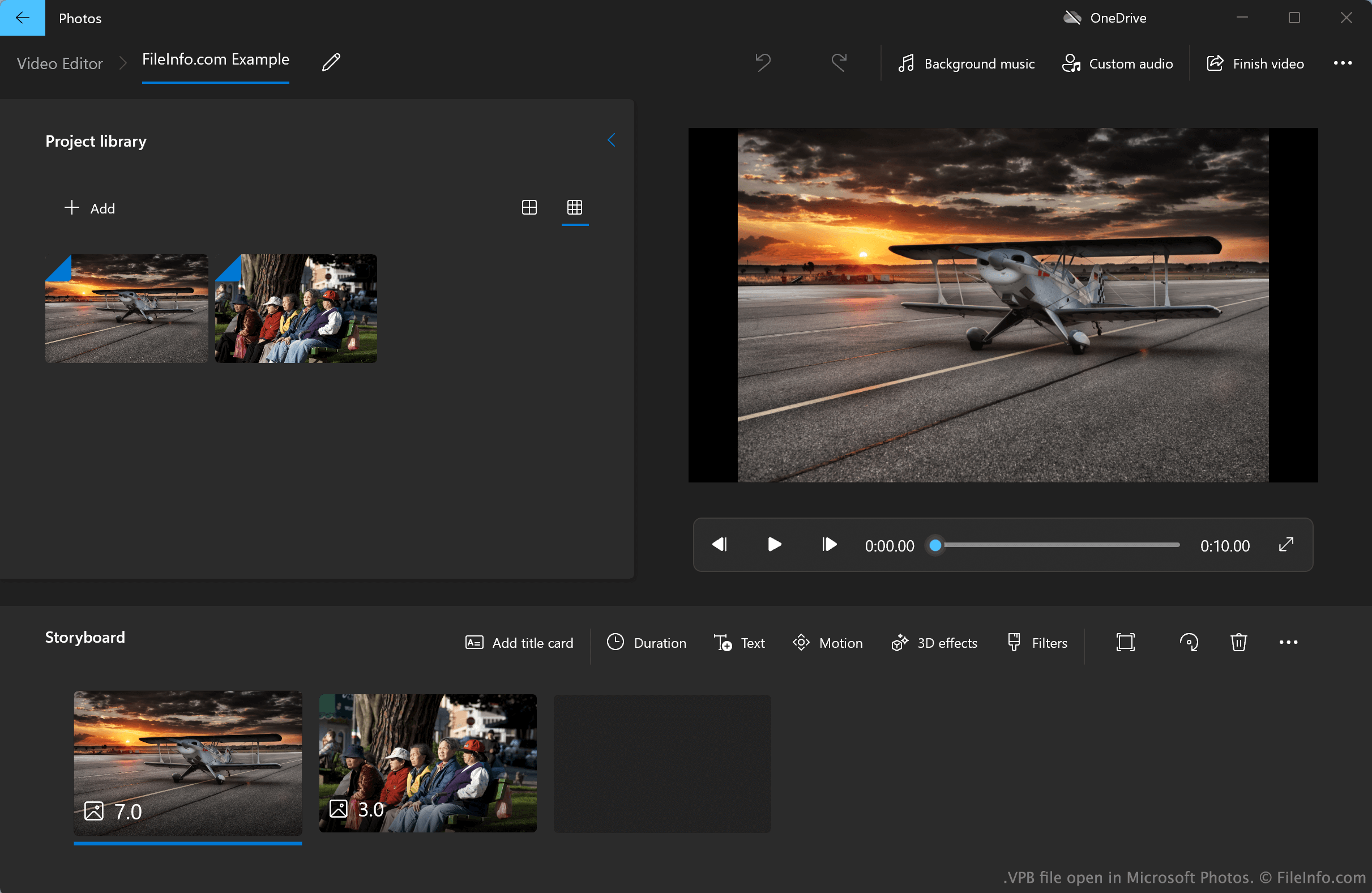
Windows 10 및 11용 Microsoft Photos의 2022년 이전 버전에는 현재 Microsoft Photos Legacy라고 하는 Video Editor가 포함되어 있습니다. 이 간단한 비디오 편집기를 사용하면 사진, 비디오 및 오디오 파일을 가져와 하나의 동영상으로 이어 붙일 수 있습니다. Video Editor를 사용하면 동영상에 타이틀 카드, 텍스트, 모션 효과, 3D 효과 및 필터도 추가할 수 있습니다.
기본적으로 Photos Legacy Video Editor는 사용자의 비디오 프로젝트를 숨겨진 시스템 디렉터리에서 자동으로 저장하고 불러옵니다. 그러나 사용자는 Video Editor 프로젝트의 백업을 수동으로 내보낼 수도 있으며, 이 백업은 VPB 파일로 저장됩니다. 예를 들어 프로젝트를 한 PC에서 다른 PC로 전송하려는 사용자는 프로젝트를 VPB 파일로 내보낼 수 있습니다. 각 VPB 파일에는 프로젝트의 모든 미디어 파일과 사용자가 프로젝트에 적용한 편집 및 효과에 관한 정보가 포함됩니다.
Microsoft Photos Legacy Video Editor 프로젝트를 어떻게 백업하나요?
Microsoft Photos Legacy Video Editor 프로젝트를 백업하려면:
- Photos Legacy Video Editor에서 프로젝트를 연 상태로 프로그램 오른쪽에 표시되는 버튼을 선택합니다.
- 를 선택한 다음, 메시지가 표시되면 을 선택합니다.
- 프로젝트 이름을 지정하고 VPB 파일로 저장합니다.
VPB 파일을 여는 방법
Microsoft Store에서 제공되는 Microsoft Photos Legacy(Windows)를 사용하여 VPB 파일을 열 수 있습니다. 방법은 다음과 같습니다:
- Microsoft Photos Legacy를 설치합니다.
- Photos Legacy의 Video Editor를 엽니다.
- 버튼 옆에 표시되는 버튼을 선택합니다.
- 을 선택합니다.
- VPB 파일이 있는 위치로 이동하여 파일을 엽니다.