

.VPB Extension de fichier
Sauvegarde de projet vidéo Photos Legacy
| Développeur | Microsoft |
| Popularité |
2,4 | 8 Votes |
Qu'est-ce qu'un fichier VPB ?
Un fichier VPB est une sauvegarde d’un projet vidéo créé dans l’Éditeur vidéo de Microsoft Photos (qui était inclus dans les versions précédentes du programme). Il contient une copie exacte des données du projet vidéo, y compris une copie des vidéos, des photos et des autres fichiers multimédias inclus dans le projet. Vous pouvez importer un fichier VPB dans la version Legacy de Microsoft Photos pour afficher et modifier le projet qu’il contient.
Plus d'informations
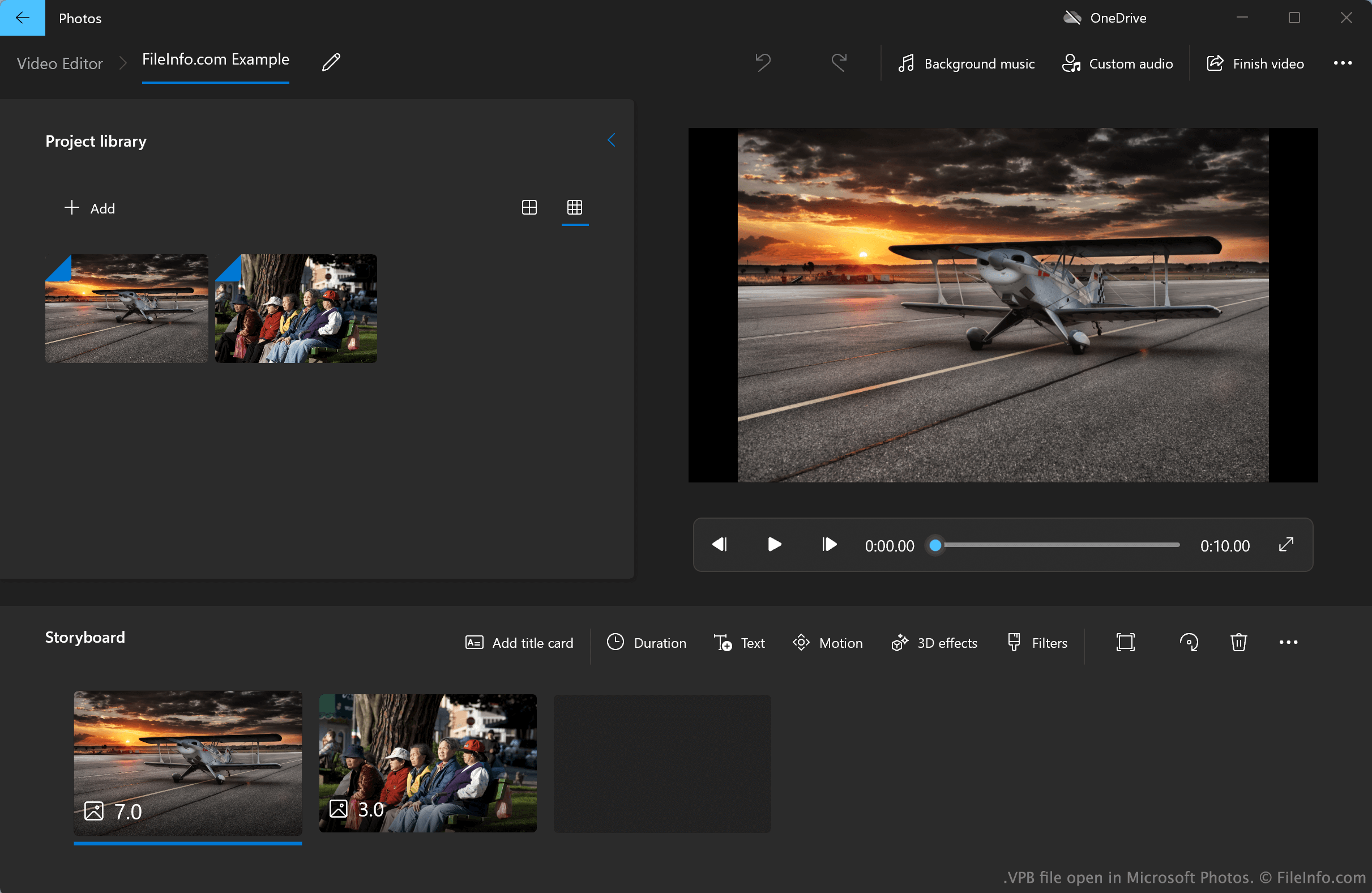
La version de Microsoft Photos antérieure à 2022 pour Windows 10 et 11, désormais appelée Microsoft Photos Legacy, inclut un Éditeur vidéo. Cet éditeur vidéo simple permet aux utilisateurs d’importer des photos, des vidéos et des fichiers audio, puis de les assembler pour créer des films. L’Éditeur vidéo permet également aux utilisateurs d’ajouter des cartes de titre, du texte, des effets de mouvement, des effets 3D et des filtres à leurs films.
Par défaut, l’Éditeur vidéo de Photos Legacy enregistre et charge automatiquement les projets vidéo des utilisateurs depuis un répertoire système masqué. Toutefois, les utilisateurs peuvent également exporter manuellement des sauvegardes de leurs projets dans l’Éditeur vidéo, lesquelles sont enregistrées sous forme de fichiers VPB. Par exemple, un utilisateur qui souhaite transférer son projet d’un PC à un autre peut vouloir exporter le projet sous forme de fichier VPB. Chaque fichier VPB comprend tous les fichiers multimédias d’un projet, ainsi que des informations sur les modifications et les effets appliqués au projet par l’utilisateur.
Comment sauvegarder un projet dans l’Éditeur vidéo de Microsoft Photos Legacy ?
Pour sauvegarder un projet dans l’Éditeur vidéo de Microsoft Photos Legacy :
- Lorsque votre projet est ouvert dans l’Éditeur vidéo de Photos Legacy, sélectionnez le bouton qui apparaît sur le côté droit du programme.
- Sélectionnez , puis, lorsque vous y êtes invité, sélectionnez .
- Donnez un nom à votre projet et enregistrez-le sous forme de fichier VPB.
Comment ouvrir un fichier VPB
Vous pouvez ouvrir un fichier VPB avec Microsoft Photos Legacy (Windows), disponible dans le Microsoft Store. Pour ce faire :
- Installez Microsoft Photos Legacy.
- Ouvrez l’Éditeur vidéo de Photos Legacy.
- Sélectionnez le bouton qui apparaît à côté du bouton .
- Sélectionnez .
- Accédez à votre fichier VPB et ouvrez-le.