

.VPB ファイル拡張子
Photos Legacyビデオプロジェクトのバックアップ
| 開発元 | Microsoft |
| 人気度 |
2.4 | 8 票 |
VPBファイルとは?
VPBファイルは、Microsoft Photosのビデオエディター(以前のバージョンのプログラムに含まれていたもの)で作成されたビデオプロジェクトのバックアップです。ビデオ、写真、その他プロジェクトに含まれるメディアのコピーなど、ビデオプロジェクトのデータの完全なコピーが含まれています。VPBファイルをMicrosoft Photos Legacyにインポートすると、含まれているプロジェクトを表示および編集できます。
詳細情報
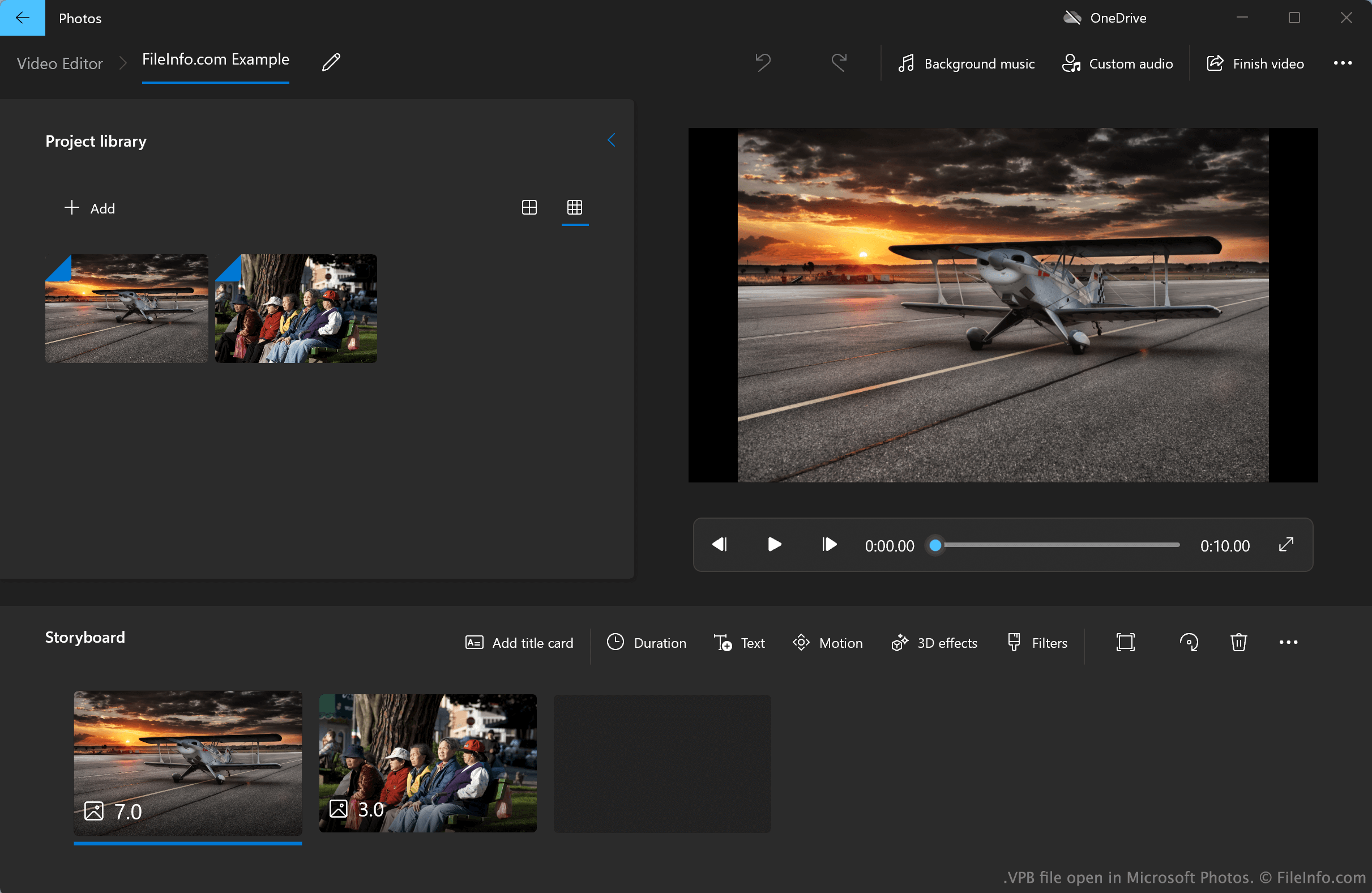
Windows 10および11向けの2022年以前のバージョンのMicrosoft Photosは、現在Microsoft Photos Legacyと呼ばれており、ビデオエディターを備えています。このシンプルな動画編集ツールでは、写真、動画、音声ファイルをインポートし、それらをつなぎ合わせて動画を作成できます。ビデオエディターでは、タイトルカード、テキスト、モーション効果、3D効果、フィルターを動画に追加することもできます。
既定では、Photos Legacyビデオエディターは、ユーザーのビデオプロジェクトを非表示のシステムディレクトリから自動的に保存および読み込みます。ただし、ユーザーはビデオエディターのプロジェクトのバックアップを手動でエクスポートし、VPBファイルとして保存することもできます。たとえば、あるPCから別のPCにプロジェクトを移したいユーザーは、プロジェクトをVPBファイルとしてエクスポートできます。各VPBファイルには、プロジェクトのすべてのメディアファイルと、ユーザーがプロジェクトに適用した編集および効果に関する情報が含まれています。
Microsoft Photos Legacyビデオエディターのプロジェクトをバックアップするには?
Microsoft Photos Legacyビデオエディターのプロジェクトをバックアップするには、次の手順を実行します。
- Photos Legacyビデオエディターでプロジェクトを開いた状態で、プログラムの右側に表示されるボタンを選択します。
- を選択し、プロンプトが表示されたらを選択します。
- プロジェクトに名前を付け、VPBファイルとして保存します。
VPBファイルの開き方
VPBファイルは、Microsoft Storeから入手できるMicrosoft Photos Legacy(Windows)で開くことができます。手順は次のとおりです。
- Microsoft Photos Legacyをインストールします。
- Photos Legacyのビデオエディターを開きます。
- ボタンの横に表示されるボタンを選択します。
- を選択します。
- VPBファイルの場所に移動して開きます。