

.PROPERTIES Bestandsextensie
Minecraft Properties-bestand
| Ontwikkelaar | Mojang Specifications |
| Populariteit |
4,4 | 801 stemmen |
Wat is een PROPERTIES-bestand?
Een PROPERTIES-bestand is een instellingenbestand dat wordt gebruikt door Minecraft, een sandboxspel voor het bouwen met blokken. Het slaat configuratiegegevens voor de game op in de indeling voor platte tekst met sleutel-waardeparen van Java Properties, die ook buiten Minecraft wordt gebruikt. In Minecraft kunnen spelers PROPERTIES-bestanden gebruiken bij het configureren van een multiplayerserver of een gamemod.
Meer informatie
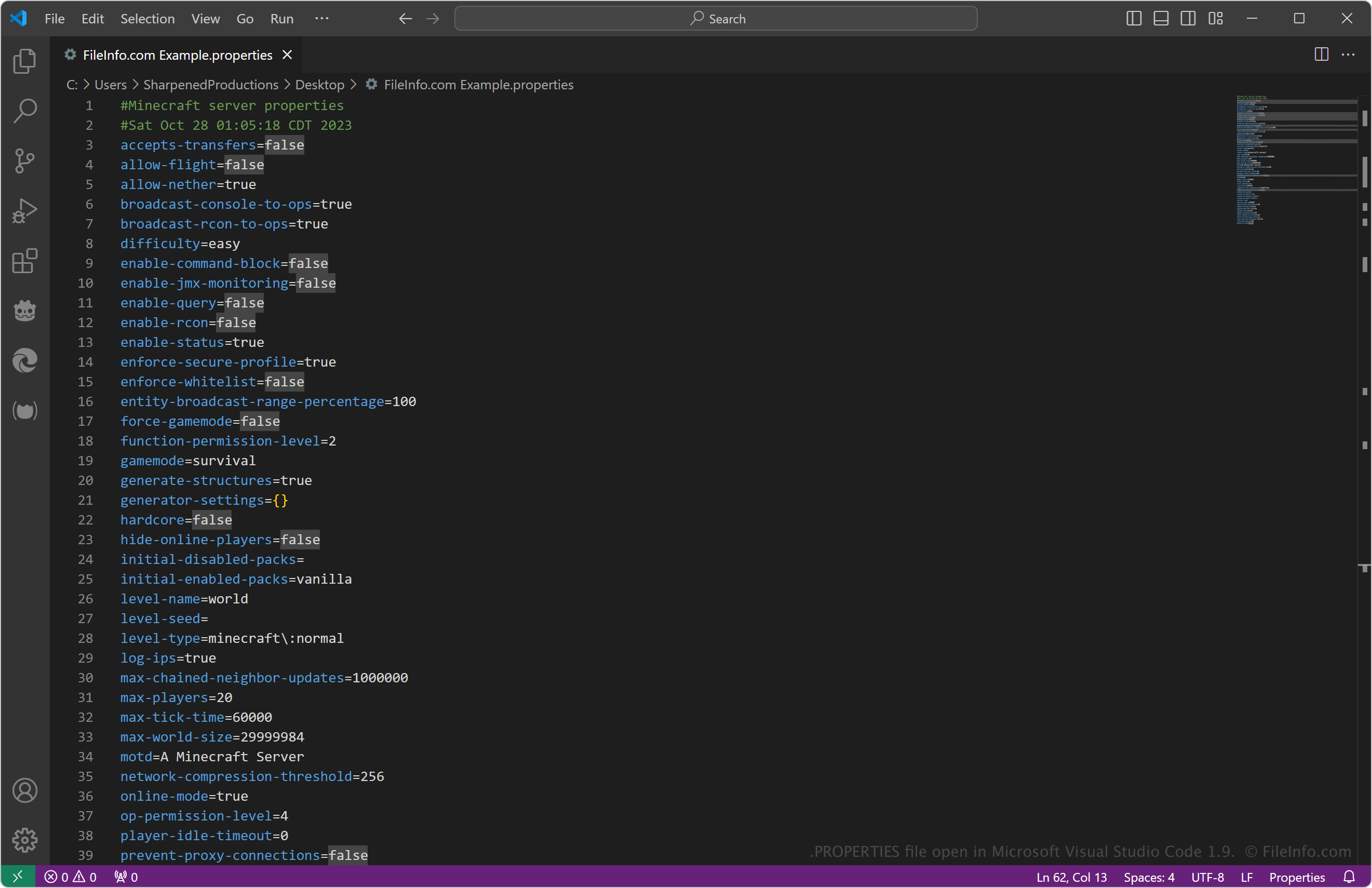
Het meest voorkomende Minecraft Properties-bestand is server.properties, waarin configuratiegegevens voor een multiplayerserver worden opgeslagen. Het bevat informatie zoals de levelnaam, instellingen voor het verschijnen van monsters, het maximaal toegestane aantal spelers en de serverpoort en het IP-adres.
Je zult een PROPERTIES-bestand waarschijnlijk alleen tegenkomen in de context van Minecraft als je de configuratie van een multiplayerserver wilt wijzigen. Je vindt het bestand server.properties in dezelfde map als het bestand server.jar dat je hebt uitgevoerd om de server te starten (de server maakt het aan bij de eerste keer opstarten).
Veelvoorkomende .PROPERTIES-bestandsnamen
server.properties - Veelgebruikt bestand waarin alle instellingen voor een Minecraft-multiplayerserver worden opgeslagen.
Een PROPERTIES-bestand openen
Je kunt PROPERTIES-bestanden openen met elke teksteditor, zoals Microsoft Notepad (Windows), Apple TextEdit (macOS) en gedit (Linux). Je kunt de bestanden ook openen met broncode-editors, waaronder Microsoft Visual Studio Code (multiplatform), dat handige functies biedt voor het bekijken en bewerken van broncode.
Houd er rekening mee dat het bestand beschadigd kan raken als je de tekst in het PROPERTIES-bestand onjuist wijzigt, vooral de tekst van de "sleutel" (vóór het gelijkteken). Als je bovendien het bestand server.properties bewerkt, moet je de server opnieuw starten of de opdracht /reload uitvoeren voordat de server de wijzigingen toepast.
Programma's die PROPERTIES-bestanden openen of ernaar verwijzen
Java-propertiesbestand
| Ontwikkelaar | Sun Microsystems |
| Populariteit |
4,0 | 98 stemmen |
Een PROPERTIES-bestand is een tekstgebaseerd configuratiebestand dat door Java-applicaties wordt gebruikt om gegevens op te slaan als eenvoudige sleutel-waardeparen. Java-programma's laden deze bestanden met de java.util.Properties API (of de nauw verwante ResourceBundle API), zodat applicaties instellingen zoals voorkeuren, bestandspaden, functievlaggen of tekst die aan gebruikers wordt getoond, kunnen lezen. Elke regel volgt doorgaans de indeling key = value, waardoor de bestanden eenvoudig te bewerken en te onderhouden zijn.
Meer informatie
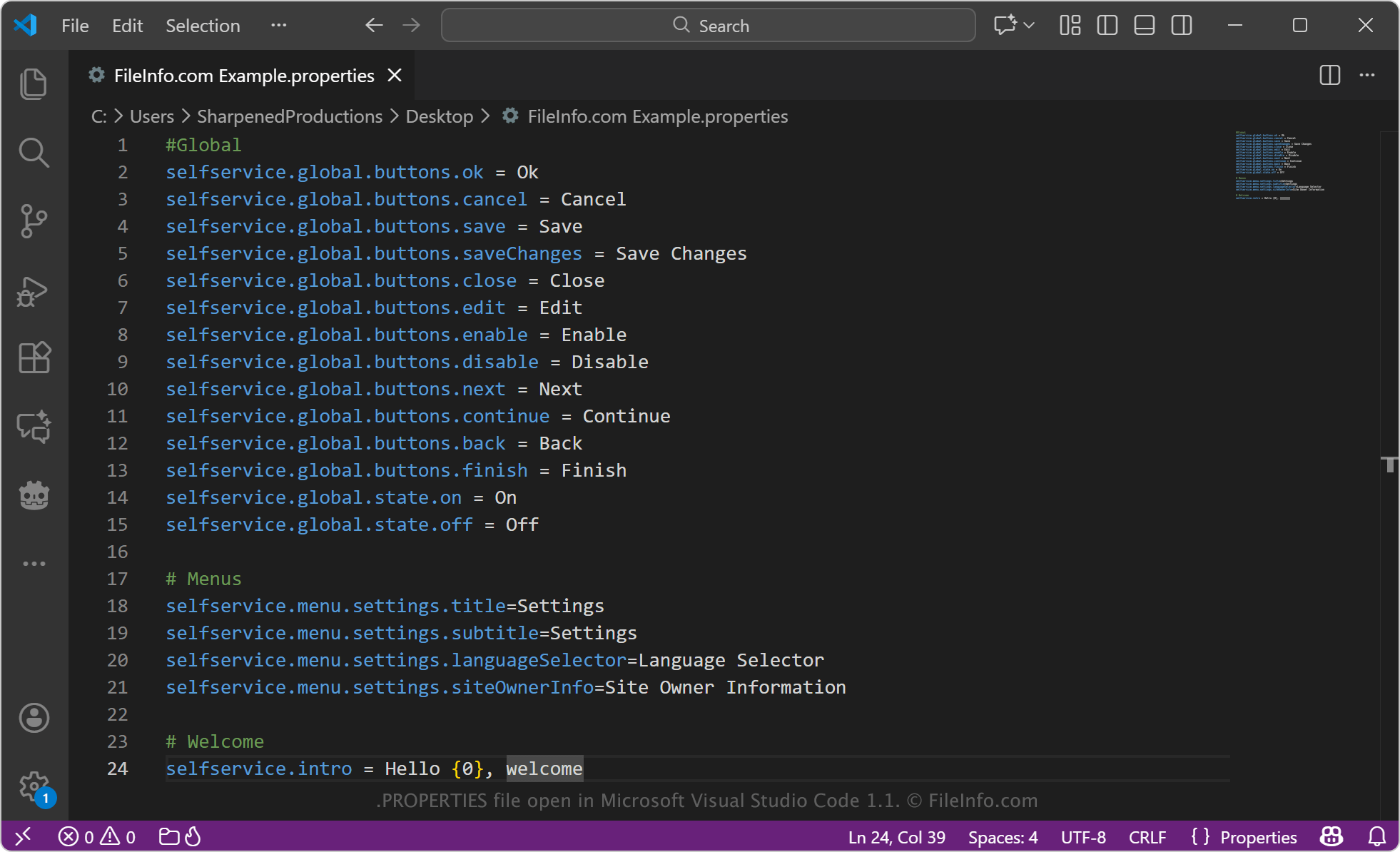
Naast configuratiegegevens worden PROPERTIES-bestanden vaak gebruikt voor lokalisatie en vertaling in Java-applicaties. In deze rol vertegenwoordigt elk bestand een specifieke taal of landinstelling, zoals Bundle.properties (standaardtaal) en Bundle_sl.properties (Sloveens). De sleutels blijven in alle talen hetzelfde, terwijl de waarden vertaalde tekst bevatten die in de interface van de app wordt weergegeven. Veel PROPERTIES-bestanden gebruiken Unicode-escapereeksen (bijvoorbeeld \u0161) om niet-ASCII-tekens weer te geven. Dit is een langdurige conventie die compatibiliteit tussen Java-versies en hulpprogramma's waarborgt.
In tegenstelling tot sommige configuratiesystemen slaat Java PROPERTIES-bestanden niet automatisch op in een vaste map en zet het deze ook niet om in geneste mappen. Waar en hoe een PROPERTIES-bestand wordt opgeslagen, hangt volledig af van de applicatie. Het bestand staat vaak naast de programmabestanden, in een .JAR of op ZIP gebaseerde installer, of in de broncodemap van een project. Ontwikkelaars openen en beheren deze bestanden rechtstreeks via de java.util.Properties- of ResourceBundle-API's, waardoor ze volledige controle hebben over het laden, opslaan en bijwerken van eigenschapswaarden.
Een PROPERTIES-bestand openen
Je kunt PROPERTIES-bestanden openen met broncode-editors, zoals Microsoft Visual Studio Code, Sublime Text of Notepad++. Elke teksteditor opent PROPERTIES-bestanden, waaronder Microsoft Notepad, Apple TextEdit en gedit.
Bij het bewerken van een PROPERTIES-bestand is het belangrijk om de structuur key = value te behouden en escapereeksen zoals \uXXXX, die Unicode-tekens vertegenwoordigen, niet te verwijderen. Hoewel editors PROPERTIES-bestanden kunnen weergeven en bewerken, zijn deze doorgaans bedoeld om door Java-applicaties te worden geladen en beheerd, in plaats van rechtstreeks door eindgebruikers te worden geopend.