

.PROPERTIES 파일 확장자
Minecraft 속성 파일
| 개발사 | Mojang Specifications |
| 인기도 |
4.4 | 801 표 |
PROPERTIES 파일이란 무엇인가요?
PROPERTIES 파일은 샌드박스형 블록 건설 게임인 Minecraft에서 사용하는 설정 파일입니다. 이 파일은 Minecraft의 구성 정보를 Java 속성 키-값 쌍 일반 텍스트 형식으로 저장하며, 이 형식은 Minecraft 외부에서도 사용됩니다. Minecraft에서 플레이어는 멀티플레이어 서버나 게임 모드를 구성할 때 PROPERTIES 파일을 사용할 수 있습니다.
추가 정보
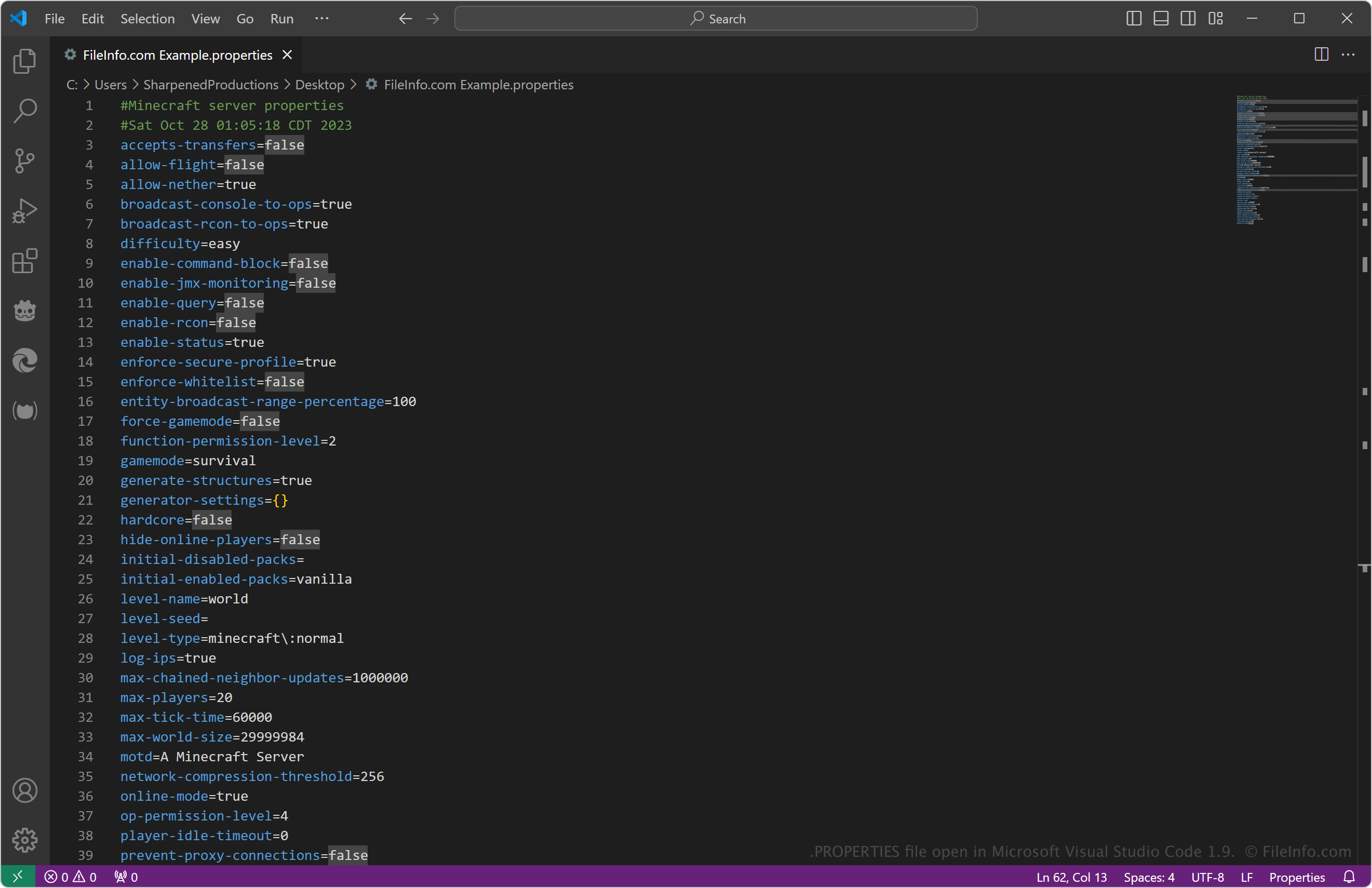
가장 일반적인 Minecraft 속성 파일은 server.properties이며, 멀티플레이어 서버의 구성 데이터를 저장합니다. 여기에는 레벨 이름, 몬스터 생성 설정, 허용되는 최대 플레이어 수, 서버 포트와 IP 주소 등의 정보가 저장됩니다.
멀티플레이어 서버의 구성을 수정하려는 경우가 아니라면 Minecraft와 관련하여 PROPERTIES 파일을 접할 일은 거의 없습니다. 구체적으로는 서버를 실행하기 위해 실행한 server.jar 파일과 같은 디렉터리에서 server.properties 파일을 찾을 수 있습니다. 이 파일은 서버가 처음 시작될 때 생성됩니다.
일반적인 .PROPERTIES 파일 이름
server.properties - Minecraft 멀티플레이어 서버의 모든 설정을 저장하는 일반적인 파일입니다.
PROPERTIES 파일을 여는 방법
PROPERTIES 파일은 Microsoft Notepad(Windows), Apple TextEdit(macOS), gedit(Linux)와 같은 텍스트 편집기로 열 수 있습니다. 또한 소스 코드 보기와 편집에 유용한 기능을 제공하는 Microsoft Visual Studio Code(다중 플랫폼)를 비롯한 소스 코드 편집기로도 파일을 열 수 있습니다.
PROPERTIES 파일에서 텍스트, 특히 등호 앞에 있는 "키" 텍스트를 잘못 수정하면 파일이 손상될 수 있다는 점을 기억하세요. 또한 server.properties 파일을 편집한 경우 서버를 다시 시작하거나 /reload 명령을 실행해야 서버에 변경 사항이 적용됩니다.
PROPERTIES 파일을 열거나 참조하는 프로그램
Java 속성 파일
| 개발사 | Sun Microsystems |
| 인기도 |
4.0 | 98 표 |
PROPERTIES 파일은 Java 애플리케이션이 데이터를 간단한 키-값 쌍으로 저장할 때 사용하는 텍스트 기반 구성 파일입니다. Java 프로그램은 java.util.Properties API(또는 이와 밀접한 관련이 있는 ResourceBundle API)를 사용해 이러한 파일을 불러오며, 이를 통해 애플리케이션이 환경 설정, 파일 경로, 기능 플래그 또는 사용자에게 표시되는 텍스트와 같은 설정을 읽을 수 있습니다. 각 줄은 일반적으로 key = value 형식을 따르므로 파일을 쉽게 편집하고 관리할 수 있습니다.
추가 정보
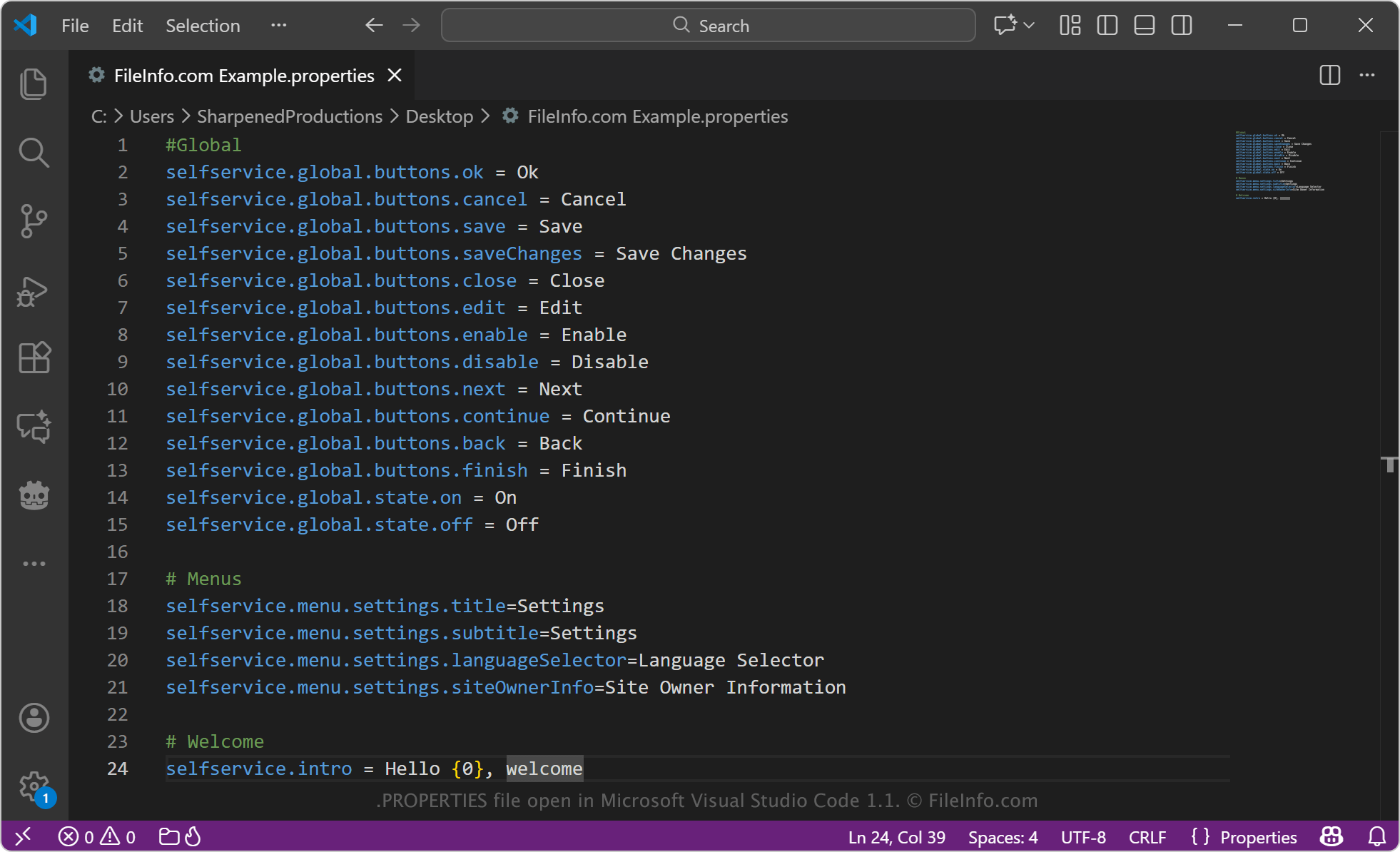
구성 데이터 외에도 PROPERTIES 파일은 Java 애플리케이션에서 현지화와 번역에 흔히 사용됩니다. 이 경우 각 파일은 특정 언어나 로캘을 나타내며, 예를 들어 Bundle.properties(기본 언어)와 Bundle_sl.properties(슬로베니아어)가 있습니다. 언어마다 키는 동일하게 유지되고, 값에는 앱의 인터페이스에 표시되는 번역된 텍스트가 들어갑니다. 많은 PROPERTIES 파일은 ASCII가 아닌 문자를 나타내기 위해 유니코드 이스케이프 시퀀스(예: \u0161)를 사용합니다. 이는 여러 Java 버전 및 도구에서 호환성을 보장하는 오랜 관례입니다.
일부 구성 시스템과 달리 Java는 PROPERTIES 파일을 고정된 디렉터리에 자동으로 저장하거나 중첩된 폴더로 변환하지 않습니다. PROPERTIES 파일을 저장하는 위치와 방법은 전적으로 애플리케이션에 따라 달라지며, 프로그램 파일과 함께 저장하거나, .JAR 또는 ZIP 기반 설치 프로그램 안에 저장하거나, 프로젝트의 리소스 디렉터리에 저장하는 경우가 많습니다. 개발자는 java.util.Properties 또는 ResourceBundle API를 통해 이러한 파일에 직접 접근하고 관리하므로 속성 값을 불러오고, 저장하고, 업데이트하는 작업을 완전히 제어할 수 있습니다.
PROPERTIES 파일을 여는 방법
PROPERTIES 파일은 Microsoft Visual Studio Code, Sublime Text, Notepad++와 같은 소스 코드 편집기로 열 수 있습니다. Microsoft Notepad, Apple TextEdit, gedit를 비롯한 모든 일반 텍스트 편집기에서도 PROPERTIES 파일을 열 수 있습니다.
PROPERTIES 파일을 편집할 때는 key = value 구조를 유지하고 유니코드 문자를 나타내는 \uXXXX와 같은 이스케이프 시퀀스를 삭제하지 않는 것이 중요합니다. 또한 편집기로 PROPERTIES 파일을 보고 편집할 수는 있지만, 일반적으로 최종 사용자가 직접 여는 파일이라기보다 Java 애플리케이션이 불러오고 관리하도록 만들어진 파일입니다.