

.JAR Bestandsextensie
Java Archive
| Ontwikkelaar | Oracle |
| Populariteit |
4,3 | 1489 stemmen |
Wat is een JAR-bestand?
Een JAR-bestand is een archief dat is opgeslagen in de Java Archive-indeling, die Zip-compressie gebruikt. Het wordt meestal gebruikt als programmabibliotheek of als zelfstandig programma dat wordt uitgevoerd als de Java Runtime Environment (JRE), een framework voor het uitvoeren van Java-programma's, op de computer of het mobiele apparaat is geïnstalleerd.
Meer informatie
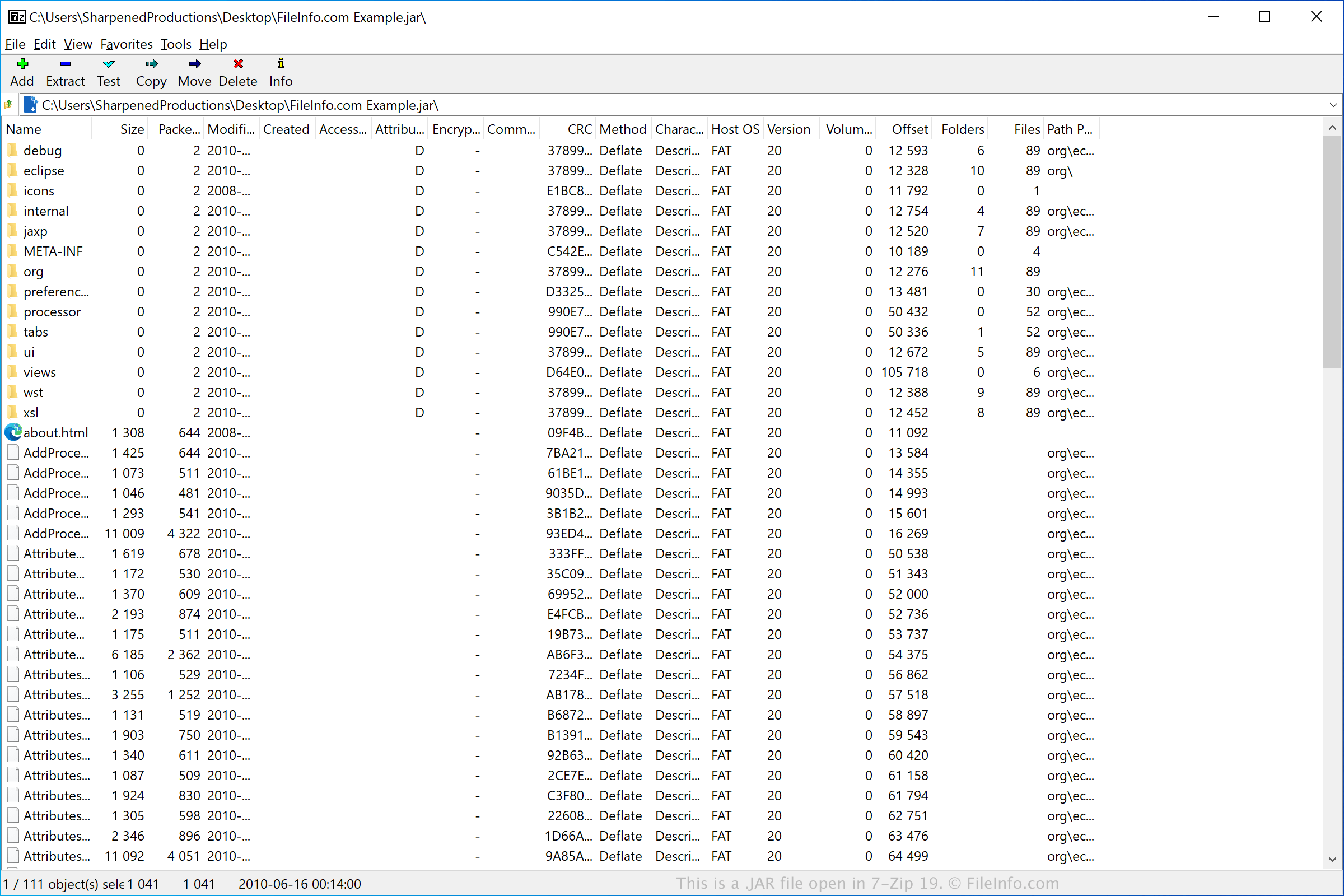
JAR-bestanden bevatten CLASS-bestanden, toepassingsbronnen en een optioneel manifestbestand (META-INF/MANIFEST.MF). Ze worden gecomprimeerd met .ZIP-compressie en kunnen optioneel digitaal worden ondertekend met het hulpprogramma jarsigner dat bij de Java SDK wordt geleverd. JAR-bestanden kunnen worden gemaakt met het hulpprogramma jar en kunnen worden geopend met de java.util.jar API van Java.
JAR-bestanden worden gebruikt voor sommige mobiele games die worden ondersteund door mobiele apparaten met Java-ondersteuning. Ze worden ook door Mozilla Firefox, Thunderbird, SeaMonkey en Sunbird gebruikt om thema's en add-ons op te slaan.
OPMERKING: De Java Runtime Environment wordt ook wel de Java Virtual Machine (JVM) genoemd. Sun Microsystems, de oorspronkelijke ontwikkelaars van de JRE/JVM, werd overgenomen door Oracle.
Een JAR-bestand openen
JAR-bestanden worden meestal gebruikt om toepassingen te verspreiden die kunnen worden uitgevoerd met de Oracle Java Runtime Environment (multiplatform). Als JRE is geïnstalleerd en ingesteld als het standaardprogramma dat aan JAR-bestanden is gekoppeld, kun je eenvoudig dubbelklikken op het JAR-bestand om het uit te voeren. Wanneer je dit op een Mac doet, geeft Apple Jar Launcher (meegeleverd met macOS) het JAR-bestand door aan JRE of JVM, die het bestand uitvoert.
Je kunt JAR-bestanden ook bekijken, uitpakken, uitvoeren en maken met de Java Archive Tool die wordt geleverd als onderdeel van de Java Development Kit (JDK) in de Oracle Java SE Development Kit. De Java Archive Tool is een opdrachtregelprogramma. Hieronder staan de opdrachten voor de verschillende mogelijkheden:
- Een JAR-bestand bekijken - jar tf jar file
- Een JAR-bestand uitpakken - jar xf jar file
- Een JAR-bestand uitvoeren - java -jar app.jar
- Een JAR-bestand maken - jar cf jar file input file(s)
OPMERKING: Als je de inhoud van een JAR-bestand wilt uitpakken, kun je verschillende decompressieprogramma's gebruiken, zoals Corel WinZip (Windows), Corel WinZip Mac (Mac), RARLAB WinRAR (Windows) en 7-Zip (Windows).