

.JAR ファイル拡張子
Javaアーカイブ
| 開発元 | Oracle |
| 人気度 |
4.3 | 1489 票 |
JARファイルとは?
JARファイルは、Zip圧縮を利用するJavaアーカイブ(JAR)形式で保存されたアーカイブです。通常はプログラムライブラリとして、またはJava Runtime Environment(JRE)(Javaプログラムを実行するためのフレームワーク)がコンピューターやモバイルデバイスにインストールされている場合に実行できる単独のプログラムとして使用されます。
詳細情報
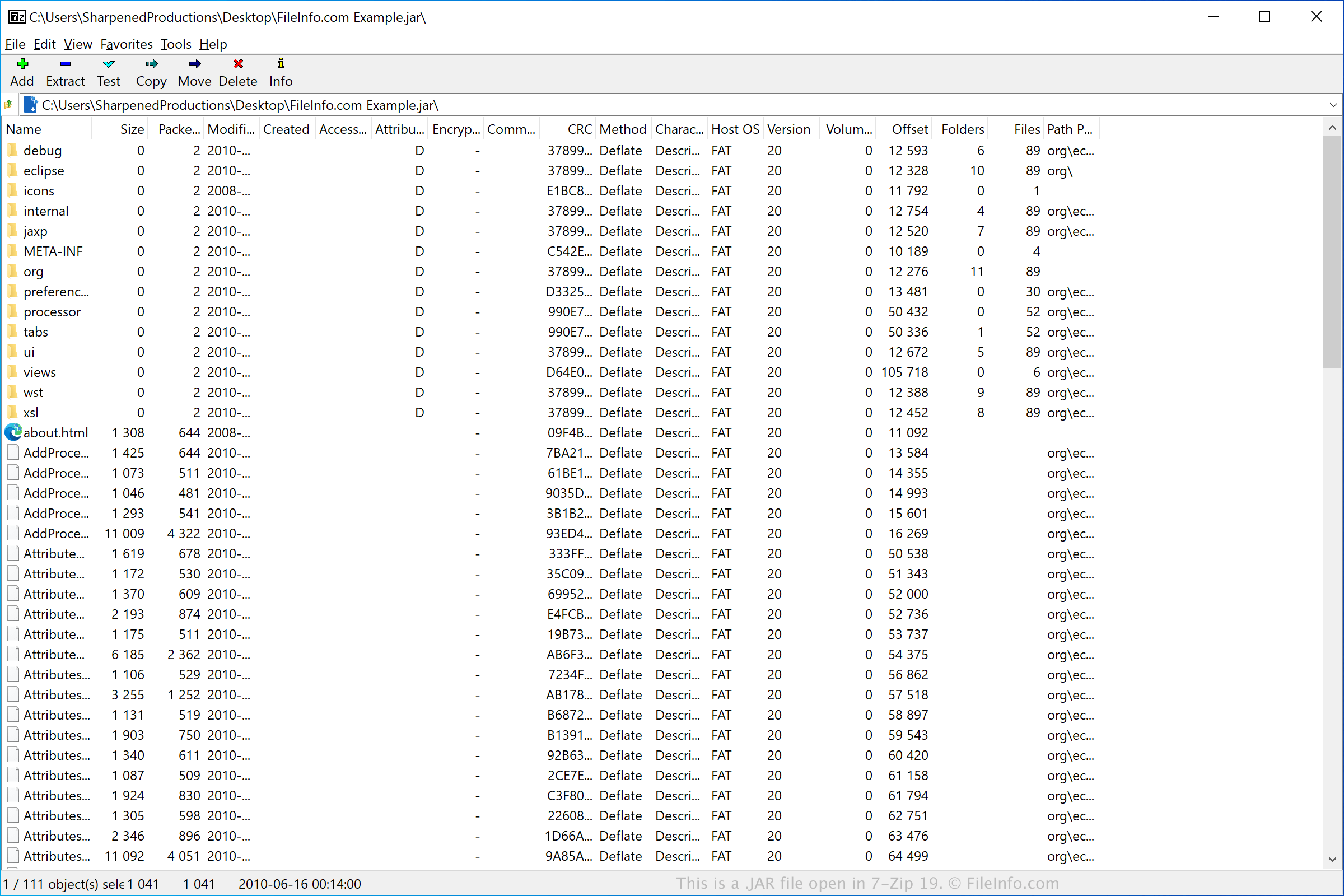
JARファイルには、CLASSファイル、アプリケーションリソース、オプションのマニフェストファイル(META-INF/MANIFEST.MF)が含まれています。これらは.ZIP圧縮を使用して圧縮され、JavaSDKに含まれるjarsignerツールを使用して、オプションでデジタル署名を付けることができます。JARファイルはjarツールで作成でき、Javaのjava.util.jarAPIを使用してアクセスできます。
JARファイルは、Java対応のモバイルデバイスでサポートされる一部のモバイルゲームに使用されます。また、Mozilla Firefox、Thunderbird、SeaMonkey、Sunbirdでは、テーマやアドオンの保存にも使用されます。
注: Java Runtime Environmentは、Java Virtual Machine(JVM)とも呼ばれます。JRE/JVMの元々の開発元であるSun Microsystemsは、Oracleに買収されました。
JARファイルの開き方
JARファイルは通常、Oracle Java Runtime Environment(マルチプラットフォーム)で実行できるアプリケーションの配布に使用されます。JREがインストールされ、JARファイルに関連付けられた既定のプログラムとして設定されている場合は、JARファイルをダブルクリックするだけで実行できます。 Macでこれを行うと、macOSに付属するApple Jar LauncherがJARファイルをJREまたはJVMに渡し、ファイルを実行します。
Oracle Java SE Development Kitに含まれるJava Development Kit(JDK)の一部として提供されるJava Archive Toolを使用して、JARファイルの表示、展開、実行、作成を行うこともできます。Java Archive Toolはコマンドラインユーティリティで、さまざまな機能に対応するコマンドは次のとおりです。
- JARファイルを表示する - jar tf jar file
- JARファイルを展開する - jar xf jar file
- JARファイルを実行する - java -jar app.jar
- JARファイルを作成する - jar cf jar file input file(s)
注: JARファイルの内容を展開する場合は、Corel WinZip(Windows)、Corel WinZip Mac(Mac)、RARLAB WinRAR(Windows)、7-Zip(Windows)など、さまざまな解凍ユーティリティを使用できます。