

.AEP Bestandsextensie
After Effects-project
| Ontwikkelaar | Adobe Systems |
| Populariteit |
4,2 | 229 stemmen |
Wat is een AEP-bestand?
Een AEP-bestand is een project dat is gemaakt met Adobe After Effects, een videobewerkingsprogramma voor het maken van motion graphics en visuele effecten. Het bevat een of meer composities die bestaan uit elementen met lagen, zoals videoclips, audio, afbeeldingen, tekst en effecten. AEP-bestanden slaan ook projectinstellingen op, zoals resolutie, kleurruimte, tijdnotatie en renderopties.
Meer informatie
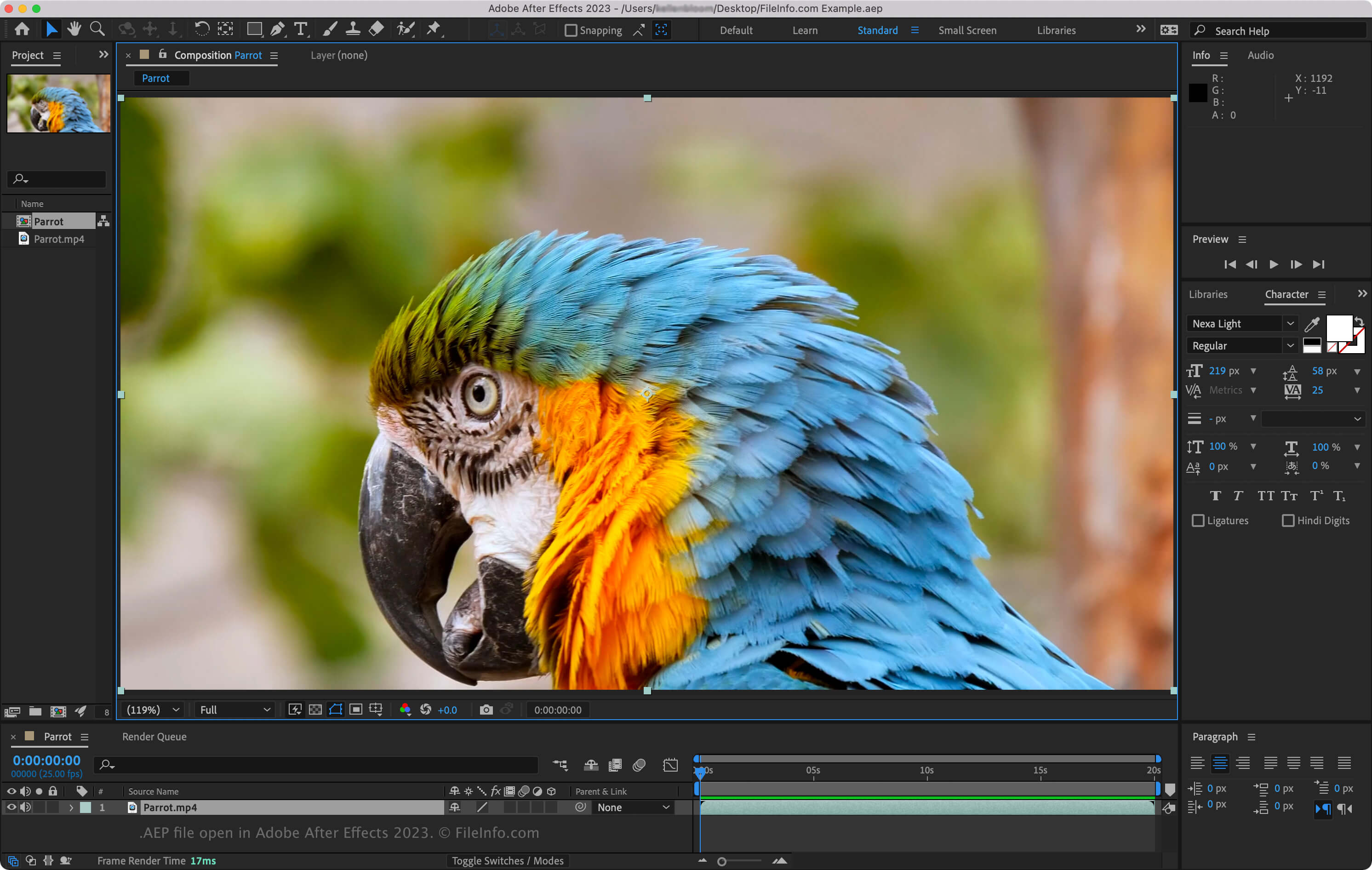
Wanneer je een project opslaat in After Effects, wordt er een AEP-bestand gemaakt om je tijdlijn, mediabestanden en instellingen te bewaren. Het bestand bevat echter niet de daadwerkelijke mediabestanden; het slaat alleen verwijzingen naar hun locaties op. Als je die bestanden buiten After Effects verplaatst of een andere naam geeft, moet je ze opnieuw koppelen wanneer je het project opnieuw opent.
Je kunt After Effects-projecten in twee indelingen opslaan:
- Binair (AEP) – de standaardindeling, die snel wordt geladen en ideaal is voor de meeste gebruikers.
- XML (.AEPX) – een op tekst gebaseerde indeling die groter is en langzamer wordt geopend, maar kan worden gelezen of aangepast met een XML-editor, waardoor deze handig is voor automatisering of back-ups.
Je kunt ook Team Projects maken. Deze worden opgeslagen in de cloud van Adobe en maken realtime samenwerking bij het bewerken mogelijk (beschikbaar voor Creative Cloud Enterprise- en Teams-gebruikers). Daarnaast ondersteunt After Effects projectsjablonen die zijn opgeslagen in .AET (binair) of .AETX (XML) voor het hergebruiken van ontwerpelementen in verschillende projecten.
Een AEP-bestand openen
Je kunt AEP-bestanden alleen openen met Adobe After Effects (Windows en macOS). Als je een AEP-bestand wilt openen, selecteer je .
Een AEP-bestand converteren
Je kunt AEP-bestanden alleen converteren met Adobe After Effects in Windows en macOS. Enkele indelingen waarnaar je AEP-bestanden kunt converteren zijn: