

.VROID 파일 확장자
VRoid Studio 아바타
| 개발사 | pixiv |
| 인기도 |
3.5 | 2 표 |
VROID 파일이란 무엇인가요?
VROID 파일은 아바타 제작 프로그램인 pixiv VRoid Studio로 만든 3D 아바타입니다. VRoid Studio에서만 사용하는 독점 형식으로 저장됩니다. 일반적으로 사용자는 다른 프로그램에서 사용하기 위해 VRoid Studio에서 VROID 파일을 .VRM 파일로 내보냅니다.
추가 정보
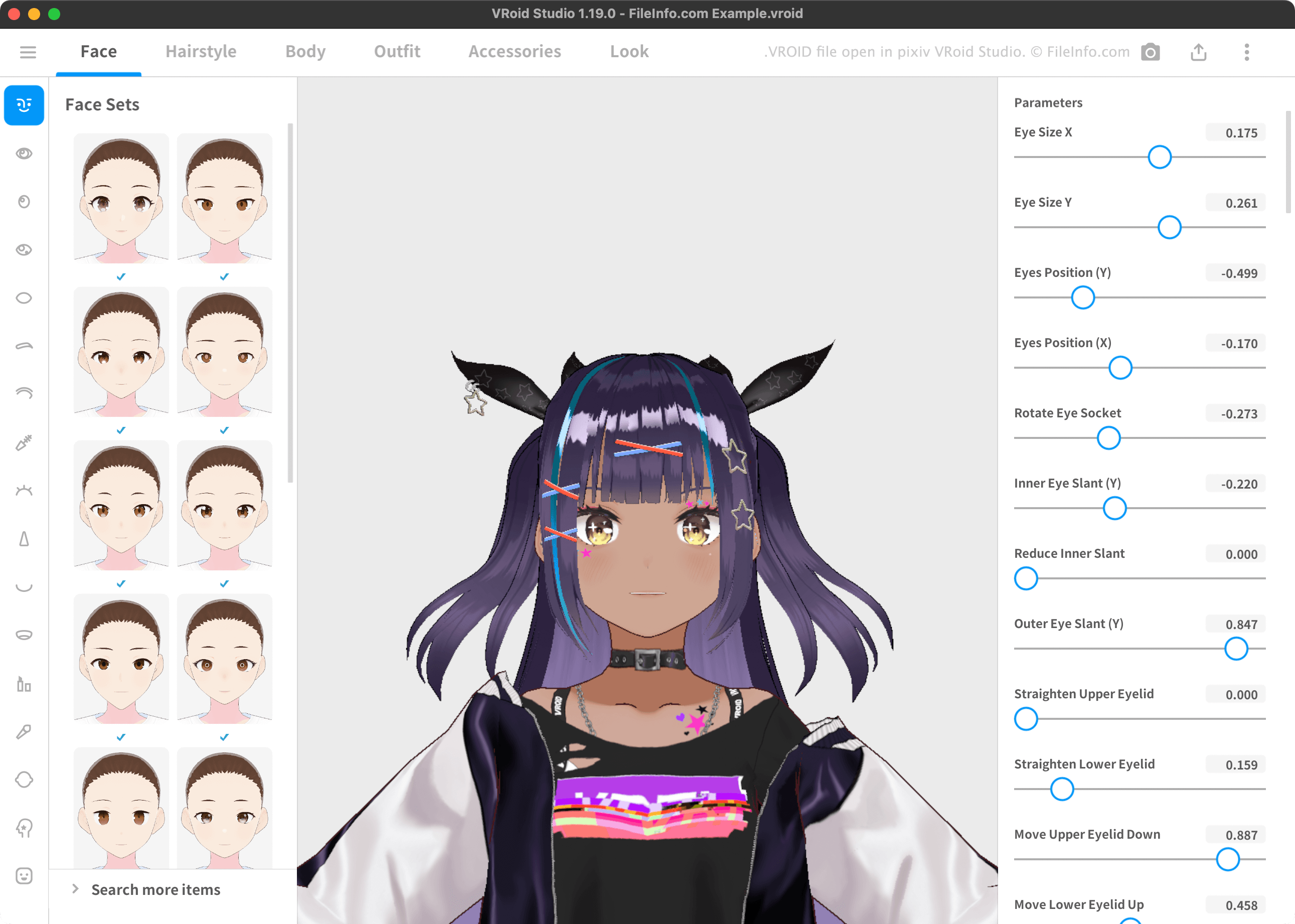
VRoid Studio를 사용하면 3D 아바타를 만들고 VRM 3D 아바타 표준을 지원하는 VR 프로그램에서 사용할 수 있도록 VRM 형식으로 내보낼 수 있습니다. 이러한 아바타는 일반적으로 스타일이 강조된 머리카락과 옷을 가진 애니메이션 캐릭터처럼 보입니다.
VRoid Studio는 기본적으로 사용자의 아바타를 VROID 파일로 저장합니다. VRoid Studio에서 VROID 파일을 열어 파일에 포함된 아바타를 편집할 수 있습니다. (VRM 파일은 VRoid Studio에서 열 수 없습니다.) 기본적으로 VRoid Studio는 다음 디렉터리에 사용자의 VROID 파일을 저장합니다:
- Windows: ~/Users/YourUserName/Documents/vroid/avatars
- Mac: ~/Users/YourUserName/vroid/avatars
VROID 파일을 여는 방법
VRoid Studio(Windows, Mac)로 VROID 파일을 열 수 있습니다. 그러려면 VRoid Studio의 모델 선택 화면에서 을 선택하세요. 그런 다음 VROID 파일이 있는 위치로 이동하여 파일을 여세요.
VROID 파일을 변환하는 방법
VRoid Studio를 사용하여 VROID 파일을 다음 형식으로 변환할 수 있습니다:
- .VRM - Virtual Reality Model
- FVP - pixivFACTORY 3D Printing File
그러려면 프로그램의 오른쪽 위에 표시되는 Upload 버튼을 선택하세요. 그런 다음 또는 을 선택하세요.
VROID 파일을 여는 프로그램
Windows
Mac