

.VROID ファイル拡張子
VRoid Studioアバター
| 開発元 | pixiv |
| 人気度 |
3.5 | 2 票 |
VROIDファイルとは?
VROIDファイルは、アバター作成プログラムであるpixiv VRoid Studioで作成された3Dアバターです。VRoid Studioでのみ使用される独自形式で保存されます。通常、ユーザーはVROIDファイルをVRoid Studioから.VRMファイルとしてエクスポートし、他のプログラムで使用します。
詳細情報
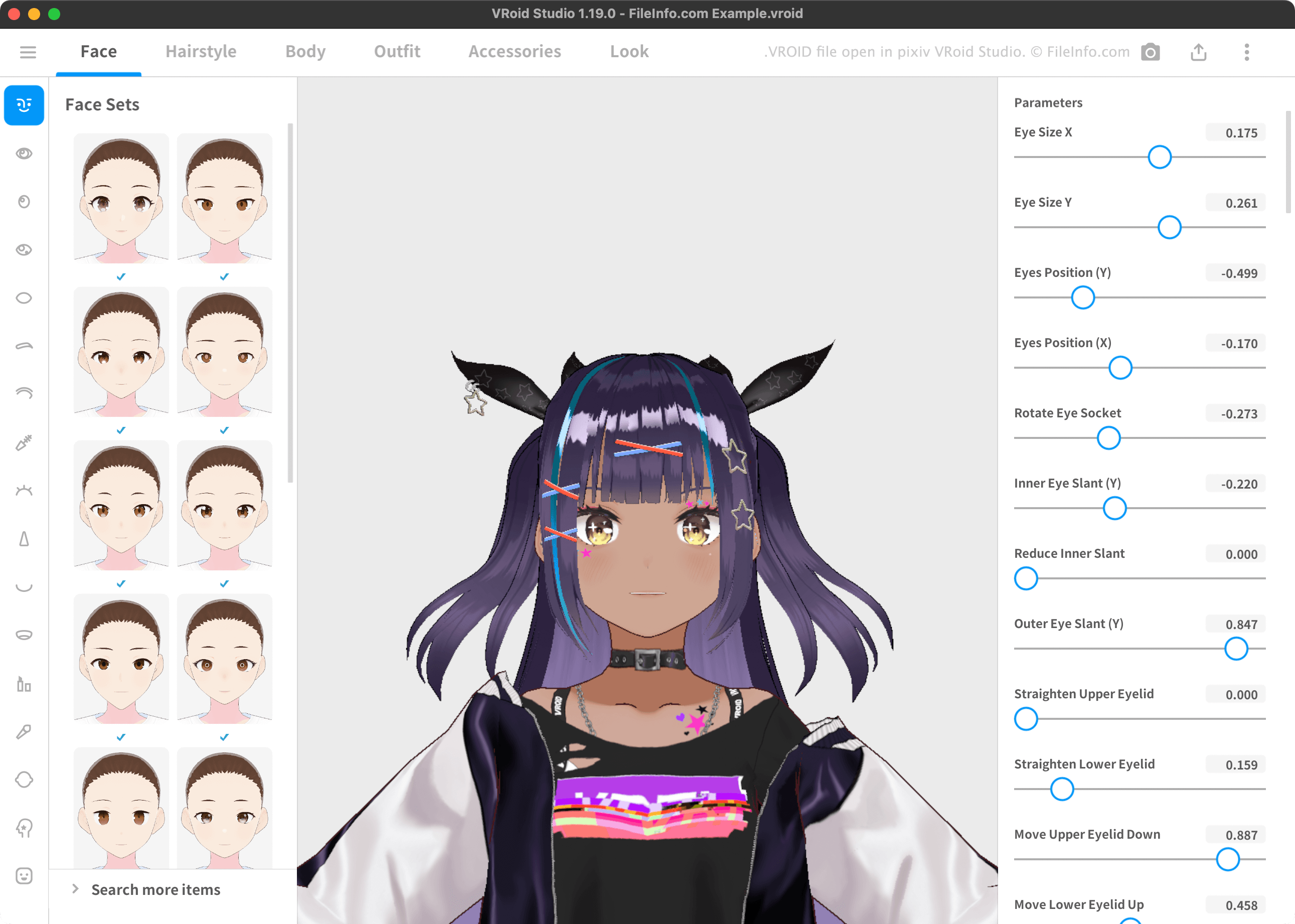
VRoid Studioでは、3Dアバターを作成し、VRM 3Dアバター規格に対応したVRプログラムで使用するために、VRM形式でエクスポートできます。これらのアバターは通常、特徴的な髪型や服装をしたアニメキャラクターのような外見です。
VRoid Studioでは、ユーザーのアバターは標準でVROIDファイルとして保存されます。VRoid StudioでVROIDファイルを開くと、そこに含まれるアバターを編集できます。(VRMファイルをVRoid Studioで開くことはできません。)デフォルトでは、VRoid StudioはユーザーのVROIDファイルを次のディレクトリに保存します:
- Windows: ~/Users/YourUserName/Documents/vroid/avatars
- Mac: ~/Users/YourUserName/vroid/avatars
VROIDファイルの開き方
VROIDファイルはVRoid Studio(Windows、Mac)で開くことができます。開くには、VRoid Studioのモデル選択画面でを選択します。次に、VROIDファイルの場所へ移動して開きます。
VROIDファイルの変換方法
VRoid Studioを使用して、VROIDファイルを次の形式に変換できます:
- .VRM - Virtual Reality Model
- FVP - pixivFACTORY 3D Printing File
変換するには、プログラムの右上に表示されるUploadボタンを選択します。次に、またはを選択します。
VROIDファイルを開くプログラム
Windows
Mac