

.VROID Přípona souboru
Avatar VRoid Studio
| Vývojář | pixiv |
| Popularita |
3,5 | 2 hlasy |
Co je soubor VROID?
Soubor VROID je 3D avatar vytvořený v programu pixiv VRoid Studio pro tvorbu avatarů. Je uložen v proprietárním formátu, který používá pouze VRoid Studio. Uživatelé obvykle exportují soubory VROID z programu VRoid Studio jako .VRM soubory pro použití v jiných programech.
Další informace
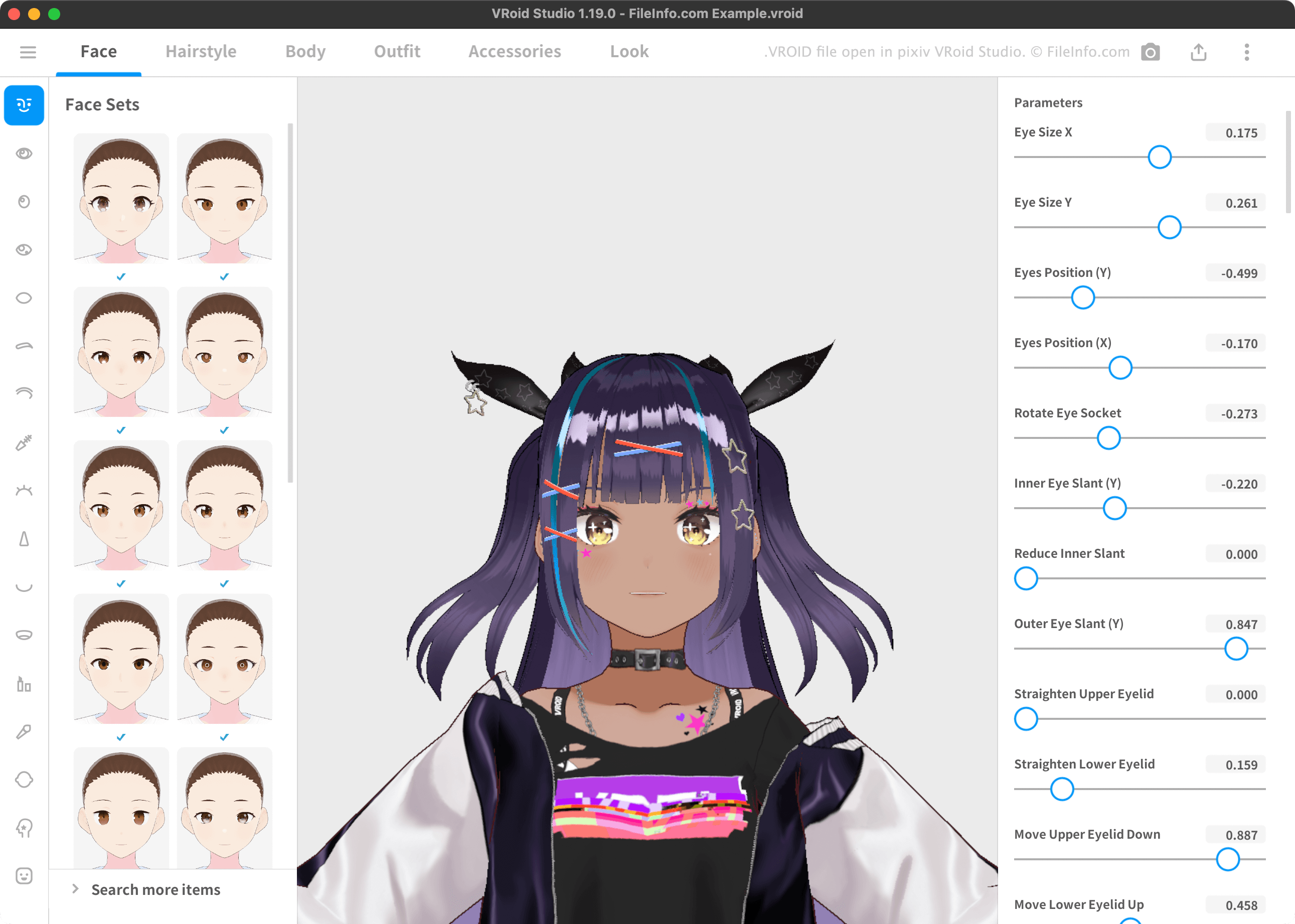
VRoid Studio umožňuje vytvořit 3D avatar a exportovat ho ve formátu VRM pro použití s programy pro virtuální realitu, které podporují standard 3D avatarů VRM. Tyto avatary obvykle vypadají jako anime postavy se stylizovanými vlasy a oblečením.
VRoid Studio ve výchozím nastavení ukládá avatary uživatelů jako soubory VROID. Soubor VROID můžete otevřít v programu VRoid Studio a upravit avatar, který obsahuje. (Soubory VRM nelze v programu VRoid Studio otevřít.) Ve výchozím nastavení ukládá VRoid Studio soubory VROID uživatelů do následujícího adresáře:
- Windows: ~/Users/YourUserName/Documents/vroid/avatars
- Mac: ~/Users/YourUserName/vroid/avatars
Jak otevřít soubor VROID
Soubor VROID můžete otevřít v programu VRoid Studio (Windows, Mac). Za tímto účelem vyberte na obrazovce pro výběr modelu v programu VRoid Studio možnost . Poté vyhledejte a otevřete soubor VROID.
Jak převést soubor VROID
Pomocí programu VRoid Studio můžete převést soubor VROID do následujících formátů:
- .VRM – Virtual Reality Model
- FVP – soubor pro 3D tisk pixivFACTORY
Za tímto účelem vyberte tlačítko Upload, které se nachází v pravém horním rohu programu. Poté vyberte možnost nebo .