.SSP 파일 확장자
Scala Server Page
| 개발사 | Scalate |
| 인기도 |
4.3 | 12 투표 |
SSP 파일이란 무엇인가요?
An SSP file is a webpage script created using syntax from HTML and Scala, a general-purpose programming language. It contains HTML code and embedded "Ssp" tags which are evaluated to page text. SSP files are used to generate static webpages.
추가 정보
SSP files can be evaluated to HTML files using Scalate, a template engine used to generate web documents. Similar to PHP, ASP, and JSP parsers, Scalate checks for opening and closing tags that demarcate Scala code. SSP uses <% ... %> tags.
SSP 파일을 열거나 참조하는 프로그램
SlideShow Creator Project File
| 개발사 | Bolide Software |
| 인기도 |
3.7 | 6 투표 |
추가 정보
SlideShow Creator projects can be used for making slideshow videos for weddings, holidays, birthday parties, business presentations, and other purposes.
SSP 파일을 여는 프로그램
Screensaver Producer Project File
| 개발사 | Axialis Software |
| 인기도 |
1.8 | 5 투표 |
Project file created by Screensaver Producer, a program used to create Windows screensavers; may contain text, images, shapes, animation settings, and other screensaver graphics properties; also supports video, slides, sprites, and Adobe Flash components.
추가 정보
Screensaver Producer projects can be exported to .SCR files, which can be set as the Windows screensaver.
SSP 파일을 열거나 참조하는 프로그램
Serato Studio Project
| 개발사 | Serato |
| 인기도 |
3.0 | 1 투표 |
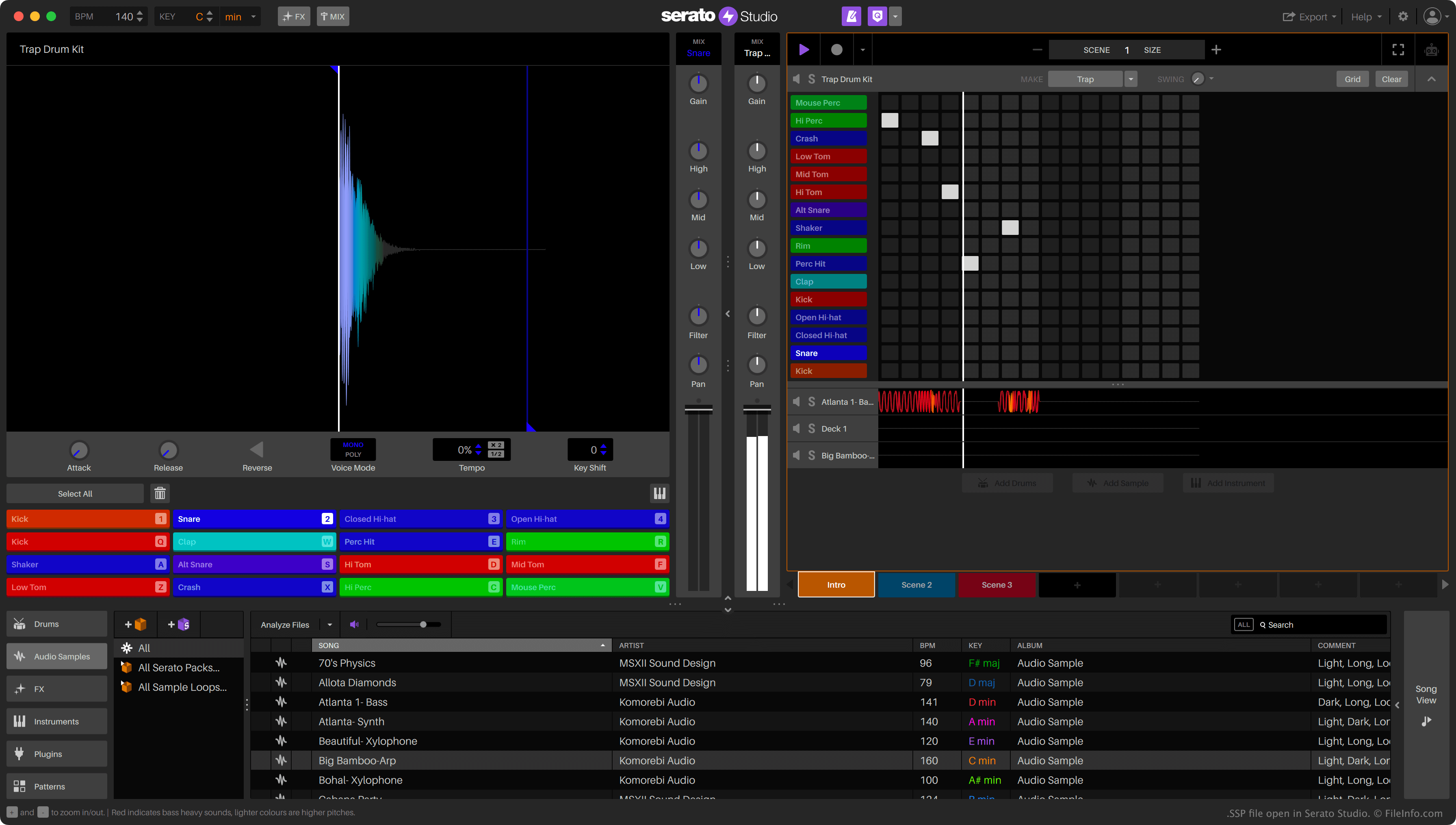
An SSP file is a project file created by Serato Studio, a digital audio workstation (DAW) available for Windows and macOS. It contains JSON-formatted text that specifies the project's settings, included audio tracks, and effects. Serato Studio stores each SSP file in a project-specific directory, which also includes backups of that project.
추가 정보
Music producers use Serato Studio to create, edit, and mix audio samples into finished songs. Producers can also import existing audio files into Studio, to mix them into their songs.
Serato Studio saves producers' mixing projects as SSP files. These files specify a song's BPM, the file paths to the song's included audio samples, and the effects used to edit those samples. Notably, SSP files do not contain a copy of the audio used in the project. Therefore, if a producer moves an audio file referenced in an SSP file, Serato Studio will not be able to load that audio.
SSP 파일을 여는 방법
You can open an SSP file with Serato Studio (Windows, Mac). To do so, select File → Open Project... from the program's menu bar. Then, navigate to and open your SSP file.
If you want to view the JSON data an SSP file contains, you can open it with Microsoft Notepad (Windows), Apple TextEdit (Mac), or any other text editor. For example, you might want to open an SSP file with a text editor to see the locations of the audio files it references.