.RMD 파일 확장자

R Markdown File

개발사 The R Project for Statistical Computing
인기도
3.8  |  18 투표
 

RMD 파일이란 무엇인가요?

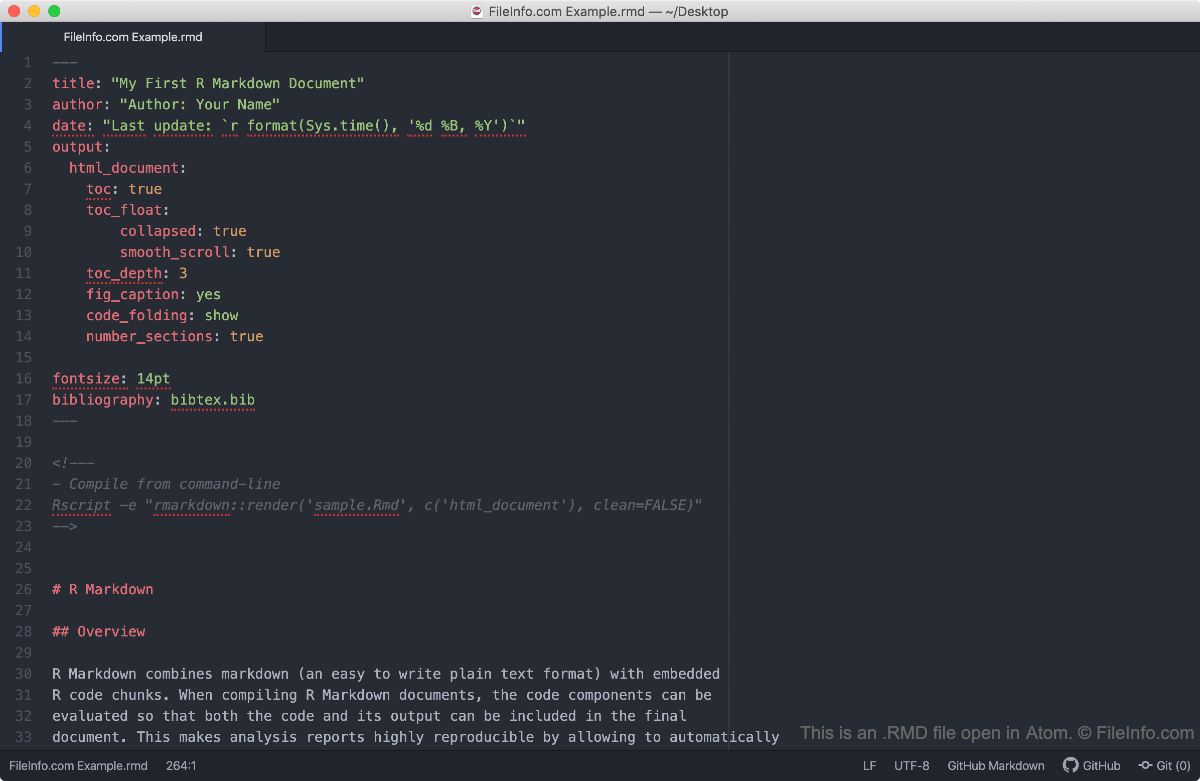
An RMD file is an R Markdown file created using RStudio, an open-source Integrated Development Environment (IDE) for the R programming language. It contains YAML metadata, Markdown-formatted plain text, and chunks of R code that, when rendered using RStudio, combine to form a sophisticated data analysis document.

추가 정보

Atom에서 열린 .rmd 파일의 스크린샷
Atom에서 열린 RMD 파일

Because RMD files can contain both markdown-formatted text and chunks of R code, statisticians and data scientists use them to create dynamic presentations, reports, and other documents. This allows these users to write their reports, embed R-based data summaries within them, and export the reports to a more usable format, using just one file.

Using RStudio, you can convert R Markdown files to a number of other formats, including .HTML, .PDF, .DOCX, and .PPTX. When R Studio converts an RMD file to another format, it executes the code contained within the file, creating the graphs or other data summaries that appear in the converted file.

RMD 파일을 여는 방법

Typically, you should open an RMD file in RStudio, as it supports RMD syntax and can actually execute the code contained within an RMD file. However, if you wish to simply view the contents of an RMD file, you can open it using any text editor.

File Viewer Plus(으)로 400개 이상의 파일 형식을 여세요.무료 다운로드

RMD 파일을 열거나 참조하는 프로그램

Windows
무료
무료
Mac
무료
무료
Linux
무료
무료
카테고리: 데이터
업데이트: 2020-07-07

Reference Manager Data File

개발사 Thomson Reuters
인기도
3.2  |  5 투표
 

An RMD file is a data file created by Reference Manager, an application used for creating bibliographies. It saves the references for the bibliography and is also saved with a separate .RMX index file. RMD files are used for storing citations and other references.

RMD 파일을 여는 프로그램

카테고리: 데이터
업데이트: 2020-07-07

RealPlayer Media File

개발사 RealNetworks
인기도
3.2  |  5 투표
 

An RMD file is a media file used by RealPlayer, a multimedia playback and streaming program. It may include audio or video data, or a reference to a streaming media location that is played back while it is downloaded. RMD files are often used for standalone audio and video, or Internet radio and video streams.

RMD 파일을 여는 프로그램

카테고리: 비디오
업데이트: 2020-07-07

RED Metadata File

개발사 RED
인기도
2.8  |  6 투표
 

An RMD file is a video metadata file created by REDCINE-X, a video editing application for RED digital video cameras. It contains edits, such as color and sharpness adjustments, for a raw REDCODE .R3D video file. RMD files are similar to .XMP files in that they enable a user to perform non-destructive edits on an R3D video file.

추가 정보

RED developed the RED Metadata (RMD) format to not only provide nondestructive editing capabilities, but the format also allows you to manage "looks" for R3D video. For example, if you have created a Sepia aesthetic that you want to load directly in a compatible RED video camera, you can save your settings by selecting File → Save Current Look... in REDCINE-X.

If you do not explicitly save an RMD file to load in a digital camera, REDCINE-X automatically generates an RMD file to store your edits when you modify the properties of R3D video. REDCINE-X saves the RMD file in the same directory as the R3D file and names it the same as the R3D file. For example, the RMD file accompanying a video.r3d file is named video.rmd.

참고: If you delete the RMD file, you will lose all edits to the corresponding R3D video file.

RMD 파일을 여는 방법

RMD files are not intended to be opened manually. Instead, they are referenced by the application that supports the corresponding R3D video file for which the RMD file stores metadata. REDCINE-X (multiplatform) and Adobe Premiere Pro (multiplatform) support R3D video and their RMD metadata files.

Since RMD files are saved in plain text, you can open them with a text editor, such as Microsoft Notepad (Windows) and Apple TextEdit (Mac) to view and edit the metadata.

RMD 파일을 여는 프로그램

Windows
무료
무료 체험판
Mac
무료
무료 체험판
카테고리: 비디오
업데이트: 2022-09-21

검증자 FileInfo.com

FileInfo.com 팀 이 페이지에 나열된 모든 파일 형식과 소프트웨어 프로그램을 독자적으로 조사했습니다. 저희의 목표는 100% 정확성이며, 검증한 파일 유형에 대한 정보만 게시합니다.

이 페이지에 추가하거나 업데이트할 내용을 제안하고 싶으시면 알려 주세요.