

.PLUSH 파일 확장자
Plushify 프로젝트
| 개발사 | Sebastian Stamm |
| 인기도 |
4.0 | 5 표 |
PLUSH 파일이란 무엇인가요?
PLUSH 파일에는 온라인 봉제 인형 패턴 도구인 Plushify로 만든 3D 모델과 함께 사용할 봉제 패턴이 들어 있습니다. 재봉 작업자는 Plushify를 사용하여 3D 모델(.OBJ 파일)을 가져온 다음, 결과물인 봉제 패턴(.PDF 파일)을 만들고 편집하고 인쇄합니다. 그런 다음 이 패턴을 사용하여 3D 모델을 실제 봉제 인형으로 만듭니다.
추가 정보
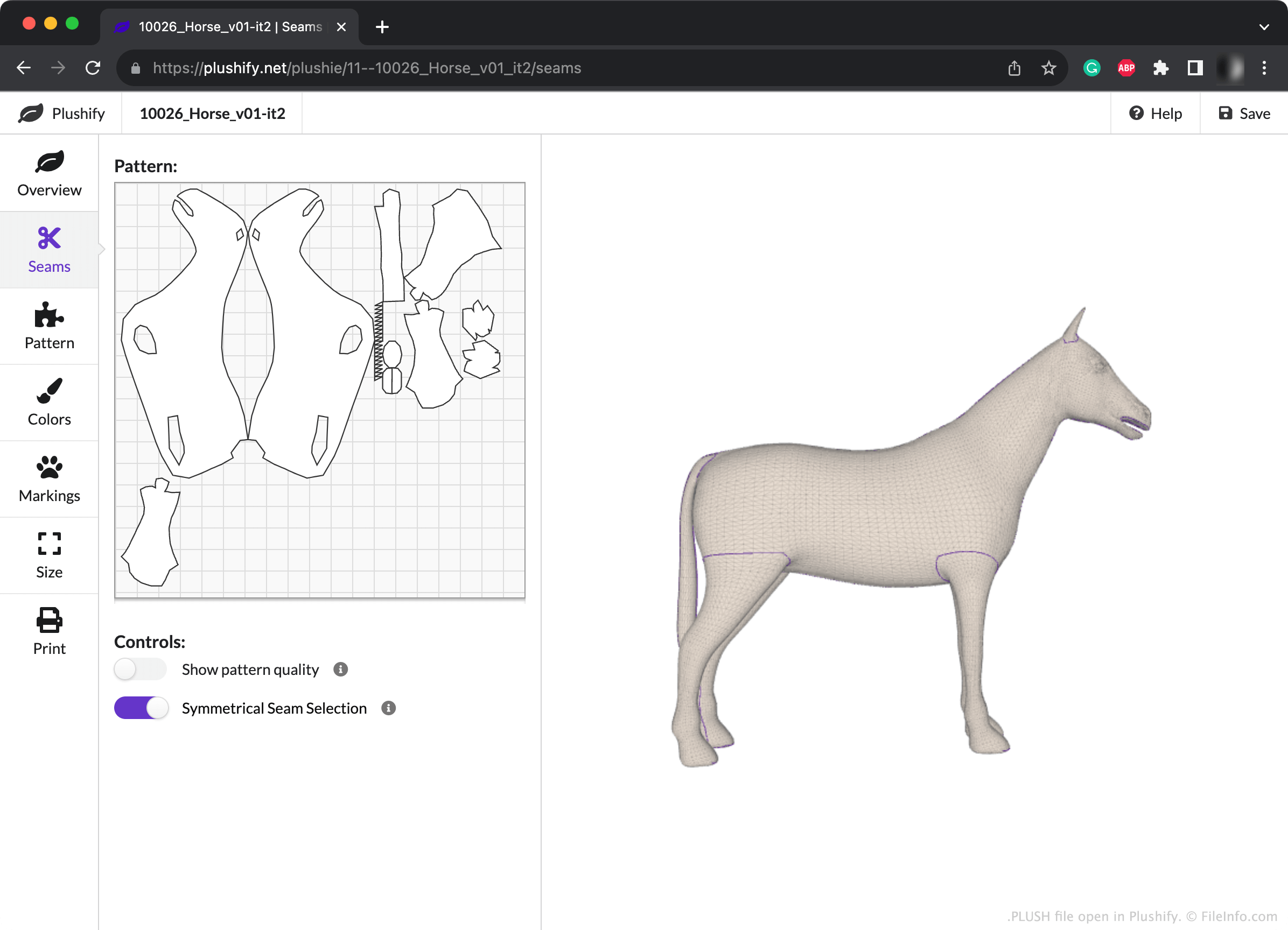
Plushify에서 패턴을 만드는 동안 재봉 작업자는 패턴의 봉제선을 수동으로 변경하고 색상과 표시를 추가하여 봉제 인형이 실제로 어떻게 보일지 확인할 수 있습니다. 또한 패턴의 크기(따라서 봉제 인형의 크기)를 조정하고 다른 패턴 설정을 변경할 수도 있습니다.
재봉 작업자가 Plushify 프로젝트의 사본을 저장하려는 경우(예: 나중에 다시 사용할 계획인 경우), Plushify의 오른쪽 위에 있는 버튼을 선택하면 됩니다. 그러면 프로젝트가 PLUSH 파일로 저장됩니다. 각 PLUSH 파일은 재봉 작업자가 패턴을 만든 3D 모델과 Plushify에서 수행한 편집 내용을 설명하는 JSON 형식의 일반 텍스트로 구성됩니다. Plushify는 이 일반 텍스트 데이터를 사용하여 재봉 작업자의 3D 모델과 패턴을 불러오고 표시합니다.
PLUSH 파일을 여는 방법
Plushify(Web)에서 PLUSH 파일을 열 수 있습니다. 그러려면 아래에 연결된 Plushify 홈페이지로 이동하여 페이지 오른쪽 위에 있는 버튼을 선택하세요. 그런 다음 PLUSH 파일이 있는 위치로 이동하여 파일을 여세요.
PLUSH 파일을 여는 프로그램
Web
무료