.PB 파일 확장자

PureBasic Source File

개발사 Fantaisie
인기도
3.9  |  41 투표
 

PB 파일이란 무엇인가요?

A PB file is a source code file created by PureBasic, a programming language and development environment based on the BASIC language. It contains program code written in the PureBasic syntax, which may include variables, functions, and references to other source files. Developers write PB files to create applications for different operating systems supported by PureBasic.

추가 정보

Software developers working in the PureBasic environment are most likely to encounter PB files. PureBasic is designed to produce fast, standalone executable files without requiring external runtime dependencies. Developers can compile PB files into an application for Windows, macOS, or Linux, depending on the developer’s target platform. The source code may also include instructions for working with graphics, files, databases, and other system resources.

PB 파일을 여는 방법

You can open PB files with PureBasic IDE and compile the the code they store into a working program. Since PB files store plain text, you can also open them with a source code editor or text editor, such as Microsoft Visual Studio Code, Microsoft Notepad, or Apple TextEdit.

File Viewer Plus(으)로 400개 이상의 파일 형식을 여세요.무료 다운로드

PB 파일을 열거나 참조하는 프로그램

Windows
OS에 포함됨
Mac
OS에 포함됨
Linux
무료
카테고리: 개발자
업데이트: 2025-08-15

Chromium Preloaded MEI Data

개발사 Google
인기도
2.0  |  1 투표
 

A PB file is a settings file used by Chromium-based web browsers, such as Google Chrome and Microsoft Edge. It is always named preloaded_data.pb, and it contains a list of websites for which a browser is allowed to autoplay video and audio. Google sets the default list of websites that preloaded_data.pb contains.

추가 정보

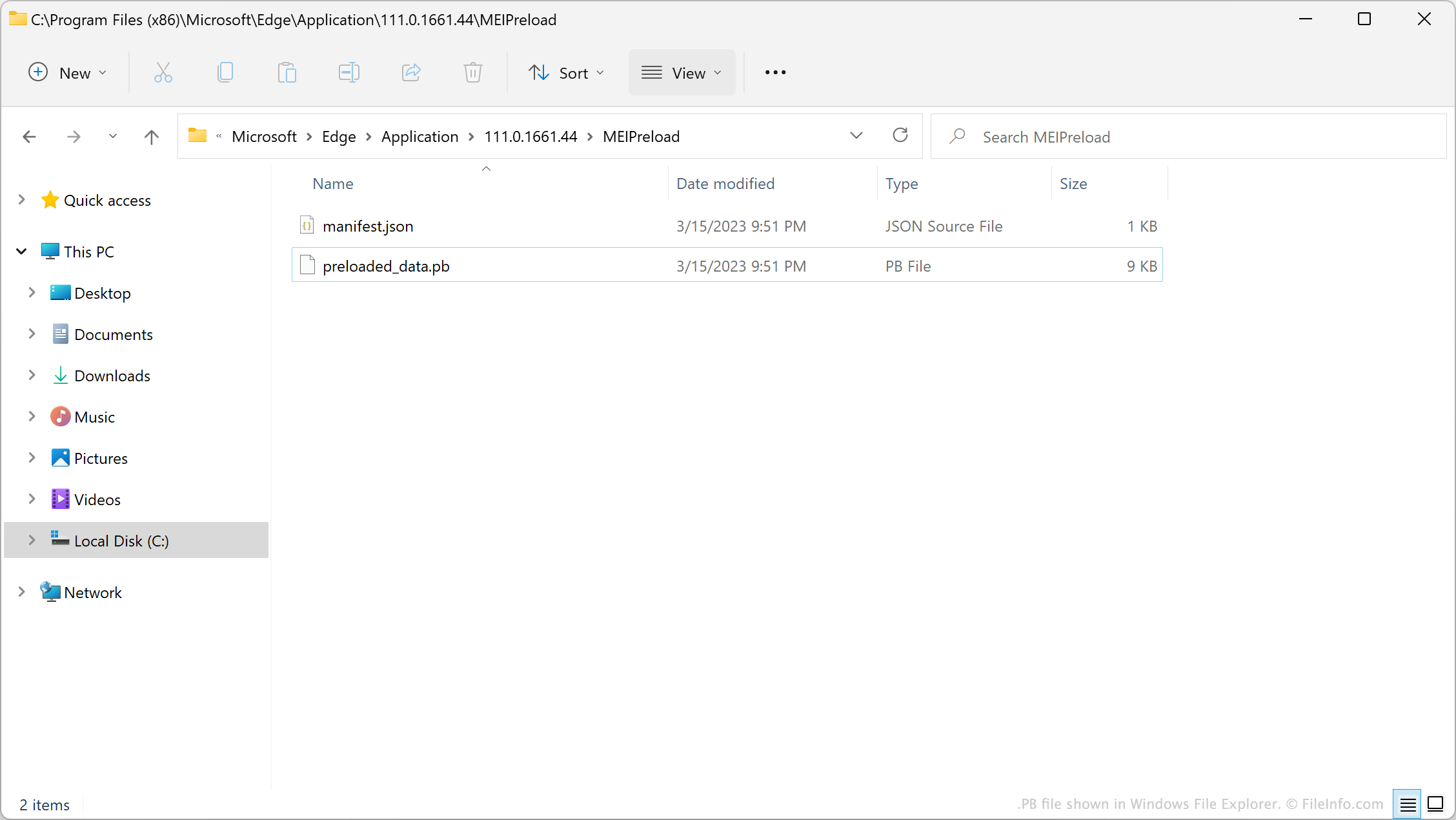
PB file shown in Windows File Explorer

In version 62 of Chrome, Google introduced a feature known as the Media Engagement Index (MEI). This feature logs when and how many times you play video and audio on websites. After you choose to play video or audio on a website a certain number of times, Chrome automatically allows that website to autoplay video and audio.

When introducing MEI, Google created a default list of websites that could always autoplay videos and audio. This list is saved in the file preloaded_data.pb. After your browser determines a site should be allowed to autoplay video and audio, the browser adds that site to preloaded_data.pb. However, preloaded_data.pb is a binary file, so users cannot simply open the file to view or edit the website list it contains.

참고: In Windows, a browser's PB file is stored in its MEIPreload directory.

일반적인 .PB 파일 이름

Preloaded_data.pb - The default name of Chromium-based browsers' PB file.

PB 파일을 여는 방법

You can use the Python script unpack_dafsa.py to convert a preloaded_data.pb file's contents to plain text. This will allow you to view the list of websites your preloaded_data.pb file contains.

PB 파일을 열거나 참조하는 프로그램

All Platforms
카테고리: 설정
업데이트: 2023-03-20

검증자 FileInfo.com

FileInfo.com 팀 이 페이지에 나열된 모든 파일 형식과 소프트웨어 프로그램을 독자적으로 조사했습니다. 저희의 목표는 100% 정확성이며, 검증한 파일 유형에 대한 정보만 게시합니다.

이 페이지에 추가하거나 업데이트할 내용을 제안하고 싶으시면 알려 주세요.