.PB Přípona souboru

PureBasic Source File

Vývojář Fantaisie
Popularita
3.9  |  41 Hlasů
 

Co je soubor PB?

A PB file is a source code file created by PureBasic, a programming language and development environment based on the BASIC language. It contains program code written in the PureBasic syntax, which may include variables, functions, and references to other source files. Developers write PB files to create applications for different operating systems supported by PureBasic.

Další informace

Software developers working in the PureBasic environment are most likely to encounter PB files. PureBasic is designed to produce fast, standalone executable files without requiring external runtime dependencies. Developers can compile PB files into an application for Windows, macOS, or Linux, depending on the developer’s target platform. The source code may also include instructions for working with graphics, files, databases, and other system resources.

Jak otevřít soubor PB

You can open PB files with PureBasic IDE and compile the the code they store into a working program. Since PB files store plain text, you can also open them with a source code editor or text editor, such as Microsoft Visual Studio Code, Microsoft Notepad, or Apple TextEdit.

Otevřete více než 400 formátů souborů pomocí File Viewer Plus.Stáhnout zdarma

Programy, které otevírají nebo odkazují na soubory PB

All Platforms
Windows
Součást operačního systému
Mac
Součást operačního systému
Linux
Zdarma

Chromium Preloaded MEI Data

Vývojář Google
Popularita
2.0  |  1 Hlas
 

A PB file is a settings file used by Chromium-based web browsers, such as Google Chrome and Microsoft Edge. It is always named preloaded_data.pb, and it contains a list of websites for which a browser is allowed to autoplay video and audio. Google sets the default list of websites that preloaded_data.pb contains.

Další informace

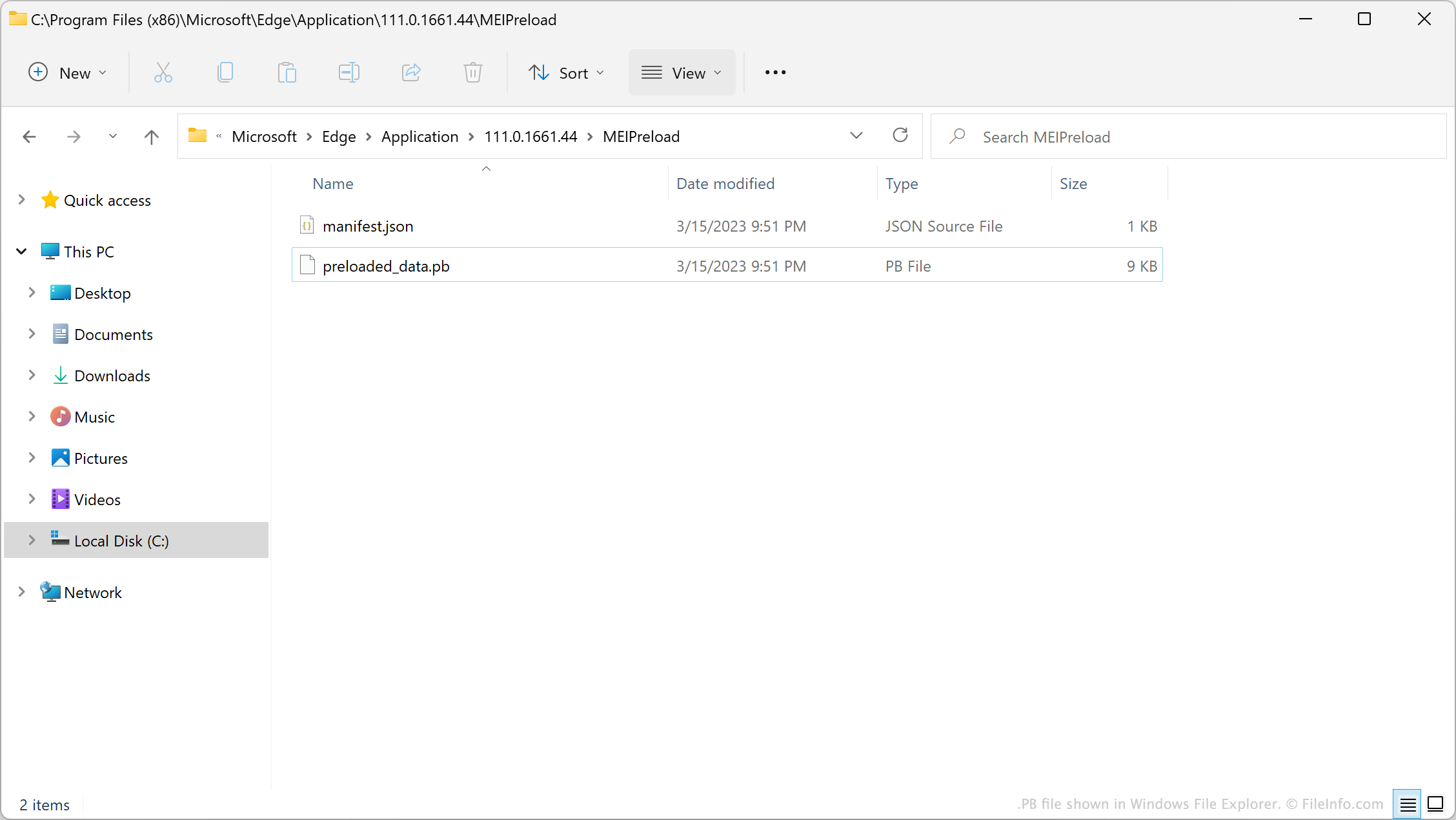
PB file shown in Windows File Explorer

In version 62 of Chrome, Google introduced a feature known as the Media Engagement Index (MEI). This feature logs when and how many times you play video and audio on websites. After you choose to play video or audio on a website a certain number of times, Chrome automatically allows that website to autoplay video and audio.

When introducing MEI, Google created a default list of websites that could always autoplay videos and audio. This list is saved in the file preloaded_data.pb. After your browser determines a site should be allowed to autoplay video and audio, the browser adds that site to preloaded_data.pb. However, preloaded_data.pb is a binary file, so users cannot simply open the file to view or edit the website list it contains.

POZNÁMKA: In Windows, a browser's PB file is stored in its MEIPreload directory.

Běžné názvy souborů .PB

Preloaded_data.pb - The default name of Chromium-based browsers' PB file.

Jak otevřít soubor PB

You can use the Python script unpack_dafsa.py to convert a preloaded_data.pb file's contents to plain text. This will allow you to view the list of websites your preloaded_data.pb file contains.

Programy, které otevírají nebo odkazují na soubory PB

All Platforms

Ověřil FileInfo.com

Tým FileInfo.com nezávisle prozkoumal všechny formáty souborů a programy uvedené na této stránce. Naším cílem je 100% přesnost a zveřejňujeme pouze informace o typech souborů, které jsme ověřili.

Pokud chcete navrhnout doplnění nebo aktualizaci této stránky, dejte nám vědět.