

.NLP 파일 확장자
NirLauncher 패키지 목록
| 개발사 | NirSoft Utilities |
| 인기도 |
3.0 | 4 표 |
NLP 파일이란 무엇인가요?
NLP 파일은 NirSoft에서 배포하는 Windows 유틸리티 실행 프로그램인 NirLauncher에서 열 수 있는 평문 무료 소프트웨어 유틸리티 목록입니다. 유틸리티를 다운로드하고 관련 NLP 파일을 NirLauncher로 끌어다 놓으면 NirLauncher에 유틸리티를 추가할 수 있습니다. NirLauncher의 기본 유틸리티 목록인 nirsoft.nlp를 편집하여 유틸리티를 추가하거나 제거할 수도 있습니다.
추가 정보
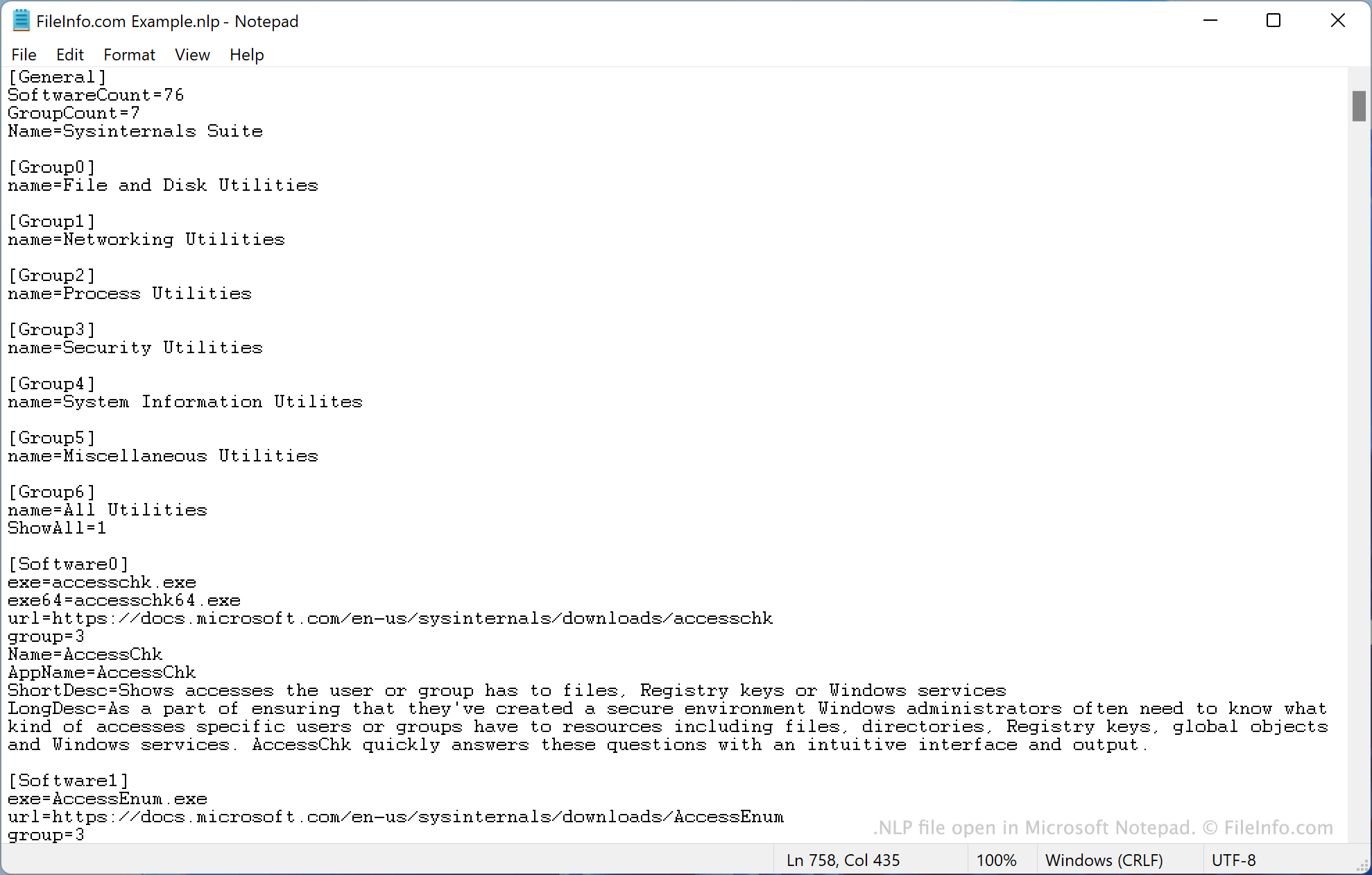
예를 들어 NirLauncher에서 MyUtility.exe라는 Windows 유틸리티를 실행하려면 ~/nirsoft/MyFolder에 유틸리티를 저장한 다음 MyFolder/MyUtility.exe를 nirsoft.nlp에 나열하면 됩니다. 그러면 해당 유틸리티가 NirLauncher에 표시되고 NirLauncher에서 실행할 수 있게 됩니다. (nirsoft.nlp의 다른 유틸리티에서 사용하는 형식에 따라 유틸리티의 추가 세부 정보도 나열해야 합니다.)
nirsoft.nlp의 기본 버전에는 200개가 넘는 Windows 유틸리티 목록이 포함되어 있습니다. 이러한 유틸리티가 NirLauncher에 기본으로 포함된 유틸리티입니다.
NirLaucher 웹사이트에는 추가 NLP 파일이 있으며, 이를 사용하여 추가 유틸리티를 자동으로 설치할 수 있습니다. 예를 들어 sysinternals5.nlp를 사용하여 SysInternals Suite 유틸리티를 설치할 수 있습니다.
일반적인 .NLP 파일 이름
Nirsoft.nlp - NirLauncher의 기본 유틸리티 목록입니다.
NLP 파일을 여는 방법
메모장과 같은 텍스트 편집기에서 NLP 파일을 열고 편집할 수 있습니다. 예를 들어 Microsoft Notepad(Windows), Apple TextEdit(Mac) 또는 GitHub Atom(크로스 플랫폼)을 사용할 수 있습니다.
NLP 파일을 사용하여 추가 NirLauncher 유틸리티를 설치하려면 NirLauncher의 다운로드 페이지에 있는 지침을 따르세요.