.NFO 파일 확장자

System Information File

개발사 Microsoft
인기도
4.0  |  85 투표
 

NFO 파일이란 무엇인가요?

Data file used by Microsoft's System Information tool, a Windows software utility for gathering system information and for diagnosing problems; stores information gathered by the program.

추가 정보

The System Information program has the filename Msinfo32.exe.

File Viewer Plus(으)로 400개 이상의 파일 형식을 여세요.무료 다운로드

NFO 파일을 여는 프로그램

Windows
카테고리: 시스템
업데이트: 2008-05-23

Warez Information File

개발사 The Humble Guys
인기도
3.8  |  36 투표
 

An NFO file is a plain text file that describes the pirated content included in a Warez package. Each Warez package consists of pirated content, an NFO file, and an .SFV file. In addition to describing a package's contents, an NFO file also identifies the user or group who created the package.

추가 정보

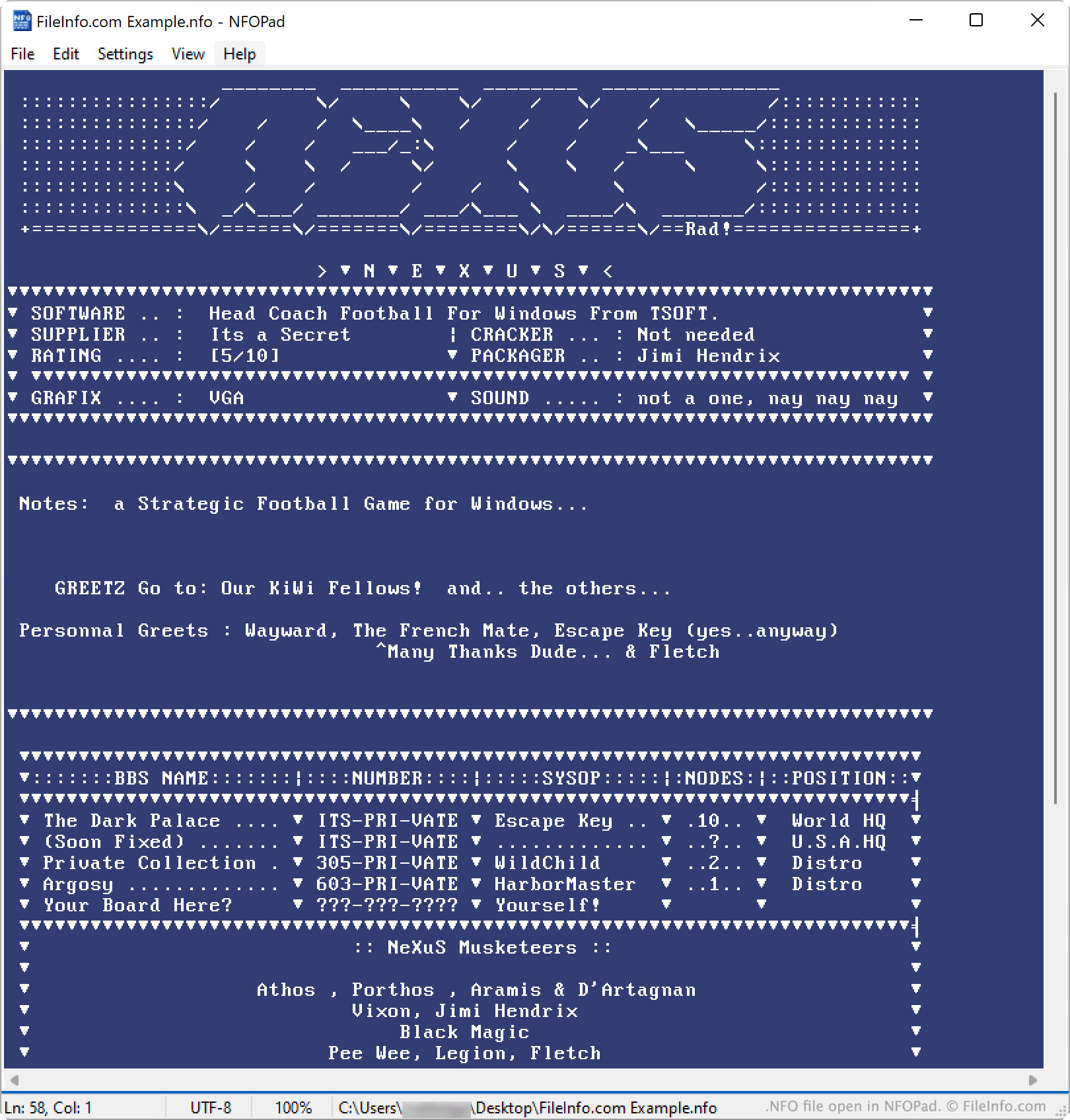
NFOPad에서 열린 .nfo 파일의 스크린샷
NFOPad에서 열린 NFO 파일

The Warez scene is a network of piracy groups that obtain, package, and release pirated versions of movies, TV shows, music, and software programs. These groups distribute the content they've pirated via the internet, as Warez packages (often referred to as just warez).

All Warez packages include two additional non-content files: an NFO file and an SFV file. The NFO file is a metadata file, which contains information about the package's contents. For example, if the package contains a software program, its NFO file will probably contain information about how to install and set up the program. (The package's SFV file is a checksum file, used to verify its integrity.)

While NFO files are plain text files, they often contain ASCII or ANSI art (graphics comprised of text characters). For example, an NFO file might contain a program's logo, drawn using ASCII characters. When viewed in a text editor, these graphics appear as normal ASCII or ANSI characters. However, when viewed in a specialized NFO viewer, these graphics often appear similarly to 8-bit graphics.

참고: The cracking group The Humble Guys (THG) is credited with creating the first NFO files.

NFO 파일을 여는 방법

You can open an NFO file with Microsoft Notepad, Apple TextEdit, or any other text editor. However, you may want to open an NFO file with a specialized NFO viewer, such as NFOPad (Windows) or DAMN NFO Viewer (Windows). These viewers will correctly display any ASCII or ANSI art your NFO file contains.

Note that, because Windows' System Information tool uses a different type of NFO files, double-clicking an NFO file in Windows may cause Windows to attempt to open the file in its System Information viewer. To avoid this issue, manually open your NFO file from within your text editor or NFO viewer.

NFO 파일을 여는 프로그램

카테고리: 텍스트
업데이트: 2023-08-02

Age of Empires Player File

개발사 Microsoft
인기도
2.1  |  10 투표
 

File created by Age of Empires, a real-time strategy (RTS) game where players control units and build empires; contains the player name and campaign progress; saves the player profile and in-game progress.

NFO 파일을 여는 프로그램

Windows
카테고리: 게임
업데이트: 2010-03-02

Folio Views Infobase File

개발사 The FIEN Group
인기도
2.1  |  10 투표
 

File used by Folio Views, a program used for viewing help documentation; contains indexes, articles, and other help documentation; used to create searchable documentation for customer support and program installations.

추가 정보

Folio Views, once owned by Folio Corporation, was subsequently sold to NextPage, FAST, Microsoft, and lastly to The FIEN Group under the name Rocket Folio Views.

NFO 파일을 여는 프로그램

Windows
The FIEN Group Rocket Folio Views
카테고리: 데이터
업데이트: 2010-02-23

Kodi Media Metadata

개발사 Kodi Foundation
인기도
2.0  |  1 투표
 

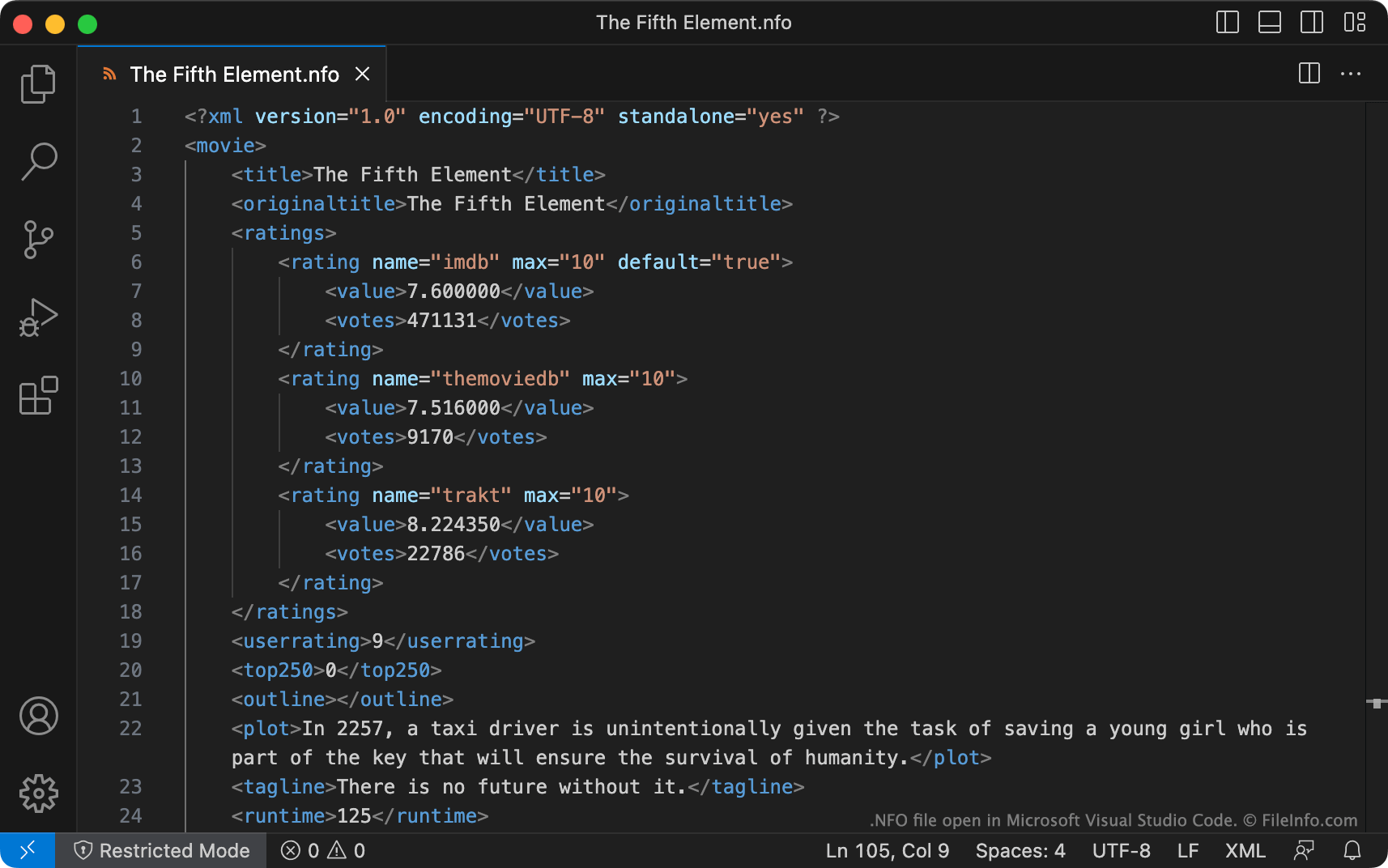
An NFO file is a metadata file used by Kodi, a free multiplatform media player. It contains information about a movie, TV show, album, artist, or music video. NFO files are XML files, which users can create manually or generate from within Kodi.

추가 정보

Microsoft Visual Studio Code에서 열린 .nfo 파일의 스크린샷
Microsoft Visual Studio Code에서 열린 NFO 파일

Kodi is a popular media player that allows users to play and organize video and music files. When a user adds a movie, TV show, album, or music video to their Kodi library, they can either automatically or manually import metadata about that item. To automatically import metadata, Kodi scrapes websites such as IMDb for matching titles. To manually import metadata, Kodi uses NFO files, which are XML-formatted plain text files that contain identifying information.

How to create NFO files

If you have an existing Kodi library, you can use Kodi's library export tools to export your existing video and album metadata into a set of NFO files. You might want to do this if, for example, you want to clean up and overwrite some of your existing library metadata.

If you want to manually create an NFO file, you can do so using Microsoft Visual Studio Code or any other text editor. Template NFO files, which you can use to start creating your NFO files, are available on the Kodi wiki. You can also use the online NFO Maker app to create NFO files.

How NFO files are stored and named

NFO files must be stored in the same directory as the media they describe. Also, NFO files must be named correctly for Kodi to be able to load the metadata they contain.

For example, if you create an NFO file for use with Jumanji.mp4, you must name it Jumanji.nfo and place it in the directory that contains Jumanji.mp4. NFO files that accompany music videos must also use the same filename as the video they describe. NFO files for albums, artists, and TV shows, however, must always be named album.nfo, artist.nfo, and tvshow.nfo, respectively.

참고: Some other media players and managers, such as Plex Media Server, TinyMediaManager, and Ember Media Manager, also use and can create Kodi-format NFO files.

NFO 파일을 여는 방법

You can use Microsoft Visual Studio Code or any other text editor to open and edit NFO files.

For instructions on how to use an NFO file to import a new item into your Kodi library or refresh an existing item's metadata, click here.

NFO 파일을 열거나 참조하는 프로그램

카테고리: 데이터
업데이트: 2023-08-25

검증자 FileInfo.com

FileInfo.com 팀 이 페이지에 나열된 모든 파일 형식과 소프트웨어 프로그램을 독자적으로 조사했습니다. 저희의 목표는 100% 정확성이며, 검증한 파일 유형에 대한 정보만 게시합니다.

이 페이지에 추가하거나 업데이트할 내용을 제안하고 싶으시면 알려 주세요.