.SFV 파일 확장자

Simple File Verification File

개발사 해당 없음
인기도
4.0  |  95 투표
 

SFV 파일이란 무엇인가요?

An SFV file is a plain text file used to verify other files' integrity. It contains one or more filenames and associated CRC32 checksums, which are unique combinations of letters and numbers produced by a checksum utility. Using an SFV file and a checksum utility, users can determine whether any files referenced in the SFV file have been corrupted or otherwise modified. SFV files most commonly accompany files transferred via CDs, DVDs, or USB drives.

추가 정보

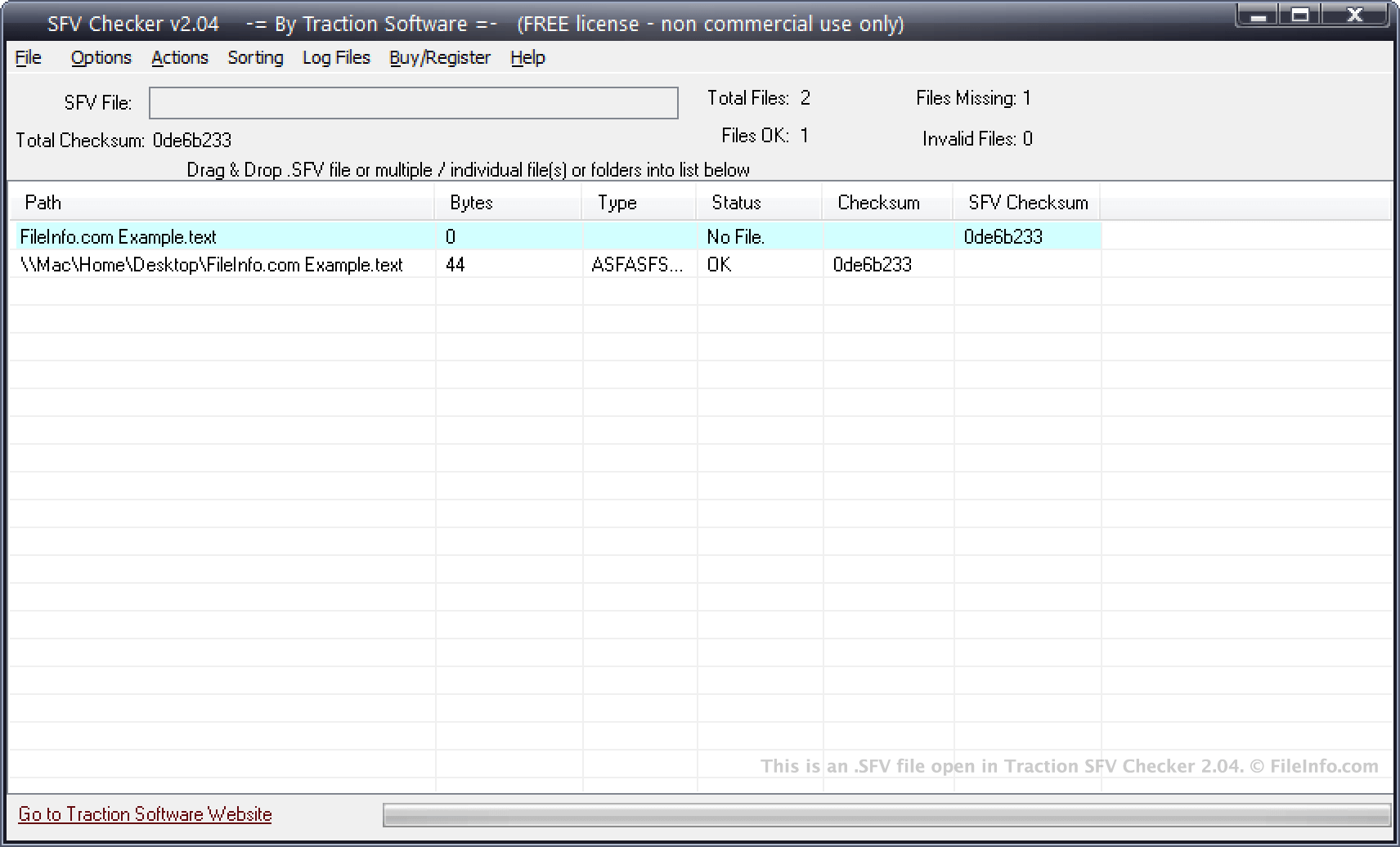
Traction SFV Checker 2.04에서 열린 .sfv 파일의 스크린샷
Traction SFV Checker 2.04에서 열린 SFV 파일

Checksum utilities allow users to quickly compare two files to determine whether they are identical. This can be useful in situations in which a user wants to copy and transfer a file to another user, and needs to know the other user received an exact copy of the file. In this scenario, the user can use a checksum utility to produce a checksum for the original file and its duplicate. If the checksums match, the files are identical.

Many checksum utilities, including MooSFV, QuickSFV, and Traction SFV Checker, allow users to create checksums for a group of files at the same time. Each file's name and its checksum are then saved in an SFV file. When a user transfers the group of files to a CD, DVD, USB drive, or other storage device, they can also transfer the SFV file to that device. This gives the user who receives the device an easy way to verify that none of the files stored on the device were corrupted during the transfer.

SFV files may also accompany files downloaded from the Internet. This allows users to verify that the files they downloaded were not corrupted or altered during the download.

SFV 파일을 여는 방법

You can use QuickSFV (Windows, Linux), Traction SFV Checker (Windows), and checkSum+ (Mac) to compare the checksums an SFV file contains against a file set's actual checksums. For example, in SFV Checker, you can add your files to the program's file list, open your SFV file, and compare your files' checksums to those listed in the SFV file. This will tell you whether the files you received are identical to the files used to produce the checksums listed in your SFV file.

If you do not want to open your SFV file in a checksum utility, you can instead open it in any text editor, to view the list of filenames and checksums it contains.

File Viewer Plus(으)로 400개 이상의 파일 형식을 여세요.무료 다운로드

SFV 파일을 여는 프로그램

Windows
무료
무료 체험판
무료
무료
Mac
무료
무료
Linux
무료
무료
카테고리: 기타
업데이트: 2021-03-24

검증자 FileInfo.com

FileInfo.com 팀 이 페이지에 나열된 Simple File Verification 파일 형식과 Mac, Windows, and Linux 앱을 독자적으로 조사했습니다. 저희의 목표는 100% 정확성이며, 검증한 파일 유형에 대한 정보만 게시합니다.

이 페이지에 추가하거나 업데이트할 내용을 제안하고 싶으시면 알려 주세요.