.MUN 파일 확장자

Windows System Resource Archive

개발사 Microsoft
인기도
3.0  |  3 투표
 

MUN 파일이란 무엇인가요?

A MUN file is a compressed file that contains Windows system resources, including the icons used by a system-level Windows program. Most MUN files are found in the C:/​Windows/​SystemResources directory, though some are found in application-specific directories. Typically, MUN files have filenames that end in .exe.mun or .dll.mun.

추가 정보

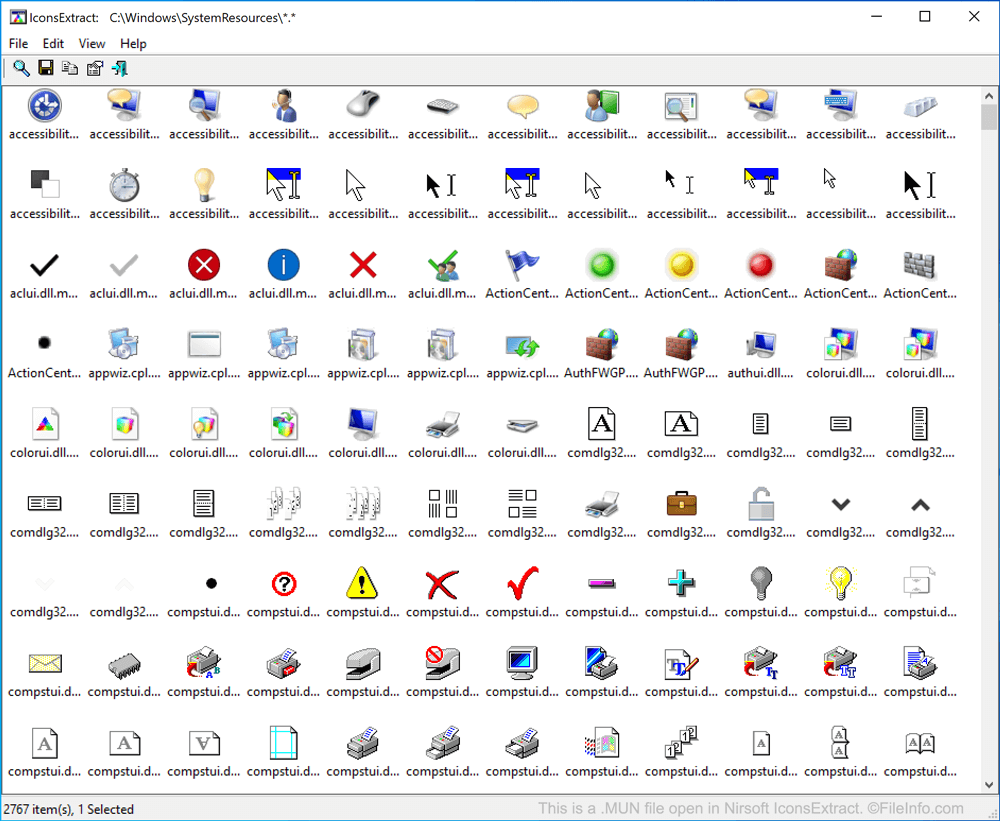
Nirsoft IconsExtract에서 열린 .mun 파일의 스크린샷
Nirsoft IconsExtract에서 열린 MUN 파일

In May 2019, Windows 10 began storing certain system resources in MUN files. Most notably, MUN files contain the icons used by many system-level and pre-installed Windows programs, such as Control Panel and Microsoft Paint.

Most often, MUN files are associated with corresponding .EXE or .DLL files. For example, mspaint.exe.mun is associated with mspaint.exe, the executable file that launches Microsoft Paint. However, MUN files themselves are not executable files or libraries. Rather, they are compressed archives that contain files referenced by a program or library.

MUN 파일을 여는 방법

If you are simply looking to access and save a copy of the icons stored within a MUN file, you can use Nirsoft IconsExtract to extract MUN icons and save them as .ICO files. To do so, open IconsExtract, select File → Search for Icons, and then browse to and search the C:/​Windows/​SystemResources directory.

If you want to explore all the files contained within a MUN archive, you can open and explore the archive with 7-Zip. Note, however, that you cannot use 7-Zip to automatically extract the files contained within a MUN archive. You can, however, use it to manually copy the files contained within a MUN file to a new folder.

File Viewer Plus(으)로 400개 이상의 파일 형식을 여세요.무료 다운로드

MUN 파일을 열거나 참조하는 프로그램

Windows
카테고리: 시스템
업데이트: 2020-12-10

검증자 FileInfo.com

FileInfo.com 팀 이 페이지에 나열된 Windows System Resource Archive 파일 형식과 Windows 앱을 독자적으로 조사했습니다. 저희의 목표는 100% 정확성이며, 검증한 파일 유형에 대한 정보만 게시합니다.

이 페이지에 추가하거나 업데이트할 내용을 제안하고 싶으시면 알려 주세요.