.MUN ファイル拡張子

Windows System Resource Archive

開発元 Microsoft
人気度
3.0  |  3 
 

MUNファイルとは?

A MUN file is a compressed file that contains Windows system resources, including the icons used by a system-level Windows program. Most MUN files are found in the C:/​Windows/​SystemResources directory, though some are found in application-specific directories. Typically, MUN files have filenames that end in .exe.mun or .dll.mun.

詳細情報

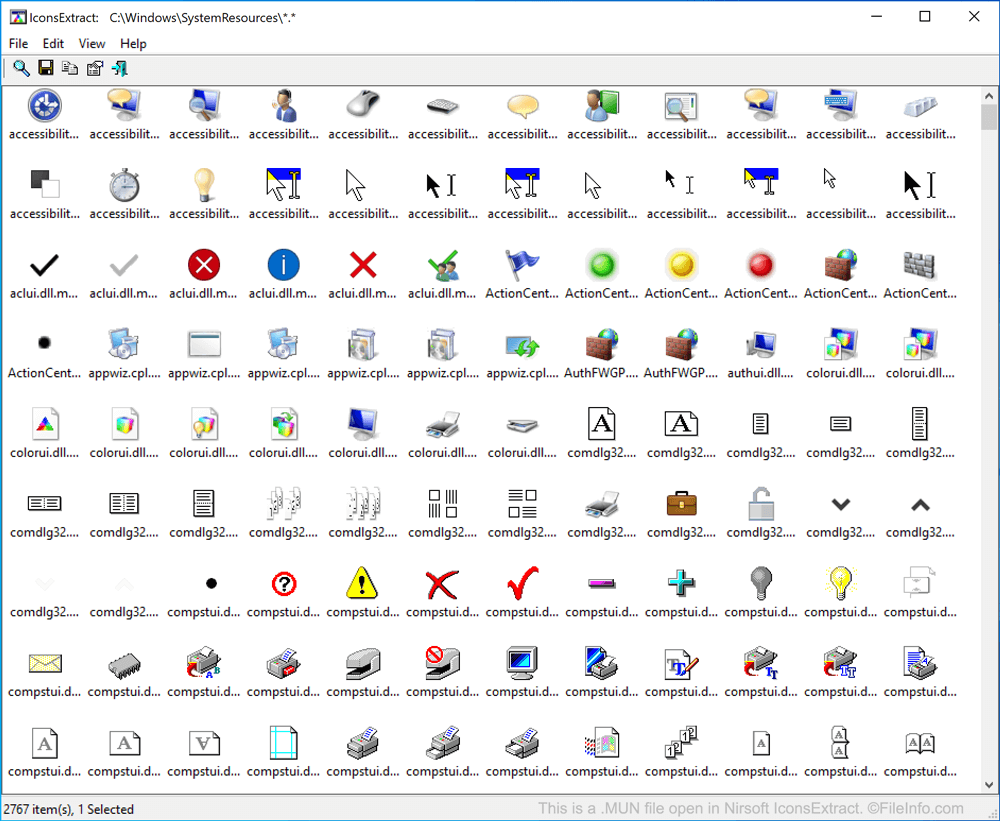
Nirsoft IconsExtractで開いた.munファイルのスクリーンショット
Nirsoft IconsExtractで開いたMUNファイル

In May 2019, Windows 10 began storing certain system resources in MUN files. Most notably, MUN files contain the icons used by many system-level and pre-installed Windows programs, such as Control Panel and Microsoft Paint.

Most often, MUN files are associated with corresponding .EXE or .DLL files. For example, mspaint.exe.mun is associated with mspaint.exe, the executable file that launches Microsoft Paint. However, MUN files themselves are not executable files or libraries. Rather, they are compressed archives that contain files referenced by a program or library.

MUNファイルの開き方

If you are simply looking to access and save a copy of the icons stored within a MUN file, you can use Nirsoft IconsExtract to extract MUN icons and save them as .ICO files. To do so, open IconsExtract, select File → Search for Icons, and then browse to and search the C:/​Windows/​SystemResources directory.

If you want to explore all the files contained within a MUN archive, you can open and explore the archive with 7-Zip. Note, however, that you cannot use 7-Zip to automatically extract the files contained within a MUN archive. You can, however, use it to manually copy the files contained within a MUN file to a new folder.

File Viewer Plusで400種類以上のファイル形式を開けます。無料ダウンロード

MUNファイルを開く、または参照するプログラム

Windows

検証者 FileInfo.com

FileInfo.comチーム は、このページに掲載されているWindows System Resource Archiveファイル形式とWindowsアプリについて独自に調査しました。 私たちの目標は100%の正確性であり、検証済みのファイルタイプに関する情報のみを公開しています。

このページへの追加や更新をご提案いただける場合は、お知らせください。